


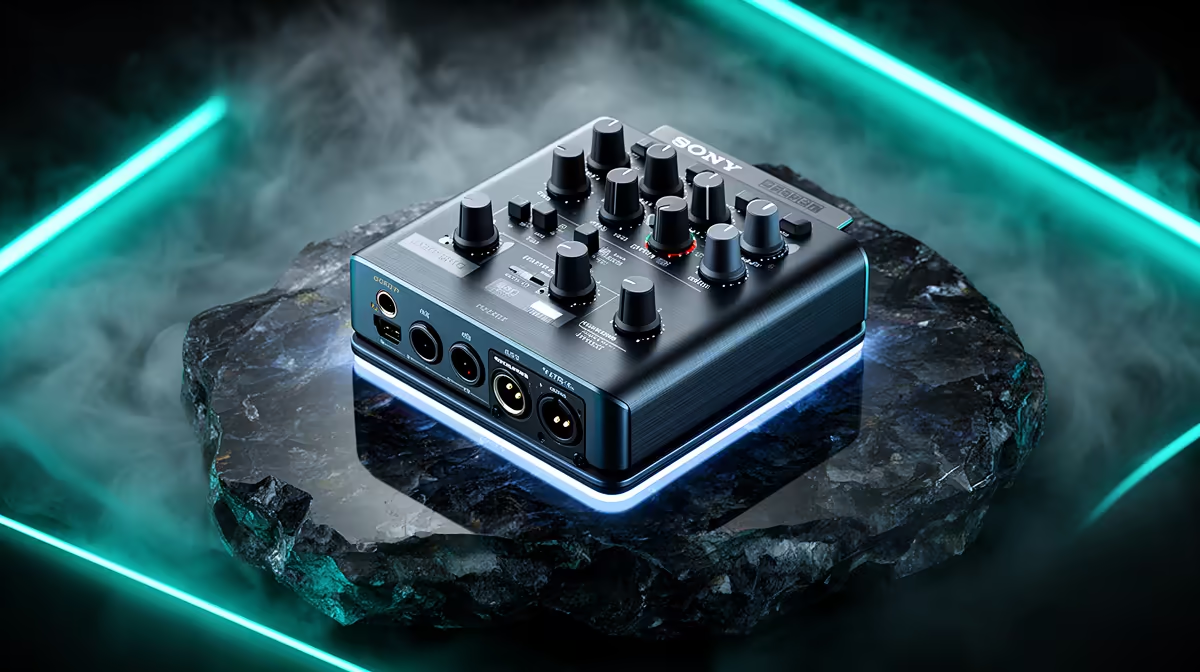
Running backing tracks from a phone into a live vocal mix used to mean a splitter cable, a compromised stereo image, and latency that only revealed itself after the take started. A compact USB audio mixer with Bluetooth input turns that into a clean, managed setup where the music sits on its own fader and the performer hears everything through the mixer rather than juggling two separate playback sources. Here is how to do it correctly from pairing through to recording.
Quick Answer
Hold the Bluetooth pairing button on the mixer until it blinks, then connect from your phone's Bluetooth menu. Assign that channel its own fader so you can dip the music to around -8dB under the live vocal. The Bluetooth feed folds into the USB mix bus and records into your DAW or streaming software alongside all other channels.
🔧 Pairing and Initial Setup
Start with the mixer powered on and within two metres of the phone. Hold the Bluetooth pairing button for three seconds, or until the indicator starts to blink. Open Bluetooth settings on your phone and select the mixer from the available device list. The connection typically confirms within five seconds.
Once paired, the mixer remembers the device across power cycles. You will not need to repeat the process unless you reset the unit or pair a different device. Some compact mixers store only a single Bluetooth pairing, so note which device was last connected if you switch regularly.
Play a short audio clip from the phone immediately after pairing to confirm the Bluetooth channel is routing audio. If no signal appears on the channel meter, check that the mixer's Bluetooth receive mode is active and that the phone volume is set above fifty percent before the mixer fader becomes the controlling variable.
Setting the Input Level
Phone Bluetooth output is line-level, and the Bluetooth channel on a mixer is typically calibrated for that range. You should not need to apply much gain boost on the channel strip. If the backing track sounds distorted at moderate fader positions, lower the phone's media volume before adjusting the channel gain on the mixer. Distortion entering from the source cannot be corrected by lowering the fader.
🎵 Blending Backing Tracks Under Live Vocals
The purpose of giving the Bluetooth channel its own fader is to control the music independently of the vocal. A common starting balance is the backing track sitting at around -8dB to -10dB below the main vocal level, which keeps the music present in the mix without competing for clarity on spoken or sung phrases.
During a performance, the fader lets you pull the music further back for quiet passages, verse sections, or spoken introductions without any break in the audio. This is the core advantage over running the backing track through a shared input or a headphone split, where adjusting one source affects everything else.
If the mixer includes a stereo Bluetooth channel with left and right outputs, the backing track can sit in a wider stereo image within the final mix. For live streaming this adds production value. For a single-channel USB recording, pan the Bluetooth channel to centre so the music is equally present in both channels of the recording.
Pro Tip ⚡
Set your main mix output at unity gain and use the individual channel faders to build the blend before the Bluetooth track enters. That way the vocal is already at a comfortable level when you bring the music in, rather than chasing balance between two sources that are both moving.
⚡ Latency and Monitoring
Bluetooth audio transmission adds latency. On compact mixers, the delay between the phone sending audio and the mixer outputting it falls in the range of 120 to 180 milliseconds. That is roughly equivalent to the delay you hear from a speaker across a medium-sized room.
Always monitor the backing track through the mixer, not from the phone speaker. If in-ear monitors connected to the mixer play at the same time as the phone speaker, you will hear two versions offset by that 120 to 180ms gap, which causes timing drift and is disorienting mid-performance.
Monitor entirely through the mixer's headphone output. The mix you hear is the mix being recorded, keeping the balance feedback accurate.
🎤 Recording Backing Tracks Into Your DAW or Streaming Software
The Bluetooth channel on a USB mixer routes into the master mix bus, so it is included in the USB audio output the computer receives. When you open OBS, Audacity, or any recording software and select the mixer as the input, the backing track is already in the signal alongside any connected microphones, with no additional routing or virtual audio cables required.
For recordings where you want to edit vocal and backing track independently in post, check whether the mixer offers multitrack USB output. Some compact models send a stereo master only; others send each channel as a separate track to a DAW. Confirm multitrack support before purchase if individual editing matters.
Frequently Asked Questions
How do I pair a phone to a USB audio mixer?
Hold the Bluetooth pairing button on the mixer for three seconds until the indicator blinks, then select the mixer from your phone's Bluetooth device list. The connection completes in a few seconds and the mixer stores the pairing for future sessions.
Does Bluetooth backing track audio add noticeable delay?
Expect 120 to 180 milliseconds of delay. Monitor exclusively through the mixer's headphone output rather than the phone so you are always hearing the mix as it goes to the recording.
Can I set the backing track volume separately from my mic?
Yes. The Bluetooth channel has its own fader, so you adjust music level independently. Starting at around -8dB below the vocal gives a clean blend that works for most live and recording contexts.
Will the backing track appear in my OBS or DAW recording?
Yes. The Bluetooth channel feeds into the master USB mix, so any software receiving audio from the mixer also captures the backing track alongside all other channels.
Is a wired connection better than Bluetooth for backing tracks?
Wired line input from the phone adds under 5ms of latency versus the 120 to 180ms Bluetooth introduces. For a tightly timed live performance where the backing track must sync with a click or tempo, wired is preferable. For a relaxed studio or streaming setup, the Bluetooth difference is not musically significant.
Ready to run backing tracks through your live mix without the cable juggle? Browse the compact USB audio mixer range at Evetech and find the setup that puts your Bluetooth channel exactly where it belongs.











