Scoring a deal on PC parts in South Africa feels like a major win. You see a graphics card on Gumtree for a steal or a no-name power supply that saves you a few hundred Rand. Lekker! But before you click 'buy', hold up. That bargain could be a fast track to a dead rig and a very sad wallet. Buying cheap PC components without knowing the risks is one of the biggest gambles in PC building.
The Allure of a Bargain Build
Let's be real: building a PC in SA can be expensive, and saving money wherever possible is tempting. The problem arises when "budget-friendly" crosses the line into "cheap and nasty." The difference? Value. A value component offers solid performance for its price, backed by a warranty. A cheap component often cuts critical corners, leading to poor performance, system instability, or even catastrophic failure. ⚡
The risks aren't just theoretical; they're expensive lessons many gamers have learned the hard way.
Pitfall #1: The Power Supply Unit (PSU) Gamble
Never, ever skimp on the heart of your PC. A cheap, unrated power supply is a ticking time bomb. It might promise 750W on the box, but under load, it could deliver unstable power that causes random crashes or, worse, fail spectacularly. A single power surge through a dodgy PSU could take your entire system with it.
It's far wiser to start your build by investing in a reliable Corsair power supply or another unit from a trusted brand with an 80 Plus rating. It’s the single best piece of insurance for your expensive hardware.
Pitfall #2: The Compatibility Nightmare
This is a classic pitfall when buying cheap PC components: overlooking compatibility. For instance, you might find a tempting deal on older DDR3 gaming RAM modules, only to discover your new CPU requires a modern DDR5 slot. They simply won't fit.
The same goes for the processor socket, M.2 drive keys, and even physical clearance. Always double-check the official specs on your chosen motherboard to ensure every part you buy will play nicely together. A few minutes of research can save you weeks of headaches.
GPU Red Flag Detector 🚩
When buying a used graphics card, ask the seller for a recent video of it running a benchmark like FurMark or 3DMark Time Spy. Check for visual artifacts or extreme temperatures. Also, inspect the card for physical damage or signs it's been opened, like mismatched screws. If the seller refuses, it's best to walk away.
Pitfall #3: The "Too-Good-To-Be-True" Graphics Card
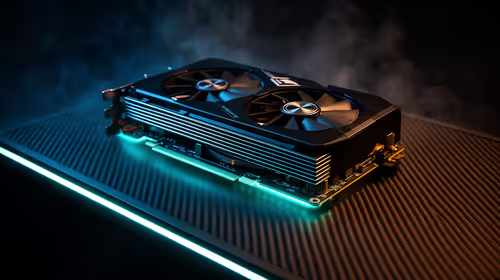
That "slightly used" GPU at a price that seems unbelievable? It probably is. The second-hand market is flooded with exhausted cards from crypto-mining farms. These cards have been run 24/7 under extreme load for months or years, which can seriously shorten their lifespan and degrade performance.
For peace of mind, a full warranty, and guaranteed performance, it's always better to browse new, reputable Nvidia and AMD graphics cards from an authorised dealer like Evetech.
Don't Forget the Supporting Cast 🔧
The risks of going cheap don't stop at the main parts.
- Cooling: A bargain-bin CPU cooler might not be able to handle your processor's heat, leading to thermal throttling—where your CPU intentionally slows down to avoid damage. You paid for a high-speed CPU, so let it run at full speed!
- Chassis: A flimsy, poorly designed chassis with bad airflow turns your rig into an oven, slowly cooking your components and reducing their lifespan. Always factor in a decent computer case with good ventilation for the long-term health of your build.
A Smarter Way to Save: The Value Approach
So, how do you build on a budget without the risk? You focus on value and guaranteed compatibility. The smartest way to avoid the headaches of mismatched or unreliable parts is to start with a pre-vetted combo.
Our CPU, Mobo, and RAM bundles are curated by our tech experts to ensure every part works perfectly together right out of the box. This strategy eliminates the biggest risks of buying cheap computer parts individually and gives you a powerful, stable foundation for your dream PC. 🚀
Ready to Build Smarter, Not Cheaper?
Navigating the world of PC parts can be tricky, but avoiding the common pitfalls of buying cheap PC components is the first step to a reliable rig. Evetech's curated bundles take the guesswork out of the equation, giving you a powerful, compatible core to build upon. Explore our guaranteed-compatible PC bundles and start your build with confidence.