


Fix Dead pixel checks on Ryzen 7 9800X3D build
Dead pixel on Ryzen 7 9800X3D build needs careful display-chain checks, not a single-part blame. Test the screen, cable, port, scaling, drivers, and setup context before replacing hardware.
Read moreDeciding on a capture card vs streaming PC for your setup? This visual guide breaks down the pros, cons, costs, and performance for South African streamers. Discover the best path to flawless, lag-free broadcasts and elevate your content creation game! 🚀💻
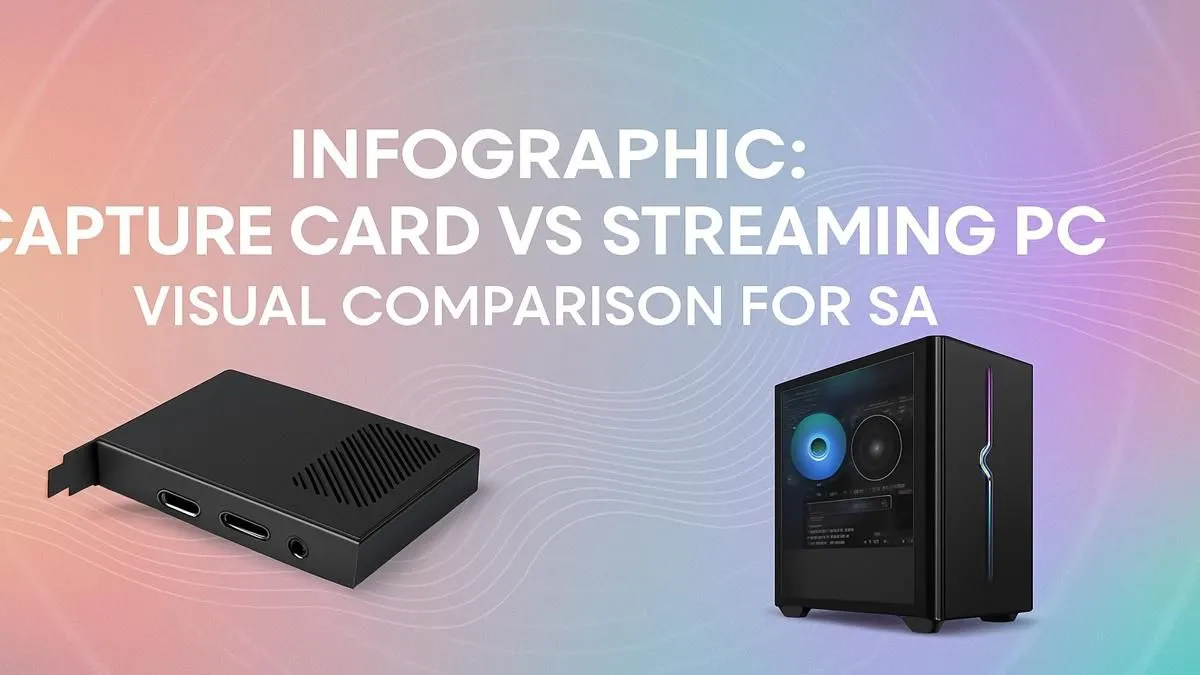
Ready to go live but your PC sounds like it's about to take off during a hectic Apex Legends match? The big question for aspiring South African streamers is simple: do you need a capture card to ease the load, or is it time to invest in a dedicated streaming PC? Let's break down the capture card vs streaming PC debate and find the perfect solution for your setup.
Streaming and gaming on one machine is a massive juggling act for your computer. Your PC has to run the game at a high frame rate, capture that gameplay, encode it into a video format for Twitch or YouTube, and upload it... all at the same time. This puts immense strain on your CPU and GPU.
Even with powerful hardware, you might see your in-game FPS drop, or your viewers might complain about a stuttering stream. This is the core issue that both capture cards and dedicated streaming PCs aim to solve, just in very different ways.
A capture card is a piece of hardware that slots into your PC (internal) or connects via USB (external). Its main job is to take a video feed—from your graphics card, a console, or another PC—and make it available to your streaming software like OBS or Streamlabs.
It's a common misconception that a capture card does all the heavy lifting. While it handles the capturing flawlessly, your gaming PC's processor still has to do the hard work of encoding the video. It frees up some resources, but it's not a complete separation of tasks.
A capture card is an excellent choice if:
For many, a capture card is the perfect first step. It's a significant upgrade over software-only capturing and can work beautifully with powerful gaming PCs under R20k that have enough headroom to handle the encoding.
This is the professional's choice. A dual-PC setup involves using two separate computers: one for gaming and one dedicated entirely to streaming.
This setup completely isolates the gaming and streaming workloads, ensuring neither impacts the other. Your game runs perfectly, and your stream is buttery smooth for your viewers. You could have one of your high-performance Intel gaming rigs for pure gameplay, while a more modest PC handles the stream.
For a dual PC setup, you don't always need a capture card. Look into NDI (Network Device Interface). It's a free software tool that lets you send high-quality video over your local network. This can be a fantastic, cost-effective way to get your gaming PC's feed to your streaming PC without extra hardware, provided you have a fast home network.
So, how do you choose? The streaming PC vs capture card decision comes down to your budget and your ambition.
Many find that a combination of powerful AMD Ryzen setups for gaming and a budget-friendly second machine from our range of pre-built PC deals is the perfect recipe for a pro-level stream without completely breaking the bank.
Ready to Build Your Streaming Empire? Whether you need a simple upgrade or a full-blown command centre, the choice between a capture card and a streaming PC is about matching your ambition with your budget. Explore our massive range of custom and pre-built gaming PCs and find the perfect machine to launch your streaming journey.
Yes. A capture card is essential for a dual PC setup. It captures the video output from your gaming PC and sends it to your streaming PC for encoding and broadcasting.
For serious streamers, a dedicated streaming PC is often worth it. It offloads all encoding tasks, ensuring your gaming PC delivers maximum performance for smooth gameplay.
The main disadvantages can be cost, potential latency (though minimal on high-end cards), and the added complexity of cables and setup compared to a single PC solution.
Absolutely. Modern GPUs have powerful built-in encoders (like NVIDIA's NVENC) that allow you to game and stream from a single PC with minimal performance impact.
A basic dedicated streaming PC cost in South Africa can range from R8,000 to R15,000+, depending on the components chosen for reliable 1080p streaming.
In a single PC setup, a capture card does nothing. In a dual PC setup, it helps maintain high FPS on your gaming PC by moving the streaming workload to a second computer.
Dead pixel on Ryzen 7 9800X3D build needs careful display-chain checks, not a single-part blame. Test the screen, cable, port, scaling, drivers, and setup context before replacing hardware.
Read more
AM5 motherboard upgrade dead pixel checks should verify the screen before the platform. This how to fix dead pixel after a AM5 motherboard upgrade guide covers colour tests, ports, cables, BIOS screens, and SA support proof.
Read more
Ultrawide monitor upgrade stuck pixel checks should confirm the panel before blaming the new setup. Test full-width colours, cables, ports, GPU drivers, and scaling in your SA gaming workspace.
Read more
Wi-Fi 7 router upgrades should not change text rendering directly. To fix blurry text after a Wi-Fi 7 upgrade, check display scaling, GPU drivers, remote desktop quality, browser zoom, monitor cables, and PC settings.
Read more
A wireless mouse upgrade should not change monitor refresh rate, but it can expose stutter or input feel issues. Check Windows Hz, receiver placement, drivers, and SA gaming setup basics before replacing gear.
Read more
Wireless gaming headset setups in South Africa do not have a monitor refresh rate. Treat the issue as a display setting problem, then check Windows, GPU drivers, cable bandwidth, and any audio app overlay on the same PC.
Read more
RTX 5090 on a 1200W PSU has usable headroom when the supply is strong and the build is measured. For SA gamers, OC potential depends on CPU draw, cooling, cabling, stability targets, and how much safety margin you keep.

How to fix low FPS on gaming laptop starts with power mode, drivers, heat, and game settings. Use this South Africa-focused checklist to confirm charger use, GPU selection, RAM pressure, and cooling before changing parts or tweaking every setting.

Real world difference between b850 b650 mmo live service games sits in stability, networking, storage, and upgrade room. SA players should compare LAN quality, USB layout, RAM support, and SSD slots for always-updated games.

Dead Pixel on Wi-Fi 7 Router is likely a display-path or source-title issue, so check the screen, cable, driver state, and related system symptoms before blaming the device itself.

Put the headphones in pairing mode, open Bluetooth and devices in Windows 11, then add the headset. If it fails, remove the old pairing and check charge, range and drivers.

Microsoft says upcoming Windows 11 work will target memory use on 8GB PCs and improve boot and sign-in responsiveness. There is no public release date or measured uplift yet.

Windows 11 does not show CPU temperature in its standard Settings pages. Use your CPU maker's supported utility or a trusted monitor, then read idle and loaded temperatures in context.

The Colorful MEOW X16 Pro pairs a Ryzen 7 8745HX with a 115W RTX 5060 Laptop GPU. It is a China-only launch for now, so local RTX 5060 pricing is the practical benchmark.

Industry reports point to another roughly 10 percent Intel processor increase from 5 October, but Intel has not published a consumer price list confirming the scope. South African buyers should treat it as a risk signal, not a guaranteed Rand change.

Tests reported audio capture and local-network scanning on a specific LG television with its screen off. LG says supported standby modes can keep voice and connected-device features active, so owners should review model-specific settings.

Thermalright's AXP120-X77 is a 77 mm top-down cooler with six heatpipes and a slim 120 mm fan. Local availability is not confirmed, so compact-PC builders should verify case height, memory clearance and socket support before comparing it with stocked coolers.

One-sided sound can come from balance settings, a dirty or loose connector, Bluetooth pairing data, firmware, the source device or a failed cable or driver. A short swap test isolates the cause before you reset software or replace the headset.