


Best AMD Monitor Under R2000 in SA 2026
Top AMD Monitor Under R2000 picks evaluated on performance, value & SA availability with current Rand pricing from Evetech.
Read moreCase with pre-installed fans speeds up your first PC build, ensures PWM compatibility, and reduces cable clutter — perfect for new builders. Learn benefits, buying tips, and quick setup steps. 🔧💨
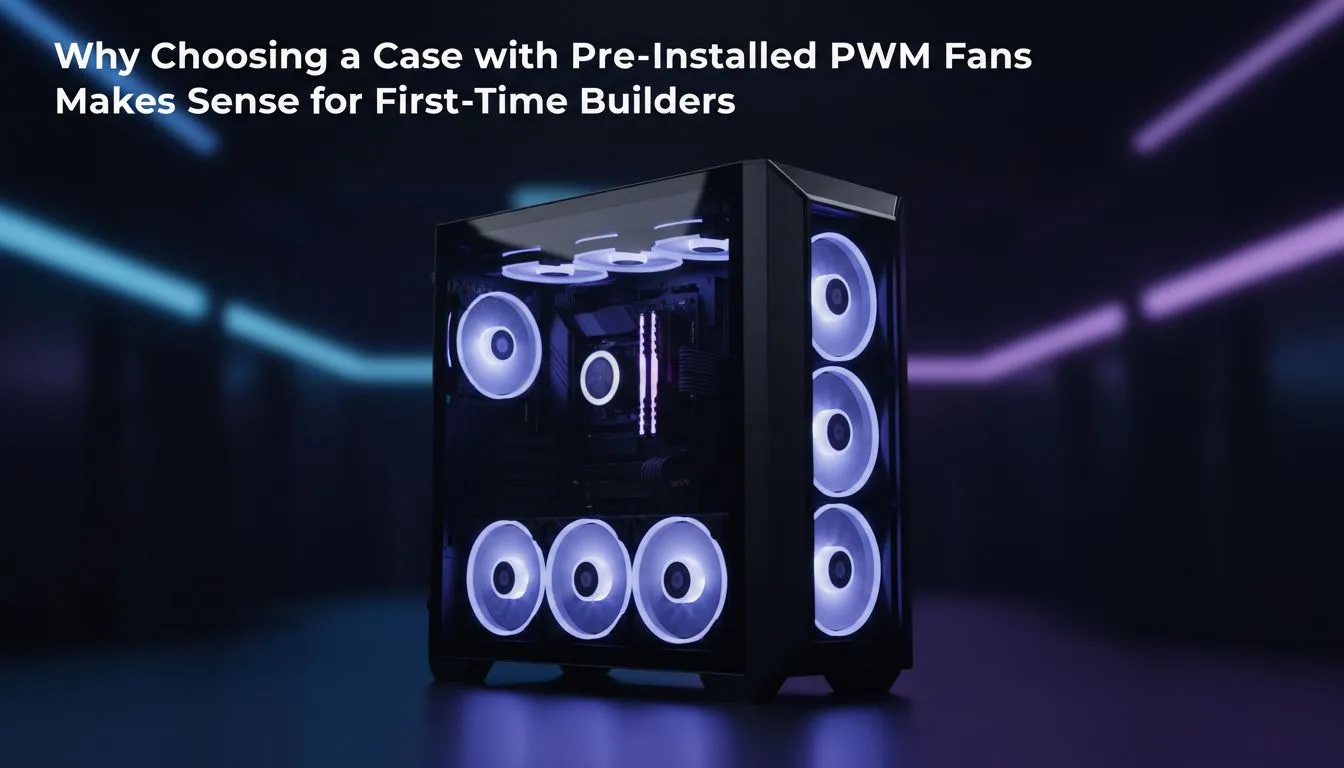
Building your first PC in South Africa? Lekker! But let's be real... it can also be a bit stressful. Between the CPU, GPU, and RAM, your head is probably spinning. What if you could take one major headache off the table? Choosing a PC case with pre-installed fans is one of the smartest moves a rookie builder can make. It's not just about convenience; it’s about starting your build with confidence and guaranteed airflow from the get-go. 🔧
That feeling of unboxing all your new components is amazing, but it can quickly turn to panic when you're faced with a bag of tiny screws and a manual that looks like hieroglyphics. A chassis with included fans cuts right through that confusion.
No need to worry if you bought 120mm or 140mm fans, or where they should even go. The manufacturer has already optimised the fan placement for a solid airflow path—usually pulling cool air in from the front and pushing hot air out the back. It just works, letting you focus on the main event: building your rig.
Honestly, mounting fans and routing their cables can be a finicky job. With a pre-installed setup, that work is done. You save precious time that you can spend on the more exciting parts, like seating your processor. This simple choice transforms the entire building experience, making it smoother and more enjoyable. You can browse a huge variety of computer cases to see how many come ready to roll.
Building a PC is a balancing act for your budget. Every Rand counts. Opting for a case with pre-installed fans is often more cost-effective than buying the case and fans separately. Think of it as a combo deal.
This saving might seem small, but it could be the difference that lets you upgrade your storage or get that slightly faster RAM you were eyeing. There are some fantastic Gamdias gaming cases under R1500 that offer incredible value, packing in fans and features without breaking the bank.
Okay, so you're sold on the idea. But which one is right for you? It's not just about the number of fans.
Look for cases with mesh front panels. These allow the pre-installed fans to breathe easily, pulling in heaps of cool air to keep your components happy. A solid front panel might look sleek, but it can choke your system's performance.
Your PC case is the one component you'll be looking at every day, so get one you love! Many modern options come with ARGB (Addressable RGB) fans, letting you customise the colour and effects to match your setup. Brands like Gamdias are brilliant for offering eye-catching designs packed with colourful, pre-installed fans.
Even with pre-installed fans, their cables need to be managed! Before you install your motherboard, take a moment to route the fan cables through the back of the case. Use the built-in tie-down points. A tidy case isn't just for looks; it dramatically improves airflow and makes future upgrades much easier.
To be completely transparent, the fans included with most budget-to-mid-range cases aren't going to be the absolute quietest or most powerful models on the market. They are designed to be perfectly adequate, reliable workhorses.
For a first-time builder, this is rarely a problem. The performance is more than enough to keep your system cool. And the best part? You can always upgrade them down the line if you decide to get into serious overclocking. For those who want premium quality right out of the box, exploring options from brands like Fractal Design is a great idea, as their included fans are often top-tier.
For your first PC build, prioritising simplicity and value is key. A case with pre-installed fans delivers on both fronts, removing guesswork, saving you money, and getting you to that glorious first boot-up faster. It’s a confident first step into the incredible world of PC gaming. 🚀
Ready to Start Your Build? Choosing the right case is the first step to building your dream rig. A case with fans already installed makes the process smoother, smarter, and more fun. Explore our massive range of PC cases and find the perfect foundation for your new machine.
Yes. A case with pre-installed fans reduces setup time, ensures basic airflow, and often includes PWM wiring for easy fan control.
Pre-installed fans usually improve baseline airflow. Look for PWM fans and proper intake/exhaust balance to avoid negative pressure.
Yes. Cases with PWM fans let you control speeds via the motherboard for quieter, more efficient cooling.
Absolutely. Most preinstalled fans use standard mounts and can be swapped for higher static pressure or airflow models.
Check fan size, PWM headers, airflow layout, dust filters, and included fan type. These impact noise and cooling effectiveness.
Yes. A case with preinstalled fans reduces initial cost and avoids extra purchases while offering adequate cooling for most starter builds.
Connect 4-pin PWM fan cables to motherboard fan headers. Use splitters or hub if headers are limited; check manual for PWM configuration.
Top AMD Monitor Under R2000 picks evaluated on performance, value & SA availability with current Rand pricing from Evetech.
Read more
UJ Eng: Monitor Setup Under R15000. Clear setup instructions with SA-specific considerations, troubleshooting tips & recommended components.
Read more
Top NZXT Monitor Under R15000 picks evaluated on performance, value & SA availability with current Rand pricing from Evetech.
Read more
Top 240Hz Monitor Under R20000 picks evaluated on performance, value & SA availability with current Rand pricing from Evetech.
Read more
Top Budget 4K monitor Under R5000 Gamers picks evaluated on performance, value & SA availability with current Rand pricing from Evetech.
Read more
Stellenbosch Arch: Monitor Setup Under R15000. Clear setup instructions with SA-specific considerations, troubleshooting tips & recommended components.
Read more
When Will the RTX 6090 Launch in South Africa Detailed answer with SA data, expert analysis & practical recommendations for local buyers.

Top Valorant Settings for RTX 5070: FPS Optimisation picks evaluated on performance, value & SA availability with current Rand pricing from Evetech.

RDNA 3.5 Graphics in Ryzen AI 400? Can You Game. Plain-English explanation of what it means, why it matters & how it affects your buying decisions in SA.

GPU Price Index : December Report. Current stock data & price tracking for SA buyers. See what is available and where prices are heading.

Core i5-14600K + B760 + RTX 5060 Build Under. Full parts list, Rand pricing & expected performance. Build confidently with SA-available components.

RX 7600 Apex Legends at 4K: FPS Benchmark. Real-world benchmark data, FPS numbers & performance analysis. What SA gamers can actually expect.

RX 7900 XTX GTA 6 at 4K: FPS Benchmark & Optimal. Real-world benchmark data, FPS numbers & performance analysis. What SA gamers can actually expect.

Head-to-head comparison of RTX 5070 vs RX 9070 XT: Gaming Performance for SA gamers. Performance benchmarks, Rand pricing & which delivers better value.

Starfield Max Settings on RTX 5070. Tested & verified settings for best FPS and visual quality on SA hardware budgets.

Top RX 7800 XT Model Under R8,000 picks evaluated on performance, value & SA availability with current Rand pricing from Evetech.

RTX 5070 Valorant Optimised Settings: Graphics. Real-world benchmark data, FPS numbers & performance analysis. What SA gamers can actually expect.

Top Laptop with Core i7 + RX 7700S: Picks picks evaluated on performance, value & SA availability with current Rand pricing from Evetech.