


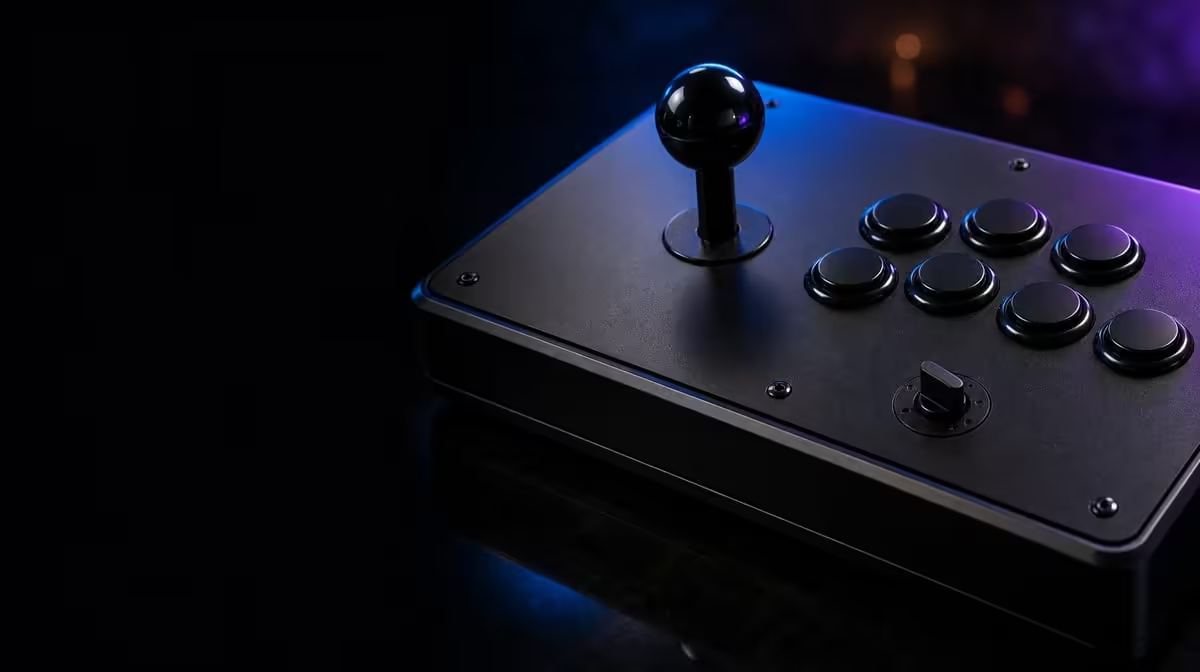
A directional switch is useful only when you know what changed. On the GameSir C2 directional toggle, the practical method is to capture the starting position, alter one setting and run the same movement test again. That turns a mysterious lever problem into an observable comparison.
Quick Answer
Configure the C2's directional toggle by identifying the mode your game expects, recording the current position and testing all cardinal and diagonal inputs after one change. This function is included on the R1,799 fightstick, alongside its Sanwa Denshi arcade controls.
🧭 Establish a clean baseline
Do not begin with rapid quarter circles. Open a menu, training screen or input display where single directions produce obvious feedback. Test up, down, left and right, then move deliberately into each diagonal. Record which inputs register and whether they remain held for as long as the lever is held.
Now note the toggle position. A photograph is useful if the markings are unfamiliar, especially when more than one person uses the controller. The aim is not to discover a universally best mode; it is to identify the setting that the particular host and game interpret correctly.
The C2 sits among Evetech's broader gaming controller selection. That comparison can help distinguish a configurable arcade lever from a pad, but the toggle should still be tested inside the software you intend to play.
🎯 Change one variable
Move the directional toggle while the fightstick is not being used for an input, then repeat the exact baseline. Avoid remapping buttons, changing game settings or moving to another port during the same pass. If behaviour improves, you know the toggle position mattered. If nothing changes, you have avoided three extra variables that would muddy the result.
The setting changes direction behaviour; it does not physically transform the Sanwa joystick or repair a contact that never activates. A missed diagonal that follows the same corner across every mode deserves a physical-control check. A menu that works while one game does not points instead towards game interpretation or mapping.
🧪 Test movements that reveal errors
Straight walks expose unwanted diagonals. Slow circles show whether all transitions appear. Charge motions reveal whether a held direction remains stable before the lever moves to the next point. Finally, perform the specific command that prompted the adjustment, but break it into stages rather than judging only the final move.
Run the same sequence on both sides of the screen. Players sometimes compensate for one hand direction without noticing, which can make a control setting look inconsistent. If another supported game is available on the same platform, a short comparison helps separate a title-specific issue from a broader setup problem.
Give each position enough attempts to expose a pattern. Ten slow repetitions of one command tell you more than alternating rapidly between settings after every miss. Mark clean, incorrect and absent inputs separately. An incorrect direction suggests different behaviour from a command that never appears, and that distinction can guide the next test.
Use the training display as evidence rather than judging only the character animation. A game may apply movement rules, timing windows or command shortcuts after receiving the raw direction. Seeing the input history lets you distinguish what the controller sent from what the game chose to do with it.
The C2 is priced at R1,799, so a sensible configuration session should extract value from the included toggle before replacement parts enter the conversation. For related desk, transport or cable items, Evetech's gaming accessory category is the place to check, but those additions cannot correct the wrong direction mode.
📝 Preserve the working state
Once you find a reliable position, write it down beside the platform and game name. Add the button layout and Key Lock state if those details vary between sessions. A compact note prevents a friend, travel bump or cleaning session from leaving you uncertain about the original setting.
Recheck the toggle before competition rather than assuming it stayed put. Then use one menu lap and one training-mode input sequence as a pre-match check. Buyers still assembling a complete station can scan Evetech's popular accessory collection while confirming current availability for the pieces they need.
If the working position differs between games, label the note by title instead of treating one setting as universal. Keep the change deliberate: exit the active match, move the control, verify a short input list and only then continue. That small pause is easier to manage than troubleshooting an unexplained mode halfway through play.
Review the record after a week and remove experiments that never worked. A clean note should show the platform, title, selected position and a movement that proves the state, not every failed thought from the first evening. Keep failed results in a separate diagnostic log if they remain useful. This distinction makes the everyday instruction quick enough to follow while preserving the evidence needed for a future fault.
If the C2 is shared, ask each player to restore the documented state after a session. The next person can then begin from a known position rather than inheriting the last game's configuration.
Frequently Asked Questions
Can the directional toggle make the lever analog?
The toggle changes how directional commands are presented, but it does not create continuous analog travel. The arcade lever still works through directional activations.
Why should the starting position be photographed?
A quick reference removes doubt if the change makes play worse. It also helps when several people share the same C2.
Do buttons need remapping after every toggle change?
Not as a first step. Test directions on their own so you can attribute any difference to the toggle rather than a second change.
What if one diagonal fails in every mode?
That consistent result suggests the issue may not be the selected direction mode. Stop random changes and inspect the control path or seek appropriate support.
What price includes this configuration feature?
The GameSir C2 costs R1,799 in the queue reference. Its directional toggle is part of that fightstick package.
Ready to make every direction deliberate? Compare arcade and conventional controllers at Evetech, then keep a short mode-and-game note beside the setup you choose.








