

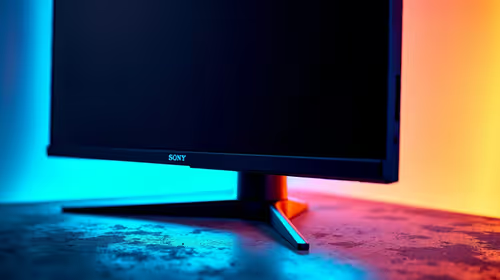
Best AMD Monitor Under R2000 in SA 2026
Top AMD Monitor Under R2000 picks evaluated on performance, value & SA availability with current Rand pricing from Evetech.
Read moreCommon issues with fixing wobbly typing positions and the fixes that actually work in 2026. Diagnose the root cause fast with this practical SA-ready checklist — no generic advice.

Picture this. You are holding the final angle in Valorant. The tension is high. Suddenly, your keyboard shifts under your palm. You miss the shot. Fixing wobbly typing positions is not just about comfort. It is about saving your sanity. Whether you are grinding ranked or typing reports, a sliding board ruins your flow. Let us explore how adjustable feet and anti-slip pads improve keyboard stability.
Typing on a desk that is not perfectly flat is a common South African reality. Between temperature shifts warping wood and budget desks flexing, a little wobble is inevitable. A slight rock might seem minor at first. However, over hours of use, it strains your wrists and causes frustrating typing errors.
When browsing the wide range of keyboards in South Africa, look beyond just the mechanical switches. The base design of the board is just as critical for your daily comfort.
Most modern boards feature small folding legs underneath. These adjustable feet do two vital things. First, they change the typing angle to match your natural wrist posture. Second, dual-stage feet help eliminate rocking on uneven surfaces. If your desk has a slight bow, tweaking these legs can ground the chassis perfectly.
When investing in high-performance gaming keyboards, look closely at the underbelly. You want models with rubberised tips on their folding legs. Hard plastic feet slide easily on smooth wooden desks. High-friction rubber grips ensure the board stays planted when mashing keys during a tense clutch.
Keep your keyboard flat if you use a wrist rest. Deploying the feet while using a thick rest can force your wrists into an unnatural upward bend. This causes long-term strain during marathon gaming sessions.
Even with the perfect angle, smooth desk mats can cause unwanted sliding. This is where anti-slip pads come into play. These textured rubber strips are strategically placed on the bottom corners of the chassis. They create essential friction against your desk surface.
If your current board is sliding around, you do not always need to replace it immediately. You can buy aftermarket rubber pads for under R50 at a local hardware store. Just stick them on the corners. However, premium boards usually feature large, high-quality pads out of the box. These factory pads will not peel off after a month of heavy use.
A stable keyboard allows you to type faster and aim much better. A rock-solid base gives you total confidence in your gear. You will never have to readjust your board mid-fight again.
If your current board is missing these crucial features, it might be time for a fresh upgrade. Keep an eye on our latest tech specials to find a premium board. Find one that stays exactly where you put it... and saves you some hard-earned ZAR.
Ready for a Rock-Solid Setup? Do not let a sliding keyboard ruin your next match or workday. Explore our massive range of gaming keyboards and find a stable, high-performance board to conquer your world.
The keyboards, tools and accessories referenced in this article are stocked at Evetech.co.za with local SA warranty, ZAR pricing and nationwide delivery.
Most issues trace back to a small set of root causes — BIOS settings, power delivery, driver state or physical install. The article walks through each one in order of likelihood.
In most cases, yes. The fixes here are BIOS-level, settings-level or setup-level — hardware replacement is a last resort, not a first step.
Following the article's diagnostic order, most users isolate the root cause in under 30 minutes without needing bench testing or part swaps.
Only after working through the non-destructive checks. The article calls out the specific symptoms that do point to a hardware fault and need a warranty claim.
Top AMD Monitor Under R2000 picks evaluated on performance, value & SA availability with current Rand pricing from Evetech.
Read more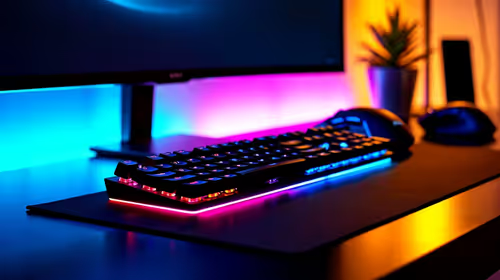
UJ Eng: Monitor Setup Under R15000. Clear setup instructions with SA-specific considerations, troubleshooting tips & recommended components.
Read more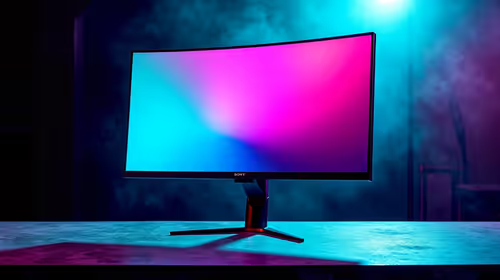
Top NZXT Monitor Under R15000 picks evaluated on performance, value & SA availability with current Rand pricing from Evetech.
Read more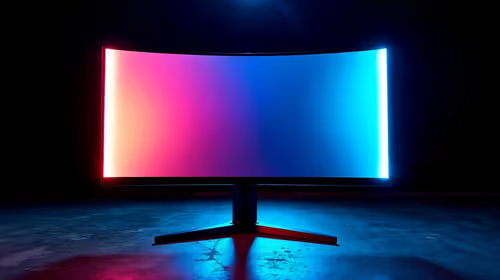
Top 240Hz Monitor Under R20000 picks evaluated on performance, value & SA availability with current Rand pricing from Evetech.
Read more
Top Budget 4K monitor Under R5000 Gamers picks evaluated on performance, value & SA availability with current Rand pricing from Evetech.
Read more
Stellenbosch Arch: Monitor Setup Under R15000. Clear setup instructions with SA-specific considerations, troubleshooting tips & recommended components.
Read more
When Will the RTX 6090 Launch in South Africa Detailed answer with SA data, expert analysis & practical recommendations for local buyers.

Top Valorant Settings for RTX 5070: FPS Optimisation picks evaluated on performance, value & SA availability with current Rand pricing from Evetech.

RDNA 3.5 Graphics in Ryzen AI 400? Can You Game. Plain-English explanation of what it means, why it matters & how it affects your buying decisions in SA.

GPU Price Index : December Report. Current stock data & price tracking for SA buyers. See what is available and where prices are heading.

Core i5-14600K + B760 + RTX 5060 Build Under. Full parts list, Rand pricing & expected performance. Build confidently with SA-available components.

RX 7600 Apex Legends at 4K: FPS Benchmark. Real-world benchmark data, FPS numbers & performance analysis. What SA gamers can actually expect.

RX 7900 XTX GTA 6 at 4K: FPS Benchmark & Optimal. Real-world benchmark data, FPS numbers & performance analysis. What SA gamers can actually expect.

Head-to-head comparison of RTX 5070 vs RX 9070 XT: Gaming Performance for SA gamers. Performance benchmarks, Rand pricing & which delivers better value.

Starfield Max Settings on RTX 5070. Tested & verified settings for best FPS and visual quality on SA hardware budgets.

Top RX 7800 XT Model Under R8,000 picks evaluated on performance, value & SA availability with current Rand pricing from Evetech.

RTX 5070 Valorant Optimised Settings: Graphics. Real-world benchmark data, FPS numbers & performance analysis. What SA gamers can actually expect.

Top Laptop with Core i7 + RX 7700S: Picks picks evaluated on performance, value & SA availability with current Rand pricing from Evetech.