


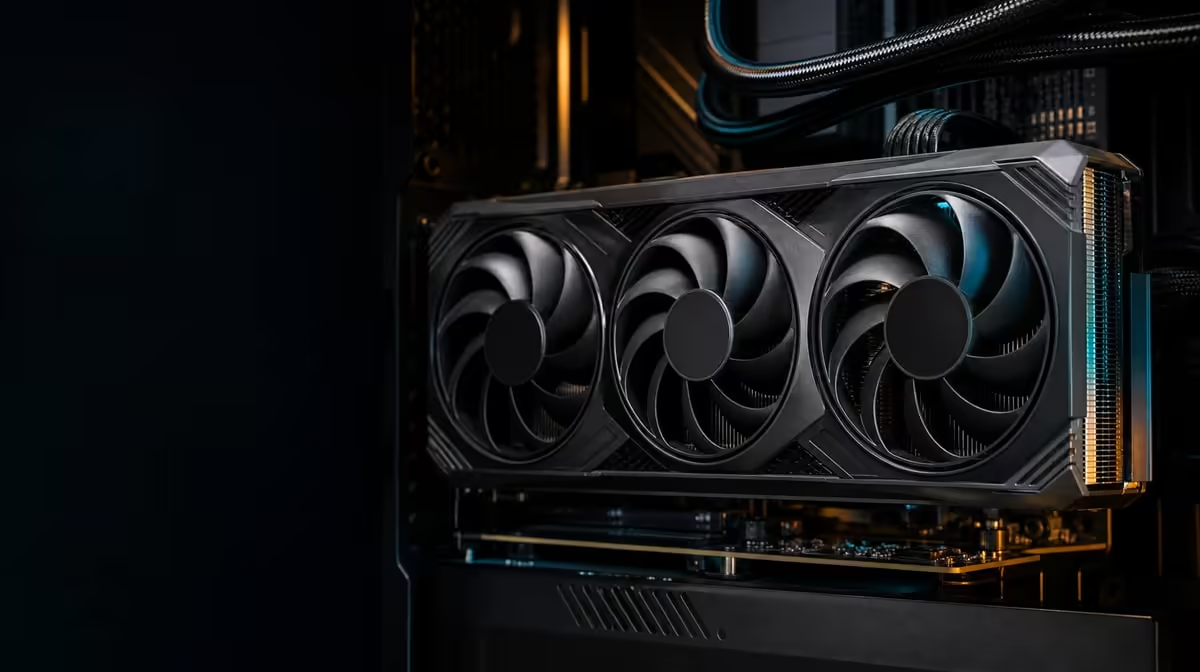
A large memory figure becomes useful only when a workload can keep meaningful data there. A 32GB GDDR7 graphics card is best approached as a resource for demanding games, substantial creative projects and compatible AI work, rather than an automatic frame-rate upgrade.
Quick Answer
The ASUS TUF RTX 5090 costs R73,599 and pairs its 32GB memory pool with 3352 AI TOPs and five display outputs. Get more from it by identifying jobs that genuinely need memory headroom, arranging the workstation around those jobs and testing the whole PC instead of judging capacity in isolation.
🧠 Give the memory a defined job
Begin with the applications you already use. Record the largest game assets, project files or AI models that form part of a normal month, then observe where the present system slows down. This creates a real reason for choosing more graphics memory.
Games can use VRAM for textures, geometry and other rendering data, yet requirements differ by title, settings and resolution. A 32GB label does not promise that every game will fill the pool or run faster. When a processor, game engine or another part of the system is limiting performance, unused capacity cannot remove that constraint.
Creative work can present a clearer case. Large scenes, complex timelines and substantial image assets may benefit when compatible software can keep more working data available to the GPU. The same principle applies to AI projects: model and application behaviour matter, so test the precise tool rather than assuming that every feature bearing an AI label uses memory identically.
Make a short workload table with four columns: application, typical project, current limitation and desired improvement. Add a fifth column for evidence after the upgrade. That last entry prevents a specification from receiving credit for a change that came from different settings or software.
Use Evetech's ASUS graphics-card range to compare how memory capacity sits alongside the rest of each model's design.
🤖 Separate AI capacity from AI processing
The RTX 5090 is rated at 3352 AI TOPs. That figure describes theoretical operations for supported AI work; it is not a universal completion time for an image, video or model task. Software support, precision, project size and the wider computer all influence the result.
Treat 32GB GDDR7 and 3352 AI TOPs as two different resources. Memory provides room for working data, while AI processing capability addresses supported calculations. A project can fit comfortably yet wait on computation, or it can encounter a memory limit before the processor is fully occupied.
Choose one repeatable creator task and save its inputs. Run it with the same application version, model, settings and output size. Record memory use, elapsed time and whether the CPU, storage or system memory becomes busy. A repeatable test shows whether the expensive feature set changes work that matters.
A mixed gaming-and-creation PC also needs a realistic weekly split. If creation happens once a quarter, do not assign it the same purchasing weight as nightly gaming. Conversely, a workstation completing long supported AI tasks can justify hardware differently from a machine used mainly for browsing and occasional play.
Compare broader options in Evetech's NVIDIA graphics-card category after ranking memory need and AI acceleration separately.
🖥️ Build the desk around useful output
This ASUS TUF model provides three DisplayPort 2.1b connections and two HDMI 2.1b connections. Five physical sockets create useful routing choices, but they do not by themselves promise that every imaginable five-screen combination will operate at every selected mode.
Map each display before connecting anything. Note its native input, desired resolution, refresh target and main role. Place the gaming screen, colour-critical panel, preview display and communication monitor according to how often your eyes move between them. The aim is a productive arrangement, not the largest monitor count.
Cables and monitor inputs must support the mode selected. Confirm the operating-system settings after installation and test mixed-refresh behaviour with the actual applications. An unsuitable lead or an overlooked screen setting can make a capable output look restricted.
Cooling belongs in the workload plan as well. The card names a patented vapor chamber and axial-tech fans, which move heat through the cooler and into the chassis environment. Sustained rendering or AI work can keep that process active for longer than a short task, so clear case airflow remains part of dependable operation.
Keep the workstation review practical: inspect airflow paths, establish the required chassis clearance from the product documentation and confirm the power requirements before installation. Do not infer those measurements or ratings from the flagship name.
📋 Prove value with a month of evidence
At R73,599, the GPU should remove an expensive or frequent limitation. Define success before buying: perhaps a particular project fits without compromise, a supported AI routine finishes more reliably, or a gaming-and-creation desk gains the connections it actually needs.
During the first month, retain the workload table and add results. Compare like with like, including application versions and settings. Note when the card is waiting on the CPU, storage or another component, because the next improvement may belong elsewhere.
Use Evetech's GPU best sellers as a final comparison point and check current availability when the workload case is clear.
Frequently Asked Questions
What can make practical use of 32GB of graphics memory?
Large game assets, substantial creative scenes and compatible AI models can use the capacity when their software is designed to keep that data on the GPU.
Does having 32GB automatically increase every game's frame rate?
No. Frame rate also depends on the game, processor, settings and the rest of the rendering pipeline.
How do 3352 AI TOPs relate to creator use?
They describe theoretical AI operations for supported work. Application support and project design determine how much of that capability becomes useful.
Which outputs help organise a creator workstation?
The card has three DisplayPort 2.1b and two HDMI 2.1b sockets, allowing five physical connection routes to be planned.
Why should cooling remain part of workload planning?
Long creative or AI tasks can sustain GPU activity, so the vapor chamber, axial-tech fans and case airflow must work together.
Can this card serve gaming and content creation in one PC?
Yes, provided the chosen games and creative applications benefit from its resources and the surrounding system supports both roles.
What platform detail should builders confirm before installation?
Confirm motherboard compatibility, chassis clearance and the card's documented power requirements for the intended build.
Ready to put 32GB to productive use? Compare Evetech graphics cards with your real games, creator projects and display map beside you, then choose the model that solves a measured limitation.








