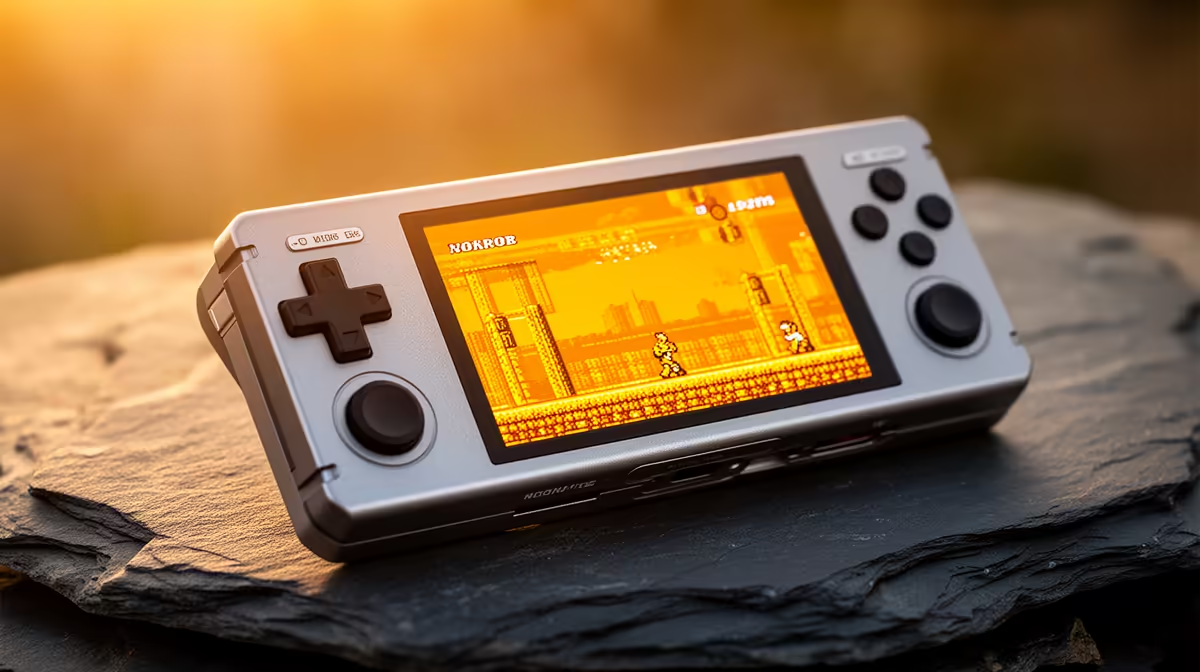
Three settings drain a retro gaming handheld faster than anything else, and they are all things you control: screen brightness, the CPU governor, and the wireless radios. Tackle those first and you often add a meaningful chunk of playtime before touching anything more obscure. The rest is fine-tuning, but these three are where the big runtime gains live.
Quick Answer
Lower your screen brightness, switch the CPU governor to powersave, and turn off Wi-Fi. These are the three largest drains on a retro handheld, and adjusting all of them together commonly extends runtime by a noticeable margin, often in the region of 25 to 60 percent depending on what you are playing. Brightness alone is usually the single biggest win.
Why these three dominate the battery
A handheld spends its energy on three big-ticket items. The backlight is power-hungry and runs constantly while the screen is on, so brightness is almost always the largest single drain. The CPU draws more power the faster it clocks, and the governor decides how aggressively it ramps up. The Wi-Fi and Bluetooth radios sip power continuously even when idle, scanning and maintaining connections you may not be using. Everything else, from RGB lighting to speaker volume, is small by comparison.
That hierarchy is why the same three fixes appear on every credible guide. Chasing tiny savings while running at full brightness with the CPU pinned high is wasted effort. Fix the big three first.
Step-by-step: extend your runtime
- Drop the screen brightness. Lower the backlight to the lowest level that is still comfortable for the game you are playing. Many 8-bit and 16-bit titles look perfectly fine well below maximum brightness, and this single change usually delivers the largest battery saving available.
- Switch the CPU governor to powersave. In your firmware or per-game settings, set the CPU governor to powersave, which forces the chip to run at its minimum frequency. For lightweight retro systems this barely affects performance, since older consoles do not demand much, and the power saving is substantial. Reserve a faster governor only for the heavier emulators that actually need it.
- Turn off Wi-Fi. Unless a game needs networking or you are mid-download, disable Wi-Fi entirely or switch on flight mode. The radio scans and maintains connections constantly, draining the battery for no benefit during offline single-player sessions, which is most retro gaming.
- Set the CPU per system, not globally. Use powersave for light systems and only raise the governor for demanding emulators like later disc-based consoles. Matching CPU effort to the system you are running keeps the chip from burning power on games that do not need it.
- Reduce in-emulator resolution and effects. Lower the internal rendering resolution and disable heavy shaders or scaling in your emulator. Pushing fewer pixels and skipping fancy filters cuts the work the chip does, which directly saves power on the more demanding systems.
- Trim the extras. Turn down RGB lighting around the sticks or buttons, which draws from the same battery, and lower speaker volume or use headphones. Individually small, together these add up over a long session.
- Manage the refresh rate where possible. If your handheld and firmware allow it, a lower screen refresh rate reduces both display and processing load. Not every device exposes this, but where it exists it is a free saving.
- Confirm your battery and charging are healthy. None of the above helps if the cell itself is tired. A genuine, well-rated battery and a proper charger hold their capacity far better over time, so a healthy power source underpins every other tweak.
How much will this actually add
Realistic gains depend heavily on the game. Light 8-bit and 16-bit titles at low brightness with powersave and Wi-Fi off can stretch runtime dramatically, while demanding disc-based emulators will always draw more no matter what. Across typical mixed use, applying the big three plus the resolution and lighting trims commonly lands in the 25 to 60 percent improvement range. Many of the retro handhelds stocked at Evetech expose the brightness, governor and Wi-Fi controls these tweaks rely on, so it is worth checking the firmware before you buy if battery life is a priority.
Frequently Asked Questions
What drains a retro handheld battery the most?
The screen backlight is usually the single largest drain, followed by the CPU and the wireless radios. Lowering brightness, setting the CPU governor to powersave, and disabling Wi-Fi address all three of the biggest drains.
Does powersave governor hurt performance?
For light retro systems, barely, because older consoles do not demand much processing power. Only heavier emulators, like later disc-based systems, benefit from a faster governor, so set it per system rather than globally.
Should I always keep Wi-Fi off?
For offline single-player retro gaming, yes, since the radio drains power continuously for no benefit. Turn it on only when a game needs networking or you are downloading content, then switch it off again.
Will lowering emulator resolution save battery?
Yes, on demanding systems. Rendering fewer pixels and skipping heavy shaders reduces the processing load, which cuts power use. On light systems the effect is smaller but still helpful.
How much extra playtime can I expect?
Commonly in the region of 25 to 60 percent with the main fixes applied together, though it varies widely with the game. Light titles at low brightness gain the most; demanding emulators gain less.
Does a power bank help?
It does for long trips, letting you recharge on the go. A quality power bank paired with a healthy internal battery effectively removes runtime anxiety for extended sessions away from a wall socket.
Want longer sessions away from a charger? Browse the retro handheld consoles at Evetech and add a top-selling power accessory to keep playing when the internal battery runs low.