


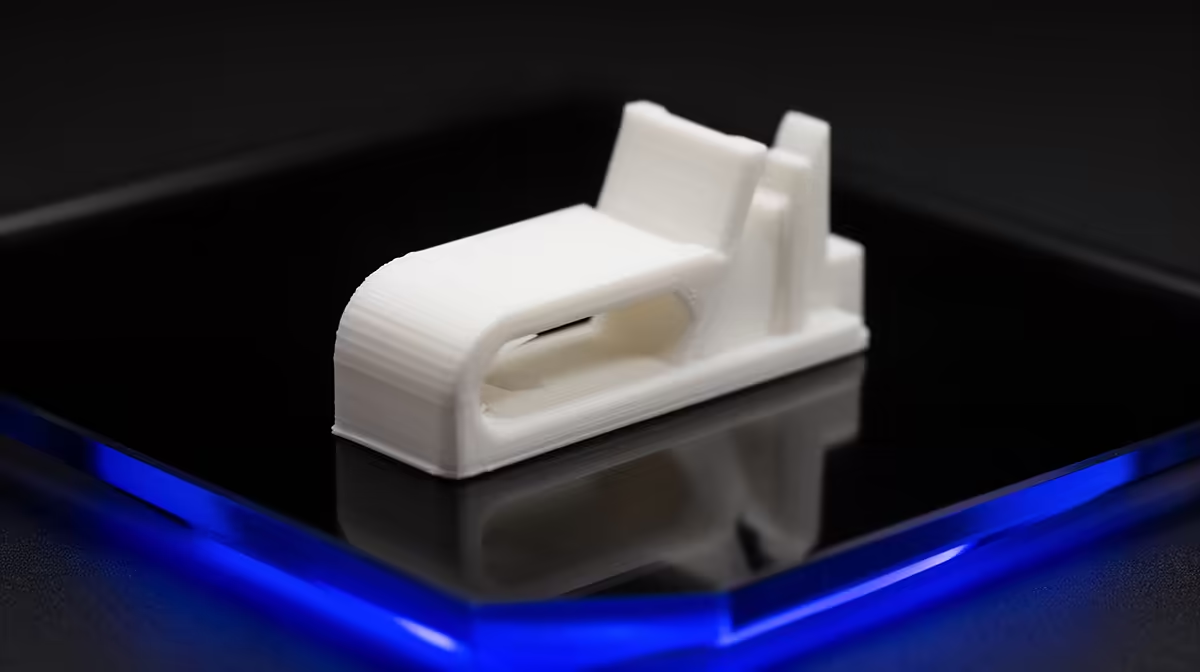
A snapped fridge shelf tab or a cracked blind end-cap is the kind of small failure that makes a whole appliance feel disposable. It does not have to. With an FDM printer and a caliper, you can print replacement appliance and blind clips that outlast the originals, as long as you choose the right material and wall count. The trick is matching the part to the stress it actually takes.
Quick Answer
Print these clips in PETG or ABS, never PLA. The repeated flexing at a fridge shelf tab or a blind end-cap fatigues PLA until it snaps, while PETG and ABS keep their springiness. Measure the original with a digital caliper, model a matching part, and print it with four or more walls for real durability.
Why PLA Fails Here and PETG or ABS Wins
PLA is stiff and easy to print, which is exactly why it is wrong for a clip. Clips work by flexing: they bend to snap into place and hold tension. PLA tolerates a bend or two, then develops micro-cracks and breaks, a behaviour called flex fatigue. PETG and ABS are tougher and more elastic, so they survive the repeated stress a working clip lives with.
PETG is the easier of the two to print and resists moisture well, which matters inside a fridge. ABS handles heat better and is slightly more rigid, useful near an oven or a sunlit window, but it needs an enclosure and good ventilation. For most home repairs, start with PETG.
Step 1: Measure the Original Accurately
Everything depends on getting the dimensions right, so use a digital caliper, not a ruler.
- Measure the overall length, width and thickness of the broken part, even if it is in pieces. Lay the fragments together to recover the full shape.
- Measure the critical mating features: the gap the clip slots into, the diameter of any pin, and the thickness of the panel or shelf edge it grips.
- Note the flex direction, which way the clip bends to engage. Your print orientation will need to respect this.
- Write every figure down. You will reference them constantly while modelling.
If the original is completely gone, measure the slot or pin on the appliance itself and work backwards from there.
Step 2: Model the Replacement
You do not need advanced CAD for a clip. A free parametric tool lets you build the part from your measured numbers and tweak a dimension later if the fit is tight. Keep the design simple: match the mating features exactly, and give the flexing arm a smooth fillet where it meets the body so stress does not concentrate at a sharp corner. Sharp internal corners are where printed parts crack first.
Add a hair of clearance, roughly 0.2 mm, on faces that slide into a slot. Printed parts come out a touch oversized, and a small allowance is the difference between a clip that seats and one that splits the slot. The 3D printer range at Evetech covers machines with the precision to hold those tolerances on small parts.
Step 3: Orient and Print for Strength
Print orientation decides whether your clip survives. FDM parts are weakest between layers, so lay the part so the flexing load runs along the layers, not across them. If the clip bends along the print lines, it delaminates and snaps. If it bends within a solid layer plane, it holds.
Use these slicer settings as a starting point:
- Walls: four or more perimeters. Walls carry the load far more than infill on a small part.
- Infill: 40 to 60 percent, or solid for tiny clips where there is barely room for infill anyway.
- Layer height: 0.2 mm for a balance of strength and detail.
- Material: PETG at the temperature your filament recommends, with a slow first layer for adhesion.
Step 4: Test the Fit and Iterate
Print one clip first, never a batch. Dry-fit it before declaring victory. If it is tight, shave the clearance up by 0.1 mm in your model and reprint. If it seats but feels weak, add a wall or thicken the flexing arm slightly. Two or three iterations is normal, and each one costs only minutes of filament. Once a clip fits and holds, print the spares.
Calipers, spare nozzles and filament for jobs like this show up often among the accessories Evetech customers buy most, so it is worth stocking a roll of PETG before you start.
Frequently Asked Questions
Can I just use PLA if it is all I have?
For a clip that flexes repeatedly, no. PLA will work for a day or a week and then fatigue-crack at the bend. If the part only needs to sit still and hold a position without flexing, PLA can do that, but a fridge or blind clip flexes, so reach for PETG.
How accurate does my caliper measurement need to be?
Aim for 0.1 mm. The mating features that slot into the appliance are the ones that matter most, so measure those twice. Cosmetic dimensions can be looser.
Why four walls instead of high infill?
On a small thin part, the perimeters carry almost all the load while infill barely contributes. Adding walls thickens the solid shell where the stress actually lives, which is why wall count beats infill percentage for clips.
Do I need an enclosure?
For PETG, no, an open printer is fine. For ABS you want an enclosure to prevent warping and to manage fumes with ventilation. That is one reason PETG is the easier recommendation for most home repairs.
How long will a printed clip last?
A well-oriented PETG clip with enough walls can outlast the original, especially since factory clips are often the cheapest part of an appliance. If one wears, you already have the model saved and can print another in minutes.
Got a broken clip waiting on the counter? Browse the 3D printer range at Evetech, pick a machine that prints PETG cleanly, and turn a disposable appliance back into a working one.










