


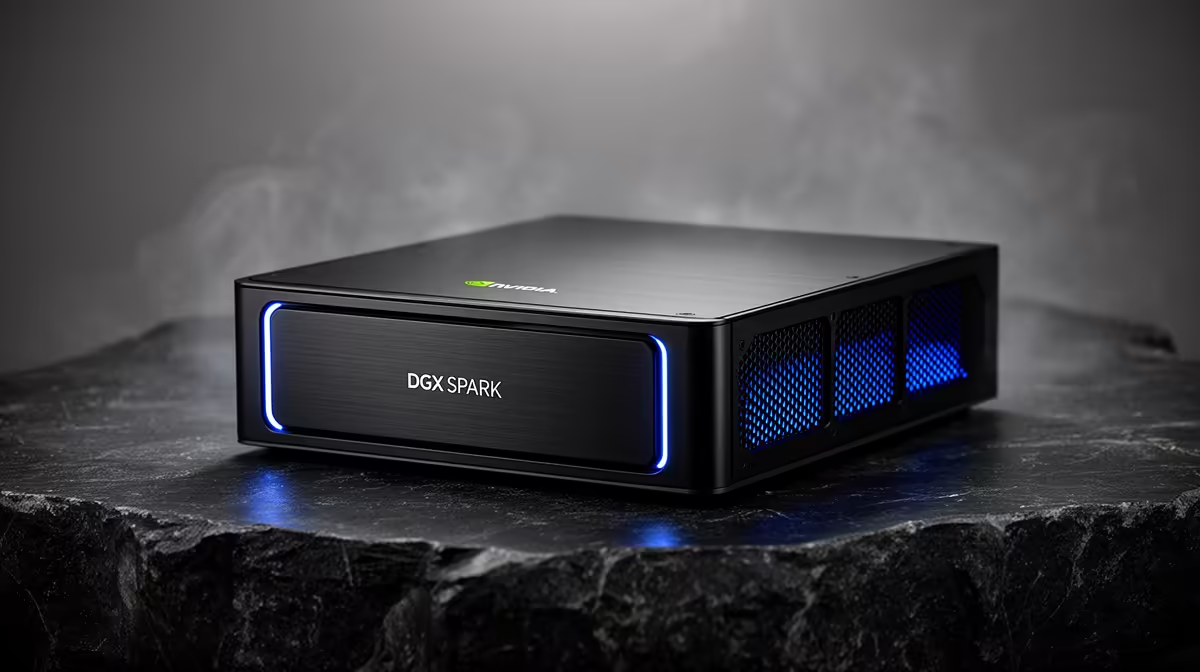
A desktop box that holds a 70-billion-parameter model in memory and fine-tunes it locally used to mean a rack and a power bill to match. The DGX Spark collapses that into a single Grace Blackwell unit with 128GB of unified memory, enough to run models up to roughly 200B parameters and fine-tune 70B-class models on-device using NVIDIA's own NeMo and TensorRT-LLM stack. Here is how to go from unboxing to a running, customised model.
Quick Answer
With 128GB of unified memory, the DGX Spark runs large language models from 70B up to around 200B parameters locally and supports on-device fine-tuning of 70B-class models. You use the preloaded NVIDIA AI stack, NeMo for fine-tuning and TensorRT-LLM for fast inference, pulling preconfigured containers from NGC rather than building an environment from scratch.
What the hardware actually gives you
The DGX Spark is built on the GB10 Grace Blackwell Superchip and is an ARM-based system, not an x86 PC, so treat it as its own platform. The headline figure is the 128GB of unified memory shared between the CPU and GPU, which is what lets a 70B model live entirely in addressable memory without the juggling a discrete-GPU rig forces on you. NVIDIA quotes around 1 petaFLOP of AI performance, and a CES 2026 software update added meaningful inference gains through TensorRT-LLM optimisations and speculative decoding. In practice the unified memory is the reason this works for fine-tuning at all: you are not splitting a model across cards and stitching it back together.
Step 1: First boot and the software stack
Power on and complete the DGX OS setup. The unit ships with NVIDIA's full AI stack already in place, CUDA, cuDNN, TensorRT and a Docker runtime configured for the Blackwell architecture, so you do not install drivers by hand. Confirm the GPU is visible to the container runtime before you go further; a quick check that Docker can see the device saves hours later.
Step 2: Pull the right NGC container
Rather than assembling a Python environment, pull a preconfigured container from NVIDIA's NGC catalogue. For fine-tuning, the NeMo container carries the framework, dependencies and CUDA libraries matched to the hardware. For serving, pull the TensorRT-LLM container. Using NGC images means the ARM and Blackwell-specific builds are handled for you, which is the single biggest time saver on this platform. Pull the container, mount a local directory for your data and checkpoints, and launch an interactive session inside it.
Step 3: Load and test a base model
Before any fine-tuning, prove the base model runs. Download a 70B-class open model into your mounted directory and load it through the framework. On 128GB of unified memory a 70B model loads without offloading, and you can run a few inference prompts to confirm tokens are flowing. With NVIDIA's FP4 TensorRT-LLM engine a 70B model generates at a usable interactive rate with the first token arriving in well under a second, which tells you the stack is healthy and the model is fully resident in memory.
Step 4: Prepare your fine-tuning data
Fine-tuning is only as good as the data. Format your examples as the framework expects, typically prompt-and-response pairs in a structured file, and keep the set focused: a few thousand high-quality, domain-specific examples beat a noisy dump. For 70B-class models on a single Spark, parameter-efficient methods such as LoRA are the realistic path, they adjust a small set of adapter weights rather than retraining the whole model, which keeps the job inside the memory budget and finishes in hours rather than weeks.
Step 5: Run the fine-tune with NeMo
Inside the NeMo container, point the training config at your base model and your dataset, set the method to a LoRA or similar parameter-efficient recipe, and start the run. Watch the loss curve, if it falls steadily and then flattens, the model is learning your data. Keep batch sizes modest; NVIDIA's own framing of 70B fine-tuning on Spark is small-batch adjustment of an already-trained model rather than training from scratch, and that is exactly the workload to target. Save adapter checkpoints as you go so you can roll back if a run drifts.
Step 6: Merge, optimise and serve
Once training looks good, merge the adapter into the base weights or keep it separate for swappable behaviour. Then hand the model to TensorRT-LLM to build an optimised inference engine, this is where the speed comes from, and the CES 2026 speculative-decoding improvements apply here. Launch it as a local endpoint and your customised 70B model is serving entirely on your desk, no cloud, no per-token billing.
The DGX Spark sits in the same local-AI category as a high-VRAM workstation, and you can see where it fits among Evetech's AI PC machines built for exactly this kind of on-device work. If you are weighing a multi-GPU build as an alternative route to the same memory headroom, the GPU best sellers show which high-memory cards South African builders are stacking for local model work.
Frequently Asked Questions
How large a model can the DGX Spark fine-tune?
It supports on-device fine-tuning of 70B-class models thanks to 128GB of unified memory, using parameter-efficient methods like LoRA. Full from-scratch training of a 70B model is not the intended workload; small-batch adaptation of an existing model is.
Do I need to install CUDA and the frameworks myself?
No. The unit ships with the full NVIDIA AI stack and a Docker runtime preconfigured. You pull NeMo and TensorRT-LLM containers from NGC, which carry the ARM and Blackwell-matched builds, so manual environment setup is mostly avoided.
How fast does a 70B model run on it?
With the FP4 TensorRT-LLM engine a 70B model generates at an interactive pace with sub-second first-token latency. The CES 2026 software update improved this further through speculative decoding and engine optimisations.
Is the DGX Spark a normal PC?
No. It is an ARM-based Grace Blackwell system running DGX OS, not an x86 desktop. Treat it as a dedicated AI platform, use NGC containers, and do not expect to run it like a standard Windows gaming machine.
What is the advantage over a multi-GPU rig?
The 128GB unified memory holds a 70B model in one addressable pool, so you avoid splitting the model across cards and the overhead that brings. For local fine-tuning and inference on large models, that simplicity is the main draw.
Ready to run and fine-tune large models on your own desk? Explore Evetech's AI PC range to find the local-AI hardware that fits your workflow and budget.











