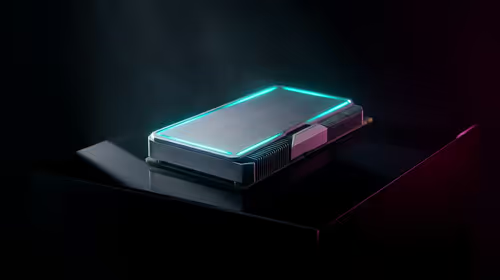
Few smart-home annoyances are as universal as the lights cutting out while you sit reading on the couch, and the cause is almost always a PIR sensor doing exactly what it was built to do: detect movement, then assume an empty room the moment you go still. The fix is not endless tweaking of timeouts, it is a different kind of sensor. An mmWave radar like the LD2410 detects the micro-motions of someone simply breathing, so it knows you are there even when you have not twitched in minutes.
Quick Answer
To stop Home Assistant lights switching off while you sit still, add an mmWave radar sensor such as the LD2410 alongside or in place of your PIR. mmWave detects micro-motion like breathing and small posture shifts, so it reports the room as occupied even when you are motionless. Wired to an ESP32 and flashed with ESPHome, the LD2410 integrates into Home Assistant in well under half an hour.
Why PIR sensors fail at stationary detection
A passive infrared sensor triggers on changes in heat across its view, which means it only sees movement. Walk in and it fires; sit perfectly still and, as far as it is concerned, the heat signature stops changing and the room reads as empty. Your automation then counts down its timeout and kills the lights while you are mid-page. Lengthening the timeout is a blunt workaround that just leaves lights on in genuinely empty rooms. PIR is excellent and cheap for hallways and entrances where people pass through, but it was never designed to confirm that a still person is present.
How mmWave radar solves it
mmWave (millimetre-wave) radar works by bouncing radio waves off everything in the room and reading the reflections. Because it measures tiny changes in those reflections, it picks up micro-motion: the rise and fall of breathing, a hand on a keyboard, a small shift on the sofa. That is enough to hold the room in an occupied state with nobody moving in any obvious way. The LD2410 is the popular first choice because it is inexpensive, detects presence out to several metres, works in complete darkness, and tolerates being tucked behind fabric or into discreet spots where a PIR would struggle.
Building the sensor with ESPHome
- Gather the parts: an LD2410 mmWave module, an ESP32 board to drive it, and a few jumper wires. Browse the Evetech smart home and appliances section to pick up compatible modules and boards.
- Wire the LD2410 to the ESP32. Connect power and ground, then the sensor's serial lines to the ESP32's UART pins. It is a handful of connections, not a soldering marathon.
- Create an ESPHome configuration for the board that includes the LD2410 component, so Home Assistant receives both presence and distance data.
- Flash the ESP32 with ESPHome and confirm it connects to your network.
- Adopt the new device in Home Assistant. The LD2410's presence entity now appears, ready to use in automations.
The whole build typically takes under twenty minutes once you have the parts in front of you, and it is local, so there is no cloud dependency.
Wiring it into your lighting automation
- Replace the PIR trigger in your light automation with the LD2410's presence entity, or combine the two.
- The strongest setup uses both sensors together: let the fast-reacting PIR turn lights on the instant someone enters, and let the mmWave sensor keep them on as long as it detects presence, even when everyone is still.
- Tune the LD2410's sensitivity and detection gates so it does not falsely trigger from movement in an adjacent room, then trust it to hold the lights for a genuinely occupied space.
This combined approach gives you the best of both: snappy turn-on from PIR and reliable stay-on from radar. For the controllers, cabling and bits to finish the build, the most popular accessories at Evetech stock the small parts you will reach for most often.
Frequently Asked Questions
Why do my lights turn off while I sit still?
Your PIR sensor only detects movement. When you stop moving, it reads the room as empty and your automation's timeout switches the lights off. An mmWave sensor solves this by detecting that you are still present.
What is the LD2410 and why is it recommended?
The LD2410 is an affordable mmWave radar module that detects micro-motion like breathing out to several metres. It is the common first choice for Home Assistant because it is cheap, works in the dark, and integrates easily through ESPHome.
Should I replace my PIR or add to it?
Adding to it usually works best. Use the PIR for instant turn-on when someone enters and the mmWave sensor to keep lights on while the room stays occupied. Together they cover both speed and stationary detection.
How long does the ESPHome setup take?
Once you have the LD2410 and an ESP32, the wiring and flashing typically take under twenty minutes. The configuration is a short ESPHome file, and Home Assistant adopts the device automatically afterwards.
Does mmWave work in the dark or behind covers?
Yes. mmWave radar does not rely on light, so it performs the same in complete darkness, and it tolerates being placed behind fabric or in discreet positions where a PIR sensor would become unreliable.
Reliable presence detection starts with the right sensor hardware. Browse the smart home range at Evetech to gather the parts for an mmWave build that keeps your lights on as long as you are actually there.