



Best Wireless Gaming Headset in South Africa - Updated July 2026
Wireless gaming headsets are available at Evetech from R499 including VAT, with 75 models in stock. The range runs to R999 for console-specific PDP Phantom Air models.
Read moreTune part-cooling fan settings for overhangs and bridges by running full fan for PLA and PETG to solidify layers fast, while keeping ABS and ASA at near-zero fan to prevent warping and delamination. Ramp the fan gradually after the first 3-5 layers. ❄️
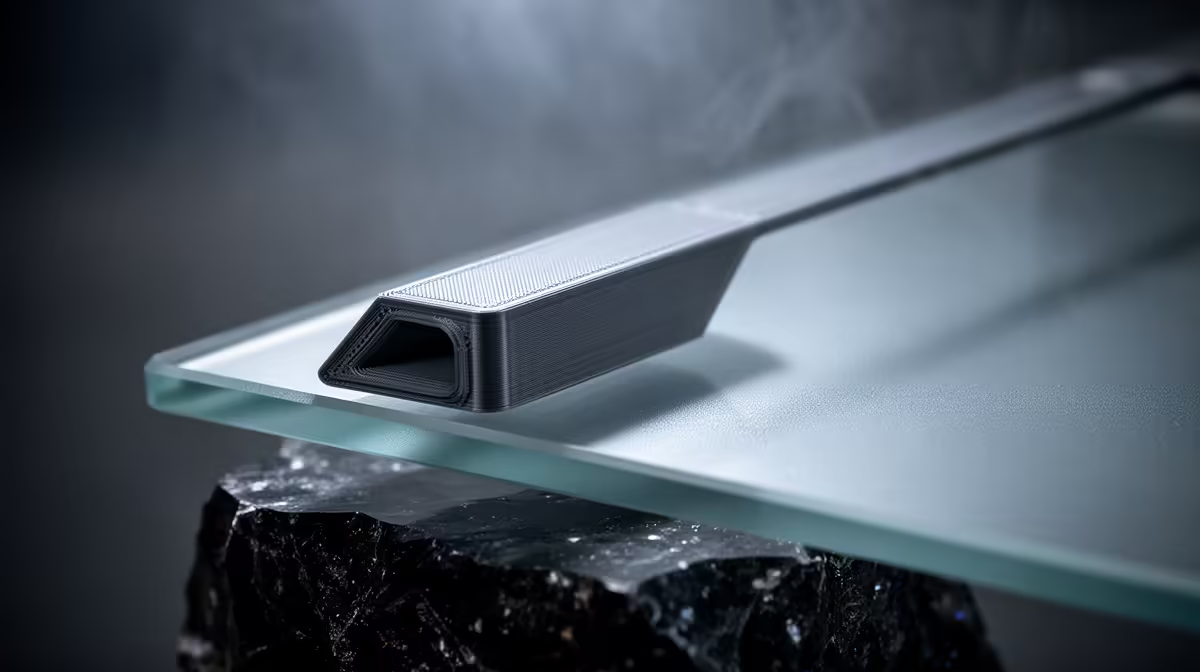
A clean overhang or a flat bridge almost always comes down to one thing the slicer hides in plain sight: the part-cooling fan. Air solidifies each new layer before it can sag, but the right amount of air depends entirely on the filament in the spool. Crank it for the wrong material and you get warping or split layers; starve it on the right material and your overhangs droop into a mess. This guide walks through the fan numbers that actually work, material by material.
Run the part-cooling fan at 100 percent for PLA and at 30 to 50 percent for PETG (push PETG to 70 to 100 percent only over overhangs and bridges). Keep ABS and ASA near zero, enabling only a 10 to 20 percent burst from about layer five onward. In every case, leave the fan off for the first 3 to 5 layers so the print bonds to the bed.
An overhang is plastic extruded with little or nothing beneath it. A bridge is a span stretched between two points with open air below. Both rely on the filament cooling and stiffening in the fraction of a second before gravity pulls it down. The part-cooling fan is what supplies that fast set. Without it, a steep overhang curls upward at the edges and a bridge sags into drooping strands.
The catch is that every plastic has a different glass transition temperature, the point where it goes from firm to soft. PLA softens around 60 degrees, so aggressive air helps it. ABS and ASA stay rubbery up past 100 degrees and crack apart if you cool them too fast. That single fact explains every setting below.
PLA is the most forgiving filament and the most fan-hungry. Set the part-cooling fan to 100 percent for general printing and keep it at 100 percent across bridges and overhangs. The low softening point means there is almost no downside to maximum air once the first few layers are down. If you see warped corners on a large flat PLA part, that is usually bed adhesion, not too much fan.
PETG is stickier and softens around 80 degrees, so it splits and weakens along the Z axis if you blast it with cold air. Start at 30 to 50 percent for walls and infill. When the toolpath reaches an overhang or a bridge, that is where extra air earns its keep: ramp to 70 to 100 percent for those specific moves, then drop back. Watch the layers; if you see them separating or the part going brittle, pull the fan back down.
These engineering plastics hate part cooling. Too much air causes the layers to contract at different rates, which shows up as cracks and delamination, and on big parts it lifts the corners off the bed entirely. Keep the fan at 0 percent through the body of the print. For bridges or steep overhangs, a brief 10 to 20 percent from around layer five is a reasonable compromise, ideally inside an enclosure so the chamber stays warm. If a bridge sags slightly, accept it rather than ruining the whole part with a draught.
The single most useful habit across every material is to keep the fan off for the first 3 to 5 layers, then bring it up gradually rather than jumping straight to full speed. The opening layers need heat to fuse to the bed; a cold blast there guarantees a print that pops loose halfway through. Most slicers expose this as a fan-speed ramp or a "disable fan for first N layers" field. A staged increase over the next few layers gives you adhesion at the base and crisp detail higher up.
For PLA and PETG, also enable a minimum-layer-time setting so thin sections do not get re-printed before the previous pass has cooled. On tall, skinny features this prevents the molten blob effect even when the fan is already maxed. You can compare entry-level and enclosed machines across the 3D printers in the components range at Evetech, since an enclosure is what makes low-fan ABS work in the first place. For tools, spare nozzles and cleaning kit, the accessories best sellers list at Evetech covers the consumables that keep extrusion consistent.
No. ABS and ASA crack and warp under heavy cooling. Keep them near zero, with at most a short 10 to 20 percent burst over bridges from about layer five, ideally inside an enclosure.
If the fan is already at 100 percent, the next levers are slowing the print speed on overhang moves and lowering the nozzle temperature a few degrees. A weak or partly blocked fan duct also starves the print of airflow, so check the duct points at the nozzle tip.
No. PETG prints fine in open air with moderate fan. Enclosures matter mainly for ABS and ASA, where keeping the chamber warm prevents the cracking that part cooling would otherwise cause.
Three to five layers is the usual range. This lets the base bond to the bed before any cooling air hits it, which is the most common cause of prints lifting mid-job.
Yes. Most modern slicers have an overhang or bridge fan-speed override. This is exactly how you keep PETG at 40 percent for walls while jumping to 90 percent only on the spans that need it.
Dialling in cooling is half the battle, the machine is the other half. Browse the enclosed and open-frame options in the 3D printers range at Evetech and pick the platform that suits the filaments you print most.
No. ABS and ASA crack and warp under heavy cooling. Keep them near zero, with at most a short 10 to 20 percent burst over bridges from about layer five, ideally inside an enclosure.
If the fan is already at 100 percent, the next levers are slowing the print speed on overhang moves and lowering the nozzle temperature a few degrees. A weak or partly blocked fan duct also starves the print of airflow, so check the duct points at the nozzle tip.
No. PETG prints fine in open air with moderate fan. Enclosures matter mainly for ABS and ASA, where keeping the chamber warm prevents the cracking that part cooling would otherwise cause.
Three to five layers is the usual range. This lets the base bond to the bed before any cooling air hits it, which is the most common cause of prints lifting mid-job.
Yes. Most modern slicers have an overhang or bridge fan-speed override. This is exactly how you keep PETG at 40 percent for walls while jumping to 90 percent only on the spans that need it.
Wireless gaming headsets are available at Evetech from R499 including VAT, with 75 models in stock. The range runs to R999 for console-specific PDP Phantom Air models.
Read more
Gaming keyboards are available at Evetech from R399 including VAT, with 41 models in stock. The best keyboards run from R3,999 analog and Hall-effect boards up to R6,699 flagships.
Read more
Gaming headsets are available at Evetech from R329 including VAT, with 120 models in stock. The best headsets open at R6,499 and run to R15,499 for the Arctis Nova Elite.
Read more
Gaming mice are available at Evetech from R199 including VAT, with 105 models in stock. The best mice start at R3,699 for the Razer DeathAdder V3 Pro and run to R4,199.
Read more
Gaming headsets are available at Evetech from R329 including VAT, and within a R1,000 ceiling the best options run from R899 wired up to R999 for wireless PDP Phantom Air.
Read more
Gaming mice are available at Evetech from R199 including VAT, with 25 models in stock under R500. The strongest options run from R399 up to R499 wireless tri-mode mice.
Read more
Wi-Fi 7 vs Wi-Fi 6e for cinematic story games comes down to router support, latency goals, device compatibility, and coverage. SA buyers should match the choice to the real network setup.

The real world difference between PCIe 5.0 and PCIe 4.0 for MMO and live-service games is usually about loading, patches, and headroom. SA players should weigh NVMe speed, GPU lanes, CPU limits, and platform cost.

Windows 11 gaming laptop dead pixel checks begin with a full-screen colour test. This how to fix dead pixel windows 11 gaming laptop guide helps SA users compare settings, drivers, external screens, and warranty routes.

AM5 motherboard stuck pixel fixes in South Africa start with panel, cable, GPU output, and Windows checks. Use a clean test path before blaming the motherboard or replacing screen hardware.

FPS drops blamed on a wireless mouse often point to input, driver, USB, network, or system-load checks. Use a quick SA-friendly troubleshooting flow to isolate software, firmware, thermals, storage, and game settings before replacing hardware.

How to fix fps drops on steam deck starts with power profile, shader cache, storage health, and per-game settings. For South Africa, check charger quality, heat, and download stability before assuming the handheld needs repair. Retest after updates.

How to fix low FPS after an RTX 5080 build upgrade starts with driver cleanup, display settings, thermals, and power mode. For SA gamers, verify GPU usage, PCIe speed, RAM profile, and CPU limits before changing parts.

Hollow Knight Silksong at 4K needs a GPU matched to settings, VRAM, CPU balance, and monitor goals. Use this SA guide to compare tiers without treating FPS target or prices as fixed.
Wireless gaming headsets are available at Evetech from R499 including VAT, with 75 models in stock. The range runs to R999 for console-specific PDP Phantom Air models.
Gaming keyboards are available at Evetech from R399 including VAT, with 41 models in stock. The best keyboards run from R3,999 analog and Hall-effect boards up to R6,699 flagships.
Gaming headsets are available at Evetech from R329 including VAT, with 120 models in stock. The best headsets open at R6,499 and run to R15,499 for the Arctis Nova Elite.
Gaming mice are available at Evetech from R199 including VAT, with 105 models in stock. The best mice start at R3,699 for the Razer DeathAdder V3 Pro and run to R4,199.