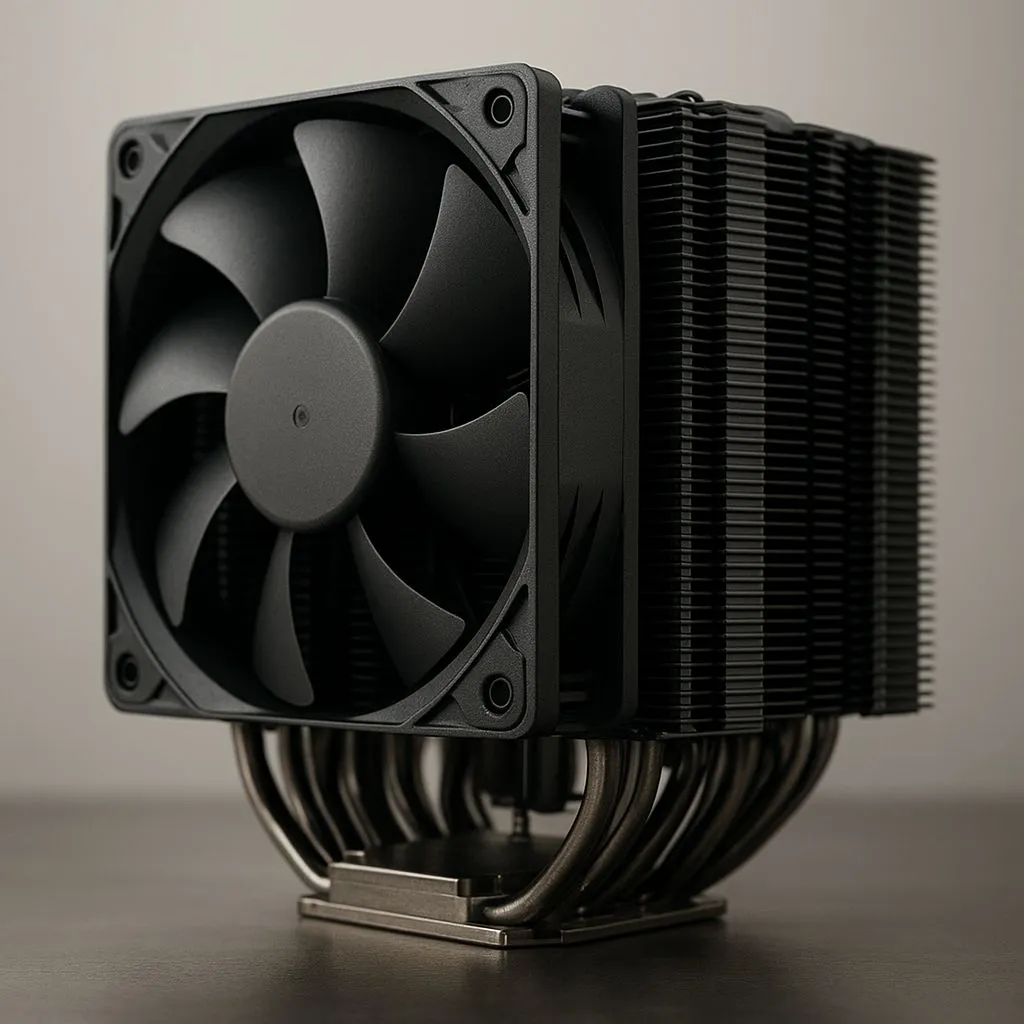
Building a compact Micro-ATX rig in South Africa? Awesome. You get serious power without a massive case hogging your desk. But cooling that beastly new CPU is the real challenge. You want the quiet, raw performance of a massive air cooler, but will it even fit? Forget guesswork. We're diving into the world of Micro-ATX dual tower cooling to show you how to fit big air into small cases without the drama. 🔧
Why Choose Dual Tower Cooling for Your Micro-ATX Build?
When you're pushing a high-core-count CPU in a smaller chassis, heat becomes the enemy of performance. While stock coolers are... fine for basic tasks, they can quickly get overwhelmed and sound like a jet engine during a heavy gaming session. This is where the magic of a dual tower cooler comes in.
By using two separate fin stacks (towers) with fans pushing and pulling air through them, these coolers offer a massive surface area to dissipate heat. The result? Lower CPU temperatures, higher sustained boost clocks, and much quieter operation. It's the ultimate solution for gamers who demand peak performance and acoustic comfort, and it's why so many builders explore the wide world of CPU coolers to find their perfect match. The main challenge, of course, is making sure one of these giants will actually fit.
The Compatibility Checklist: What to Measure Before You Buy
Success with Micro-ATX dual tower cooling comes down to one thing: planning. Before you even think about adding a cooler to your cart, you need to check a few key clearances.
Key Measurements for a Perfect Fit
- CPU Cooler Height: This is the most critical number. Your case manufacturer will list a "Maximum CPU Cooler Height" in its specifications. Your chosen cooler must be shorter than this number, or the side panel won't close. No exceptions!
- RAM Clearance: Big air coolers often overhang the RAM slots. If you've got tall, flashy RAM with large heat spreaders, it might collide with the front fan of the cooler. Many top-tier air coolers are designed with a cut-out at the bottom for better RAM compatibility, but it's always wise to check.
- PCIe Slot Clearance: On a cramped mATX motherboard, the top PCIe x16 slot (for your graphics card) can be very close to the CPU socket. A wide dual tower cooler could potentially block this slot, so check the cooler's width dimensions too.
Measure Twice, Buy Once 📏
Before you add any cooler to your cart, grab your case's spec sheet and find the 'Max CPU Cooler Height'. Then, check the cooler's height specification on its product page. This single measurement will save you from a massive headache and a potential return. Also, check RAM height if you plan on using both fans on a dual tower!
Dual Tower Air vs. AIO Liquid Cooling in an mATX Case
So, why not just get an All-In-One (AIO) liquid cooler? It's a valid question, especially in the tight confines of a Micro-ATX build. Both have their place.
While compact AIO liquid coolers from brands like CORSAIR offer a different approach by moving heat directly to a radiator on the case's edge, they come with their own set of challenges. Firstly, you're limited by your case's radiator support—finding space for even a beefy 360mm radiator in an mATX case is often impossible.
High-end air cooling, on the other hand, offers incredible reliability (no pumps to fail, no liquid to worry about) and is often quieter under typical loads. With careful selection, you can achieve cooling performance that rivals or even beats 240mm AIOs, making a well-chosen dual tower a fantastic option for a powerful and reliable mATX gaming rig. ✨
Ready to Tame Your Temps?
Whether you choose the raw power of air or the sleek look of liquid, the right cooler is waiting. With careful planning, achieving effective Micro-ATX dual tower cooling is easier than ever. Browse our massive range of CPU coolers and find the perfect fit for your compact powerhouse.