


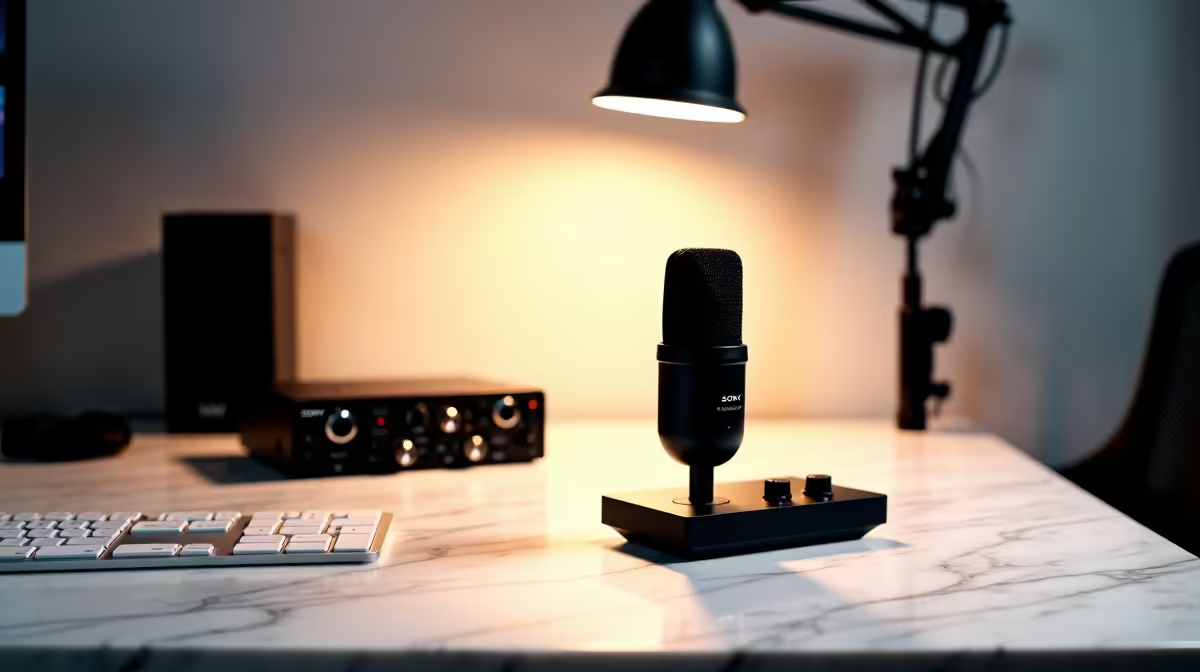
Two freestanding stands eat desk space before you have placed a single piece of recording equipment. Add a keyboard, monitor, and notes and a standard 1.2m streaming desk is already crowded before the first word of a podcast is spoken. A space-saving professional podcasting station fixes this at the mounting level, anchoring the microphone and camera to the desk edge and leaving the working surface clear.
Quick Answer
A clamp-based podcasting station pairs a mic boom arm and a webcam arm clamped to the desk edge, freeing roughly 40 percent of the surface that two freestanding bases would otherwise occupy. Separate clamps for mic and camera are more stable than a shared dual-arm unit when the microphone is heavy.
🔌 Why Clamping Changes the Spatial Equation
Freestanding bases occupy footprint whether or not they are holding anything at a given moment. A microphone base at 120mm to 150mm across and a camera base together claim a significant portion of a compact desk. A desk clamp fixes the arm to the edge, using the desk structure as the anchor. The surface underneath stays clear, and the arm swings back when not in use.
Most boom clamps grip desk edges between 10mm and 55mm. Flat-pack desks in the 25mm to 40mm range common in South African home offices fit without adjustment.
🔧 Setting Up the Boom Arm for Minimal Footprint
A boom arm on a desk clamp needs two things: the ability to fold parallel to the desk edge when idle, and enough reach to bring the mic to 15cm to 20cm from the mouth when extended. Standard single-section arms extend to around 600mm, sufficient for most desk layouts. Two-section arms fold more compactly and suit unusual desk configurations.
Cable routing along the boom keeps the surface clear. Arms with internal channels route XLR or USB cable through the boom to the clamp, where it exits and drops straight down. External Velcro wraps serve the same purpose on arms without internal routing.
🎙️ Webcam Arm: Keeping the Lens at Eye Level on a Tight Desk
A webcam arm clamped to the same edge as the boom puts the camera at eye level without a second freestanding stand. The arm extends to bring the lens forward from the edge and upward to seat-eye-line height, typically 100mm to 200mm above the desk surface depending on the desk height and chair adjustment.
Forward reach matters. An arm with only 100mm of horizontal travel places the lens directly above the desk edge, often behind the keyboard sight line to the monitor. An arm reaching 150mm to 200mm forward keeps the camera between keyboard and monitor, which is where the eyeline needs to be.
Keep the webcam arm separate from the microphone arm. Dual-arm clamps look tidy, but a heavy dynamic microphone can pull the camera out of frame through vibration and small deflections in the shared clamp housing. Independent clamps 150mm to 200mm apart on the same edge give each piece of gear its own stable anchor.
Pro Tip ⚡
Run your XLR or USB cable down the back of the boom arm toward the rear of the desk rather than letting it loop over the surface. A cable tie anchored to the underside of the desk edge keeps the entire cable run invisible from the camera's field of view, which matters more than most creators realise until they see the background in their own recordings.
💰 Glass Desks and Surfaces That Clamps Cannot Handle
A clamp requires a gripable edge. Glass desk surfaces, particularly frameless designs, do not provide a safe clamping surface for a boom carrying 700g or more. The combination of concentrated clamping force and the dynamic load from mic adjustments creates a fracture risk.
For glass desks, a weighted freestanding base in the 700g to 1,000g range is the reliable alternative. Position it at the very back of the desk with the boom arm extending forward to minimise footprint. Thick solid timber above 55mm may also exceed standard clamp jaw travel; clamp extenders exist but add cost, and a freestanding base is often the simpler answer on non-standard surfaces.
Frequently Asked Questions
How much usable desk space does switching to a clamp setup actually recover?
Roughly 40 percent. A 150mm microphone base and a 100mm camera stand base together occupy significant central desk area. Moving both to edge clamps returns that space to the keyboard and notes zone, which on a 1.2m streaming desk makes a practical difference.
What desk edge thickness do standard mic clamps accept?
The majority of boom arm clamps are designed for desk edges between 10mm and 55mm. Flat-pack office desks in this range are the most common case and fit without modification. Desks at the thick end of that range, typically solid timber above 50mm, may need the clamp's jaw loosened fully before fitting. Glass desks are the main exception where standard clamps are not advisable.
Is it better to share one clamp between the mic and webcam?
Not for a microphone above 500g. A dual-arm clamp couples the mic and camera mechanically: vibration from the boom and the weight imbalance of a heavy mic shift the camera position over time. Separate clamps 150mm to 200mm apart on the same desk edge give each piece independent stability.
How should cables run on a clamp-based podcasting setup?
Route them down the rear of the boom and anchor them to the underside of the desk edge with a cable clip. From there the cable drops to the back of the desk and runs to the interface or PC, out of the camera's visible field. Arms with internal cable channels contain the run inside the boom and simplify this further.
When is a freestanding base better than a desk clamp for podcasting?
Three situations: a glass surface that is not safe to clamp, a desk edge above 55mm that exceeds standard jaw travel, and a shared workspace where a permanent clamp is impractical. A weighted metal base in the 700g to 1,000g range handles broadcast-weight microphones reliably in all three cases.
Ready to clear the desk and build a proper podcasting station? Browse the boom arms, desk clamps, and webcam mount accessories at Evetech and put together a compact setup that keeps your working surface free.










