


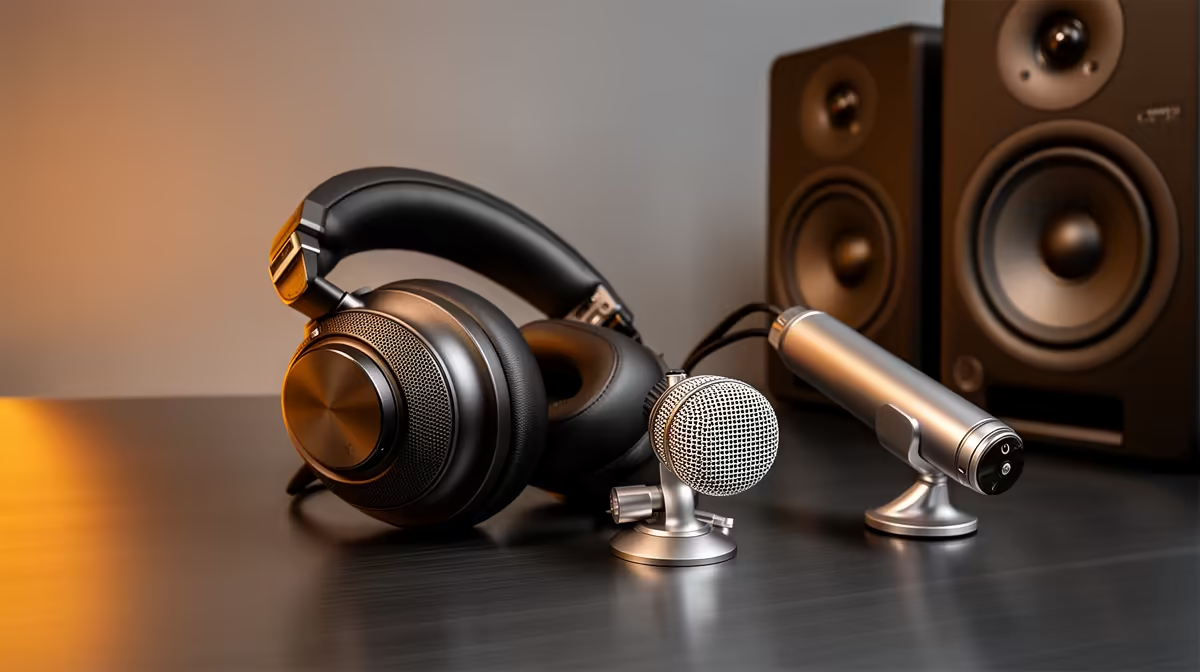
Video calls have exposed the gap. A bedroom echo behind a voice, a laptop mic picking up every keyboard tap, a webcam speaker that sounds like it is broadcasting from inside a biscuit tin. South African remote workers are on camera far more than they were three years ago, and audio quality has become a professional signal. Building a professional work-from-home audio setup does not require a studio or a large budget. It requires three things in the right order: the right microphone, a proper mount, and a quieter room.
Quick Answer
A professional WFH audio setup for South Africa centres on a USB dynamic microphone, a clamp boom arm, and simple acoustic treatment. A dynamic capsule rejects household and street noise that condenser and laptop mics amplify. Pair it with a boom arm at 15 to 20cm and one foam panel or soft furnishing for clear, consistent call audio.
🔧 The Microphone That Suits a South African Home
Laptop and webcam mics are omnidirectional or at best loosely cardioid. They accept audio from most of the room with equal enthusiasm, which is why a kitchen conversation, a passing car, or a ticking wall clock all land clearly in the call recording. A dedicated USB dynamic microphone changes that equation completely.
The dynamic capsule is fundamentally less sensitive than the condenser element inside most webcam and laptop mics. Quiet ambient sources that a condenser faithfully captures simply fall below the threshold a dynamic cares about. Street noise, a fan, a humming fridge in the next room, all soften substantially in the recording without any software processing.
Most USB dynamic mics designed for content creators also include an onboard gain knob and sometimes a headphone jack with direct monitoring. That gain control matters. Setting gain too high is the most common mistake in home WFH setups. It raises the voice but raises the room noise equally. A gain of roughly 40 to 60 percent with the mic 15 to 20cm from the mouth puts the voice well above the noise floor without pushing the background into the recording.
🦾 The Boom Arm Earns Its Place in an Office Context
A desk stand works. It just works poorly. The mic sits at desk level, which forces you to lean forward to reach the correct distance, affecting your posture and your projection over a full day of calls. Desk vibration travels directly through the stand to the capsule, meaning every keyboard tap, mouse click, and accidental desk knock reaches the microphone.
A clamp boom arm lifts the mic off the desk surface entirely. It mounts to the desk edge, suspending the capsule at mouth height from a rigid metal tube. Desk vibration no longer has a direct path to the mic. You sit upright and the mic comes to your face, not the other way around.
For a work-from-home setup used daily, this posture benefit is not minor. Video calls are long and frequent. Hunching toward a desk mic for three hours of consecutive meetings causes real discomfort. An arm at the correct height keeps the working posture natural.
Boom arm positioning for calls is slightly different to streaming. Stay close, at 15 to 20cm, but position the mic slightly below or to the side of the frame if you are on camera. Viewers and colleagues on the call do not need to see the microphone in the shot. A boom arm makes this easy because you can extend the arm horizontally from one side rather than placing it front and centre.
Pro Tip ⚡
Before the call, tap your desk once and listen to the recording. If the tap registers clearly, your mic is transmitting desk noise. Tighten the boom arm clamp, add a shock mount, or shift the cable so it does not pull tension back onto the stand. Five minutes of checking saves the embarrassment of phantom thuds during an important meeting.
🔆 Treating the Room Without Spending Much
An acoustic professional would assess your space and recommend placement of multiple foam panels at reflection points. For a WFH audio setup, that level of treatment is neither necessary nor practical. One foam panel, roughly 30cm by 30cm, placed on the wall behind your monitor or the surface that faces your back handles the primary reflection path.
Soft surfaces do the rest. Rooms with carpet, curtains, and a stocked bookshelf behind the seat absorb sound naturally. South African homes with tiled floors and bare walls create more echo than those with soft furnishings, so working from a carpeted bedroom is an acoustic upgrade over a tiled open-plan area, with no cost attached.
A foam panel in SA runs around R200 to R400. That R300 spend often makes more difference to perceived call audio quality than upgrading from a R1,500 to a R2,500 microphone. Treat the room before chasing a more expensive capsule, and the improvement will be audible on the first call.
Frequently Asked Questions
What microphone suits a noisy South African home office?
A USB dynamic microphone. Its low sensitivity rejects the street and household noise that condenser and laptop mics pick up clearly. The dynamic capsule is less sensitive by design, so distant ambient sources fall below the threshold it records. Pair it with a boom arm and close mic technique for clean daily call audio from most SA home environments.
How far should the microphone sit for work calls?
About 15 to 20cm from the mouth, positioned just outside the camera frame on a boom arm. That distance keeps the voice full and clear while the dynamic capsule's limited sensitivity means distant room noise stays quiet. Closer is better for noise rejection but can exaggerate breath sounds. The 15 to 20cm range is the practical balance for long call sessions.
Do I need acoustic treatment for a work-from-home audio setup?
One foam panel on the wall behind your monitor cuts the primary echo reflection. Beyond that, a carpeted room with curtains and some soft furniture handles most of the remaining reverb. Full studio treatment is not necessary. The practical minimum for clear SA call audio is one panel and keeping the work area away from hard-walled, bare rooms.
Is a boom arm necessary for daily work calls?
It is close to essential for daily use. A boom arm lifts the mic to mouth height, removes desk vibration from the signal path, and lets you sit upright through long call sessions. A desk stand forces you to hunch and transmits every keyboard click. Over a full work day, the difference in posture and consistent mic placement adds up.
What budget covers a professional WFH audio setup in South Africa?
Roughly R2,500 to R3,500 covers a USB dynamic microphone, a quality metal boom arm, and a foam panel. That combination addresses the microphone quality, mounting stability, and basic room treatment in one outlay. It is meaningfully more than a webcam mic costs but dramatically less than a studio setup, and the quality difference on daily calls is immediately audible.
Ready to sound professional on every call? Browse the USB dynamic microphone and boom arm range at Evetech and build a WFH audio setup that reflects the work you are doing.










