


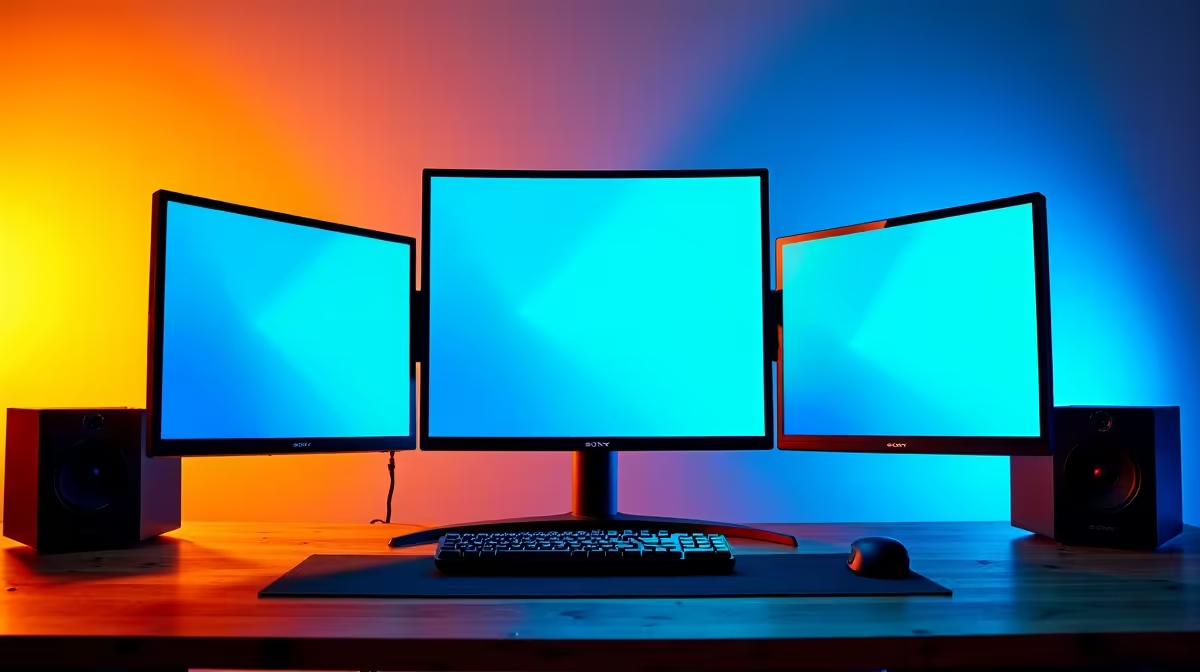
A streaming station is already asking a lot of a single screen. Gameplay, a chat panel, a scene preview window, and a stream dashboard all want visual real estate simultaneously. Building a seamless multi-monitor streaming station with 4-side frameless displays turns that constraint into an advantage, because three thin-bezelled panels butted together read as one continuous surface rather than three separate screens interrupting each other.
Quick Answer
Pair 4-side frameless monitors whose bezels measure 1 to 2mm per side. Mount them on a dual or triple VESA arm to align heights precisely. Assign gameplay to the centre, scene preview or streaming software to one side, and chat to the other. The result is a nearly uninterrupted visual layout across all three panels.
🖥️ What 4-Side Frameless Actually Means
Monitor manufacturers use terms like borderless, near-edgeless, and frameless somewhat loosely. True 4-side frameless means the visible plastic border on all four edges of the panel measures 1 to 2mm. When two such monitors sit side by side, the combined seam between them is 3 to 4mm total, roughly the width of a few stacked credit cards.
That seam is visually present but not distracting. Your eye interprets the layout as a wide surface, and the gap is quickly processed as a boundary rather than an interruption. Compare this to a standard monitor with 15 to 20mm bezels on each inner edge: a dual arrangement then has a 30 to 40mm gap between panels, which breaks immersion and forces the eye to jump across a substantial plastic border.
For streaming workflows where the centre panel shows the game and side panels show tools, a thin seam is ideal. The break happens at a natural visual boundary anyway.
🔧 VESA Arms and Height Alignment
Placing monitors side by side on individual stands creates an immediate problem: stand heights rarely match between units. Even two identical monitors from the same manufacturer can sit fractionally differently once stands are assembled. A height difference of 5mm between panels makes the combined layout read as misaligned and breaks the seamless aesthetic the frameless bezels create.
A multi-monitor VESA arm resolves this. Dual and triple arm configurations attach all panels to a single pole, with independent height and tilt adjustment per head. Once aligned, all monitors sit at the same vertical position and the tops form a continuous horizontal line. This alignment also has an ergonomic benefit. A properly aligned triple arrangement keeps neck movement lateral rather than diagonal, reducing strain during long streaming sessions.
VESA arms also free the desk surface below the panel area. Standard stands eat into that zone, pushing microphone arms and other gear to the back of the desk. Arm-mounted panels reclaim that space.
⚡ Assigning Functions Across the Layout
The allocation of panels to tasks shapes how efficiently the station works under pressure. A common arrangement puts the game on the centre monitor at full resolution, streaming software on one side panel showing the scene compositor, and chat or a browser dashboard on the other.
Portrait orientation on a side panel is worth considering. Rotated 90 degrees, a 27-inch 1440p panel becomes a tall column ideal for a long chat feed or alert queue. Confirm the VESA arm head supports portrait rotation before purchase, as not all do.
The centre gameplay panel benefits from the highest refresh rate the GPU can drive. Side panels do not need 144Hz for dashboards and chat. Pairing one high-refresh centre panel with two lower-refresh side panels is a sensible cost optimisation.
Pro Tip ⚡
When placing three monitors on a curved arc arrangement rather than a straight line, adjust the arm heads so each panel angles slightly inward toward the seated position. In South African home setups where desk depth is often under 60cm, a curved tri-monitor arc reduces the perceived distance to the outer panels and keeps all three screens readable without leaning forward.
🔌 GPU Outputs and Cable Management
A GPU with three or four display outputs handles a triple-monitor station without adapters. Most mid-range discrete GPUs provide at least two DisplayPort outputs and one HDMI output, covering three displays natively. Check the GPU's maximum simultaneous display count before purchase, as some entry-level cards limit concurrent outputs even if physical ports are present.
Cable management on a multi-monitor arm is worth planning early. Three display cables plus three power leads create a bundle that hangs visibly if unmanaged. Route all cables through the arm's internal channel and bind them at the pole for a result that holds position regardless of how the arm heads are adjusted.
Frequently Asked Questions
How do I check whether a monitor is genuinely 4-side frameless?
Look for the inner bezel measurement in the specification, as that is the edge facing the adjacent panel. A figure of 1.5mm or less on the inner edge qualifies as functionally frameless for a seamless layout. User reviews and photos of the panel in a multi-screen arrangement give the most reliable picture.
Can three monitors run off a single GPU without a performance penalty?
Extending the desktop across three displays does not reduce GPU rendering performance for the game. The side panels run standard desktop compositing, which consumes negligible processing resources. Total power draw increases slightly with three panels active, but this is a panel power cost, not a GPU compute load.
Does monitor brand need to match for a seamless layout?
Matching brand and model produces identical colour calibration, backlight type, and bezel profile. Mixing models often results in slightly different white points and backlight temperatures that are visible even at matched brightness. At minimum match the panel technology: three IPS panels calibrate closer to each other than a mix of IPS and VA.
What is the minimum desk depth for a three-monitor arm setup?
A standard 60cm deep desk accommodates a triple arm arrangement when panels are 24 to 27 inches. Larger 32-inch panels at that depth feel close for the outer monitors, particularly in a straight-line arrangement. A curved arc configuration improves comfort at shallow desk depths by angling the outer panels toward the viewer rather than pushing them square to the back of the desk.
Is a portrait-orientation side panel worth it for streaming?
Yes. A portrait-rotated 1440p panel provides a tall column ideal for chat feeds, notification queues, and browser tools that are naturally narrow and long. The cable arrangement is identical to landscape; only the Windows rotation setting changes. The density improvement for vertical content is significant compared to the same panel in landscape.
Ready to build a streaming layout that looks as serious as your setup? Browse the frameless gaming monitor range and find the matching panels for a seamless multi-screen station.








