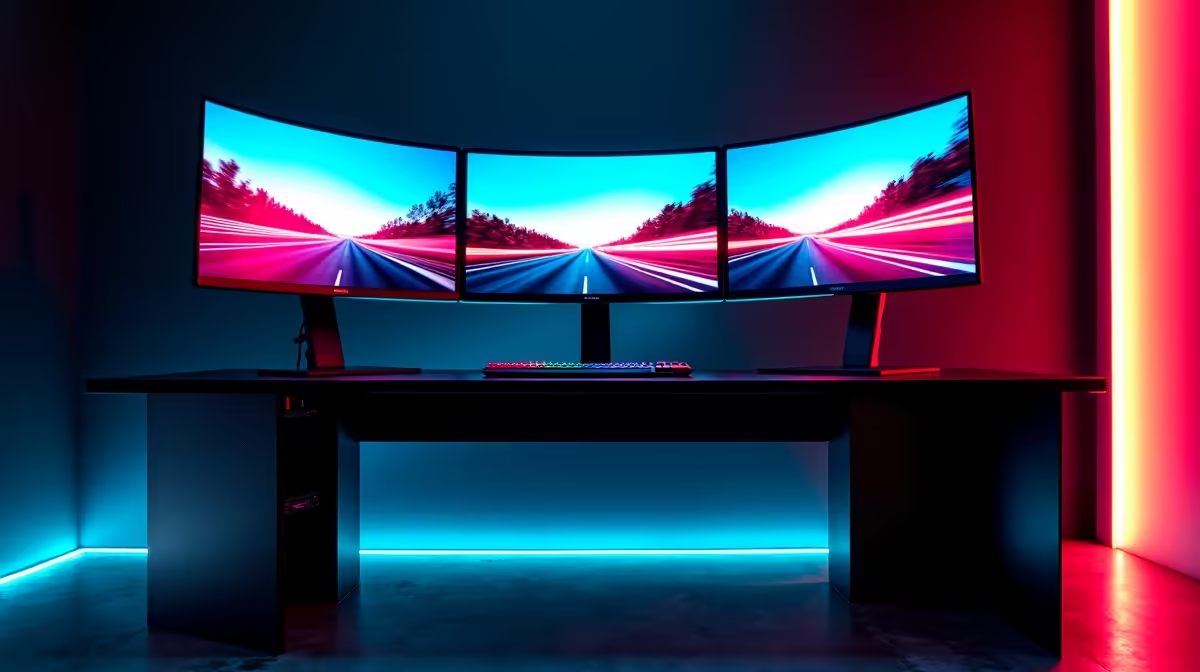
Tired of that single-screen tunnel vision ruining your immersion? Imagine feeling the apex at Kyalami, glancing out your virtual side window to spot a rival, all without flicking a single button. That's the magic of a triple monitor sim racing setup. It’s not just about more screen real estate; it’s about unlocking true peripheral vision and a sense of speed that a single monitor simply can't deliver. This is your ultimate 2025 guide to building one in South Africa.
Why a Triple Monitor Sim Racing Setup is Worth It
Let’s be honest, a three-screen rig looks incredible. But the benefits go far beyond aesthetics. For serious sim racers, upgrading to a triple monitor sim racing setup is one of the most impactful investments you can make.
Unmatched Immersion and Field of View (FOV)
The primary advantage is a massive increase in your Field of View. Instead of seeing a small letterbox of the track ahead, you get a panoramic, wrap-around view that mimics a real car's cockpit. You can naturally see cars alongside you, judge corner entry and exit points more accurately, and feel truly connected to the virtual world. It’s the closest you can get to VR without a headset.
Gaining a Competitive Edge 🏎️
That expanded FOV isn't just for looks; it's a strategic weapon. Seeing a competitor making a move in your periphery allows you to react defensively sooner. You can place your car with more precision during tight, wheel-to-wheel battles because you have a better sense of spatial awareness. This multi-monitor configuration directly translates to more confident driving and potentially faster lap times.
Choosing the Right Screens for Your Setup
This is where the magic happens. Selecting three matching monitors is crucial for a seamless experience. Mixing and matching sizes, resolutions, or even panel types can lead to a jarring and inconsistent image. Here’s what to look for when browsing Evetech's wide range of PC monitors.
Size and Resolution
For a triple monitor sim racing setup, 27-inch monitors are often considered the sweet spot. They offer a great balance of screen size and pixel density without being overwhelmingly large. A resolution of 1080p (Full HD) is a solid baseline, but if your graphics card can handle it, stepping up to 1440p (QHD) provides a much sharper, more detailed image. Consistency is key—always buy three identical models.
Refresh Rate and Response Time
Sim racing is all about smooth motion. A high refresh rate (measured in Hz) is non-negotiable. Aim for at least 120Hz, with 144Hz or higher being ideal. This ensures motion is fluid and blur-free, which is critical when you're flying down the Mulsanne Straight.
Equally important is response time. A low response time (e.g., 1ms) reduces ghosting and input lag, making the experience feel more immediate. To prevent screen tearing, look for monitors with FreeSync for AMD GPUs or G-Sync compatible screens for NVIDIA cards. Many modern screens support the general Adaptive Sync technology, which works with both.
Panel Type and Bezels
There are three main panel types: IPS, VA, and TN. For sim racing, IPS panels offer the best colour accuracy and viewing angles, which is important for your side monitors. VA panels provide excellent contrast, while TN panels boast the fastest response times but at the cost of colour and viewing angles.
Finally, look for monitors with the thinnest possible bezels (the plastic frame around the screen). This minimises the visible gap between your screens, creating a more continuous and believable image. You'll find great thin-bezel options from brands like HP and other specialists.
Pro Tip: Nail Your FOV! ⚡
Your Field of View (FOV) is the single most important setting for a triple monitor setup. A correct FOV makes the scale of the world feel right and gives you an accurate sense of speed. Don't just guess! Use an online FOV calculator. You'll need to measure the distance from your eyes to the centre screen, and it will give you the exact number to plug into iRacing, Assetto Corsa Competizione, or your sim of choice.
Assembling Your Triple Monitor Rig 🔧
Once you've got your three glorious screens, it's time to put them together. A dedicated triple monitor stand is highly recommended. It ensures perfect alignment and stability, which is impossible to achieve by just placing them on a desk. Brands like Dahua monitors often have VESA mounting holes compatible with universal stands.
The ideal angle for your side monitors is typically between 35-60 degrees, depending on your seating position and screen size. This creates the wrap-around effect. Once they're mounted, use your GPU's control panel (NVIDIA Surround or AMD Eyefinity) to treat the three displays as one single, ultra-wide screen. Most modern sims have built-in settings for triple screens that handle bezel correction, which digitally hides the monitor frames to create a seamless view. You can find excellent guides for this on YouTube, tailored to popular choices from AOC and other gaming brands.
Does Your PC Have the Horsepower?
Pushing pixels across three high-resolution, high-refresh-rate monitors is demanding. Before you checkout, make sure your PC is up to the task. The component that matters most is your graphics card (GPU).
For a triple 1080p setup, you should be looking at an NVIDIA GeForce RTX 4060 or an AMD Radeon RX 7600 XT as a minimum for good frame rates. If you're aiming for a triple 1440p triple monitor sim racing setup, you'll need something more powerful, like an RTX 4070 SUPER or RX 7800 XT, to maintain a smooth and consistent experience. Don't forget a capable CPU to prevent bottlenecks! ✨
Ready to Build Your Dream Cockpit? The difference between a good and an epic sim racing experience is in the details. Your perfect wrap-around view is just a few clicks away. Browse our full range of high-performance monitors and find the perfect screens to conquer the track.