


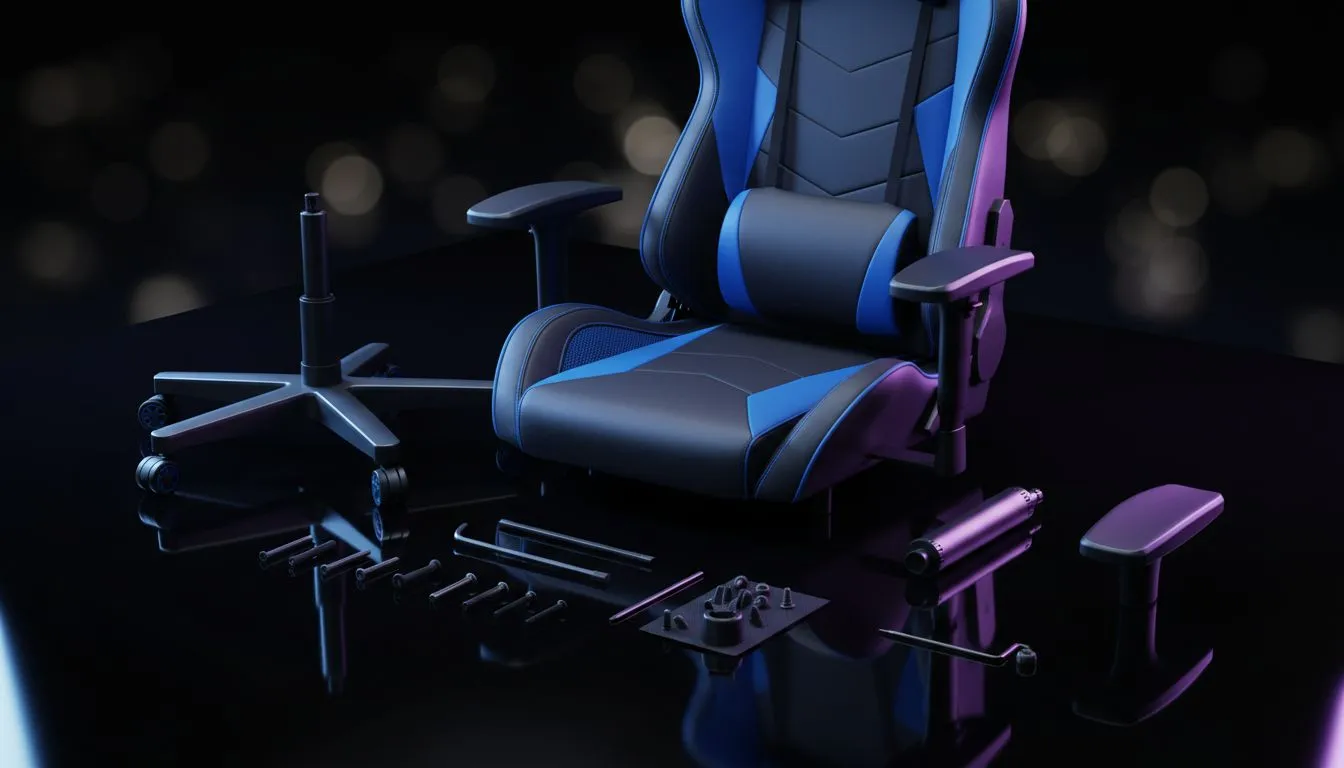
Unboxing Your New Throne 📦
You’ve finally done it. That massive box sitting in your lounge holds the key to better posture and longer sessions. But staring at the pile of screws and wrapped leather can feel daunting. Don't stress... we’ve all been there. Learning how to assemble a gaming chair correctly is actually straightforward. Whether you are upgrading your battlestation or saving your back, this guide ensures your new seat is ready for action in under 30 minutes.
1. Preparation is Key
Before you rip open the packaging, clear a 2x2 metre space on the floor. If you have tiled floors, put down a blanket or use the flattened cardboard box to protect the chair's material. Locate the instruction manual and the blister pack containing the screws and the Allen key (hex tool).
If you are still browsing and haven't committed to a purchase yet, explore our wide range of gaming chairs to find the perfect fit for your height and weight.
2. Start from the Ground Up
Assembly almost always starts with the star base. Take the five caster wheels and push them into the sockets on the base. You might need to apply a bit of force here... listen for a satisfying "click" or "pop" to know they are seated.
Next, drop the gas lift cylinder into the centre hole of the base and place the decorative dust cover over it. If you opted for stylish options like Enova chairs, the base construction is usually solid metal, providing a stable foundation for those intense clutch moments.
3. The Mechanism and Seat Base
Flip the seat cushion upside down. This is the most critical step in learning how to assemble a gaming chair safely. You need to attach the tilt mechanism (the metal plate with levers).
Crucial Warning: Look for a sticker or arrow stamped into the metal that says "FRONT". This must point toward the front edge of the seat. High-end ergonomic brands like Vertagear gaming chairs rely on precise weight distribution. If you install this backwards, the chair will tip forward when you lean, which is a disaster waiting to happen.
4. Attaching the Backrest
This step is easier if you have a friend to help, but you can do it solo. Align the backrest with the metal brackets sticking up from the seat base.
If you have invested in premium, heavy-duty gear like noblechairs gaming chairs, the materials are dense and heavy. Be patient aligning the bolt holes.
Pro Technique: Do not tighten the screws 100% immediately. Insert all side screws loosely to ensure the backrest is straight. Once all four are threaded, tighten them in an X-pattern to lock it in evenly.
The Two-Week Rule 🔧
After assembling your chair and using it for about 14 days, the screws will naturally loosen slightly as the materials settle and compress. Take five minutes to re-tighten every bolt underneath and on the sides. This prevents squeaking and wobbling in the long run.
5. Finishing Touches and Value
Finally, lift the entire seat assembly and place it onto the gas lift cylinder you prepared earlier. Sit on it firmly to pressure-fit the parts together. Attach any side covers and clip on your lumbar and headrest pillows.
You don't need to spend a fortune to get a good result. Even with our affordable options under R5000, following these assembly steps ensures the chair remains sturdy and silent.
Now that the hard work is done, adjust your height and 4D armrests, and load up your game. You are ready to play in comfort. ✨
Upgrade Your Comfort Zone A great chair deserves a great setup. Whether you need a new desk to match your ergonomics or a PC that pushes high frames, we have you covered. Shop our latest gaming furniture deals and build the ultimate command centre today.










