

Is gaming PC Overkill for 1080p Gaming?
Is gaming PC Overkill for 1080p Gaming Detailed answer with SA data, expert analysis & practical recommendations for local buyers.
Read moreSet up a Bluetooth Low Energy mouse for smooth multi-device productivity. Learn pairing, switching, and fixes for common issues in minutes. ⚡️🔁
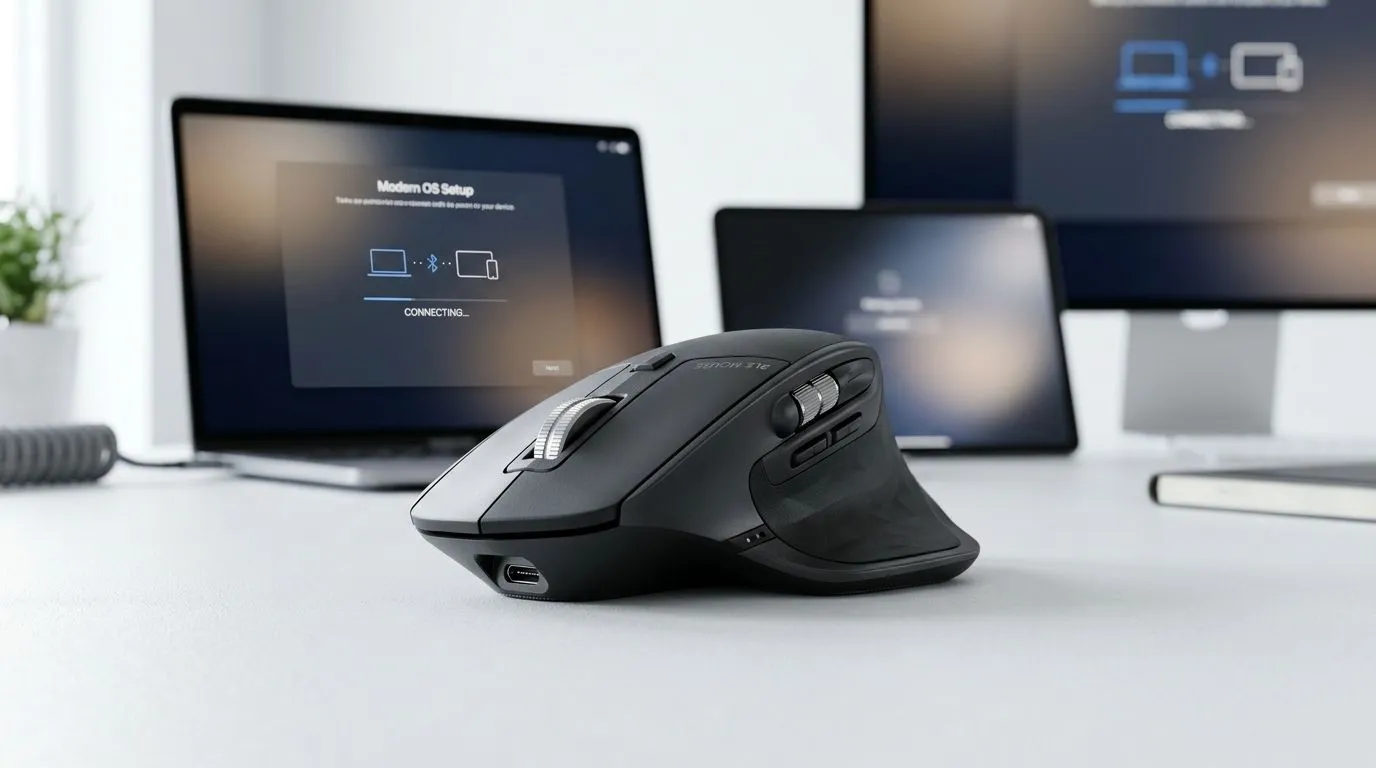
So you’ve got a laptop at work, a gaming PC at home, and maybe even a tablet for couch sessions… and your mouse keeps “forgetting” where you left it. Annoying, hey? The good news: a Bluetooth Low Energy (BLE) mouse can switch devices cleanly, with less lag and better battery life than classic Bluetooth.
In this guide, we’ll walk through a reliable setup for multi-device use, plus a few checks to avoid the common “it paired but it won’t click” problem.
Before you start, grab:
Most modern Windows laptops and desktops support BLE. On macOS, Bluetooth settings are also standard. If you’re on a PC without Bluetooth, you’ll need a Bluetooth adapter first (and that’s a whole separate mission).
Look for a button labelled:
Hold it until the LED blinks. That blink is your cue that the mouse is discoverable.
On Windows:
On macOS: System Settings → Bluetooth → Connect
Use the mouse’s device switch buttons. Pair to the second device while the mouse is set to that profile. Do not pair everything under the same profile, or you’ll keep fighting the “wrong device” issue.
On Windows, open Settings → Bluetooth & devices and remove any “ghost” entries for old mouse pairings you no longer use. Fewer paired devices means fewer accidental connections when you’re switching between home and work laptops. That’s especially helpful in shared households or LAN setups.
Let’s say you paired it successfully… and then it stutters, drifts, or delays clicks.
BLE can still misbehave when the battery is low. If your mouse has a low-battery indicator, charge or replace the batteries first.
Bluetooth hates distance more than you think. Try keeping the mouse within a metre of the device, especially during first pairing. Also avoid USB 3.0 hubs jammed right behind your receiver (if you’re using one).
If you’re buying specifically for multi-device switching, it helps to compare mouse types and compatibility upfront. For wired setups, a simple dedicated gaming mouse can be less hassle. For full freedom on your desk, wireless options are usually the sweet spot, and accessories can help tidy your setup.
You can browse:
When everything is paired, run this 60-second sanity check:
If it reconnects slowly, that’s often power saving. Try turning off “Bluetooth power saving” options in your OS settings if you see them. If it still acts up, re-pair only the problematic device, not the whole set.
Ready to Find Your Perfect Match? The Mac vs Windows debate is complex, but for maximum power, choice, and value in South Africa, Windows is hard to beat. Explore our massive range of laptop specials and find the perfect machine to conquer your world.
A Bluetooth Low Energy mouse uses less power than classic Bluetooth, helping battery life. It also supports stable pairing for daily multi-device productivity.
Pair by enabling Bluetooth in Windows, putting the mouse into pairing mode, then selecting it from the device list. If needed, remove and re-add the device.
Open Bluetooth settings on macOS, enable pairing mode on the mouse, and select it. For stability, avoid pairing multiple times to the same Mac.
Yes. Most BLE mice let you store multiple device profiles and switch quickly. Learn your model’s pairing buttons to alternate between devices.
Common causes include low battery, pairing mode timeouts, or conflicting saved connections. Restart Bluetooth, re-enter pairing mode, and try re-adding the device.
Use the mouse’s built-in channel/device switch (often labeled 1/2/3) or your app/profile method, then select the mouse on each device.
Often no for basic function, but companion apps can improve switching behavior, buttons, and battery monitoring depending on the mouse brand.
Verify Bluetooth power saving settings, keep firmware updated, and ensure the mouse is paired correctly to each device. Re-pair if dropouts persist.
Is gaming PC Overkill for 1080p Gaming Detailed answer with SA data, expert analysis & practical recommendations for local buyers.
Read more
Corsair Mouse Prices Across : Q3. Current stock data & price tracking for SA buyers. See what is available and where prices are heading.
Read more
AMD Keyboard Prices Across : Q1. Current stock data & price tracking for SA buyers. See what is available and where prices are heading.
Read more
GPU Availability Watch: September. Current stock data & price tracking for SA buyers. See what is available and where prices are heading.
Read more
ultrawide monitor Performance Drops After Update:. Real-world benchmark data, FPS numbers & performance analysis. What SA gamers can actually expect.
Read more
Headset Stock Levels in Port Elizabeth: October. Current stock data & price tracking for SA buyers. See what is available and where prices are heading.
Read more
MacBook Pro for Machine Learning in 2026: Can Apple Silicon Compete Detailed answer with SA data, expert analysis & practical recommendations for local buyers.

Choose the Right SATA SSD for machine learning. Step-by-step instructions with SA-specific tips, common pitfalls to avoid & expert recommendations.

Overwatch 2 Competitive Settings Servers. Tested & verified settings for best FPS and visual quality on SA hardware budgets.

League of Legends Settings for 144Hz Gaming. Tested & verified settings for best FPS and visual quality on SA hardware budgets.

Every AMD CPU Ranked for Gaming: Tier List. SA-focused analysis with local pricing data, real-world insights & actionable buying advice.

Easter Family Bundles: Monitors. Hand-picked gift ideas at every budget tier. SA pricing & Evetech availability included.

Ryzen 7 9800X3D Running 100 Degrees: Cooler. Diagnosis steps, proven fixes & when to seek professional help. SA-specific support info included.

Most Affordable Laptops : Starting from R8,000. Full parts list, Rand pricing & expected performance. Build confidently with SA-available components.

HBADA Chairs : Range and Pricing. Complete product range with SA pricing, key specs & recommendations for different budgets.

Ryzen 7 9800X3D for Music Production: Performance. Real-world benchmark data, FPS numbers & performance analysis. What SA gamers can actually expect.

Winter Cooling Management: Headsets. SA-focused analysis with local pricing data, real-world insights & actionable buying advice.

AKRacing Gaming Chair Range: Which Model Is Right. Complete product range with SA pricing, key specs & recommendations for different budgets.