



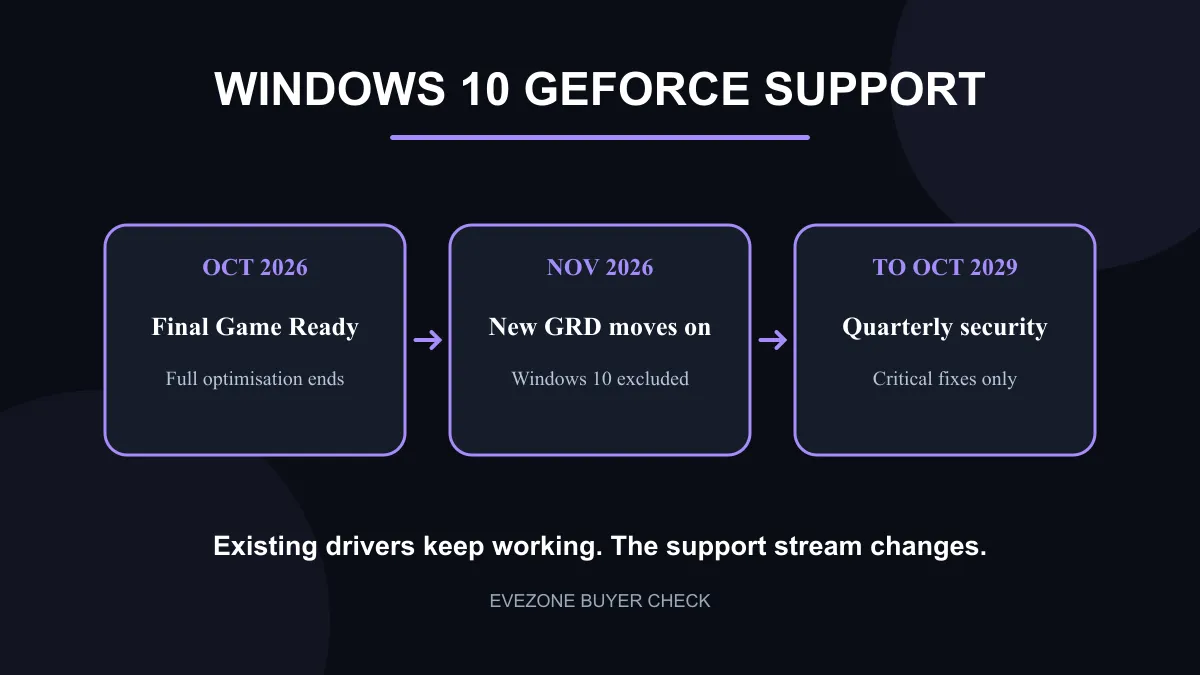
NVIDIA has set a clear end point for Windows 10 Game Ready drivers. October 2026 gets the final release with new-game optimisation for the operating system, and the first unsupported Game Ready release follows in November. Existing graphics cards will not stop working, but the support promise changes in a way that matters to anyone buying a R4,399 to R9,499 RTX card today.
Quick Answer
Windows 10 receives its final NVIDIA Game Ready driver in October 2026. Quarterly critical security fixes continue through October 2029, but later game profiles, launch optimisations and normal driver improvements move to supported operating systems.
🗓️ What changes after October
Game Ready support is the part tied to new releases, day-one profiles and broad driver maintenance for games. NVIDIA says October is the last Windows 10 release in that programme. November starts the split, with normal Game Ready development continuing elsewhere.
Security coverage remains. NVIDIA says critical fixes will arrive quarterly through October 2029. That is useful protection, but it is not the same product as a full driver stream. A new game may still run on an older driver, yet a Windows 10 user should not assume it receives every later fix or performance profile.
Owners can keep using cards from the graphics card category. The practical change is a rising support risk over time, not a shutdown date.
🎮 What it means for a current RTX buyer
The live sample started at R4,399 for an RTX 3050 6GB and R5,199 for another RTX 3050. RTX 5060 8GB cards appeared from R8,499, while RTX 5060 Ti 8GB options reached R9,499.
A buyer spending at that level should plan the operating system alongside the card. The hardware is not made obsolete by one support deadline. The concern is whether the PC can move to a supported Windows version without losing a required application, peripheral or stable workflow.
Check current NVIDIA cards for the GPU decision, then treat operating-system readiness as a separate checklist. Do not replace a working card merely because Windows 10 support narrows.
🧰 Prepare before changing Windows
Start with backups. Save personal files, game saves that are not synced, recovery keys, browser data and installers for essential tools. Note the current driver version so a known-good state is easy to identify.
Check motherboard firmware, storage space and peripheral support. Older audio interfaces, printers, capture devices or specialist controllers can be the reason an upgrade needs more planning. Confirm each critical device against the target operating system rather than relying on a general compatibility message.
If the current PC cannot move cleanly, keep the October driver installer and document the setup. Quarterly security fixes create breathing room. They should be used to plan, not as proof that full gaming support remains unchanged.
✅ A calm buy-now decision
Buy the GPU that meets today's games and budget. A graphics card special can still be sensible if the complete system is ready for supported software.
Delay an operating-system change when one essential device or application is not ready, but set a review date. Test on a spare drive where practical, confirm backups, and move when the full setup is stable.
The cleanest interpretation is simple: October is the last full Game Ready stop for Windows 10. Security continues, existing games remain usable, and each future title becomes an individual compatibility check.
Frequently Asked Questions
When is the final Windows 10 Game Ready driver?
NVIDIA says it will be released in October 2026.
What happens in November 2026?
The first later Game Ready release will not support Windows 10.
Do security updates continue?
Yes. NVIDIA says quarterly critical security fixes continue through October 2029.
Will my RTX card stop working?
No. Existing drivers and games do not switch off, but future optimisation and fixes may require a supported operating system.
What did current RTX cards cost locally?
The checked sample ranged from R4,399 for RTX 3050 6GB to R9,499 for RTX 5060 Ti 8GB.
What should I back up before upgrading?
Save personal files, local game saves, recovery keys, browser data and installers for critical applications and drivers.
Ready to make the software plan match the GPU plan? Compare current graphics cards, then confirm that the rest of the PC, its peripherals and your essential applications are ready for a supported operating system.











