


A smart monitor privacy check now belongs beside resolution, ports and refresh rate. Connected displays can run streaming apps, join accounts and manage smart-home features without a PC. That convenience creates another software surface. Recent reporting links monitor companion software with unwanted ads, while smart-display operating systems can add viewing, advertising and diagnostic choices that a plain screen never needed.
Quick Answer
Do not reject every smart monitor, but do not accept every setup screen either. The first 12 live gaming-monitor samples at Evetech ran from R1,899 to R2,699, so an SA buyer can choose a simpler display if built-in apps do not justify extra accounts, software and data settings.
🖥️ A monitor is becoming a small computer
A traditional monitor receives a video signal and exposes a local on-screen menu. A smart model may add Wi-Fi, app stores, streaming, voice control, recommendations, cloud accounts and remote management. Each added service needs software updates and may have its own privacy policy.
The key distinction is not brand. It is whether the display can identify a user, connect to the internet, run third-party apps or deliver companion software to a connected computer. A buyer should map those paths before signing in. If a feature works only after accepting broad advertising or viewing-data terms, its real cost is larger than the shelf price.
📣 The unwanted-software warning
One reported monitor app was delivered through Windows device-software channels when matching hardware was connected. The app then displayed a security-software promotion. Microsoft later said the monitor maker agreed to disable that pop-up. The response addressed the immediate ad, but it also showed that a display can trigger software behaviour on the PC side.
That does not mean every monitor app is malicious or every device installs software. It means Windows Update history, installed apps and startup items deserve a quick check after connecting new hardware. An owner can remove software they do not need and keep the display driver separate where the platform allows it.
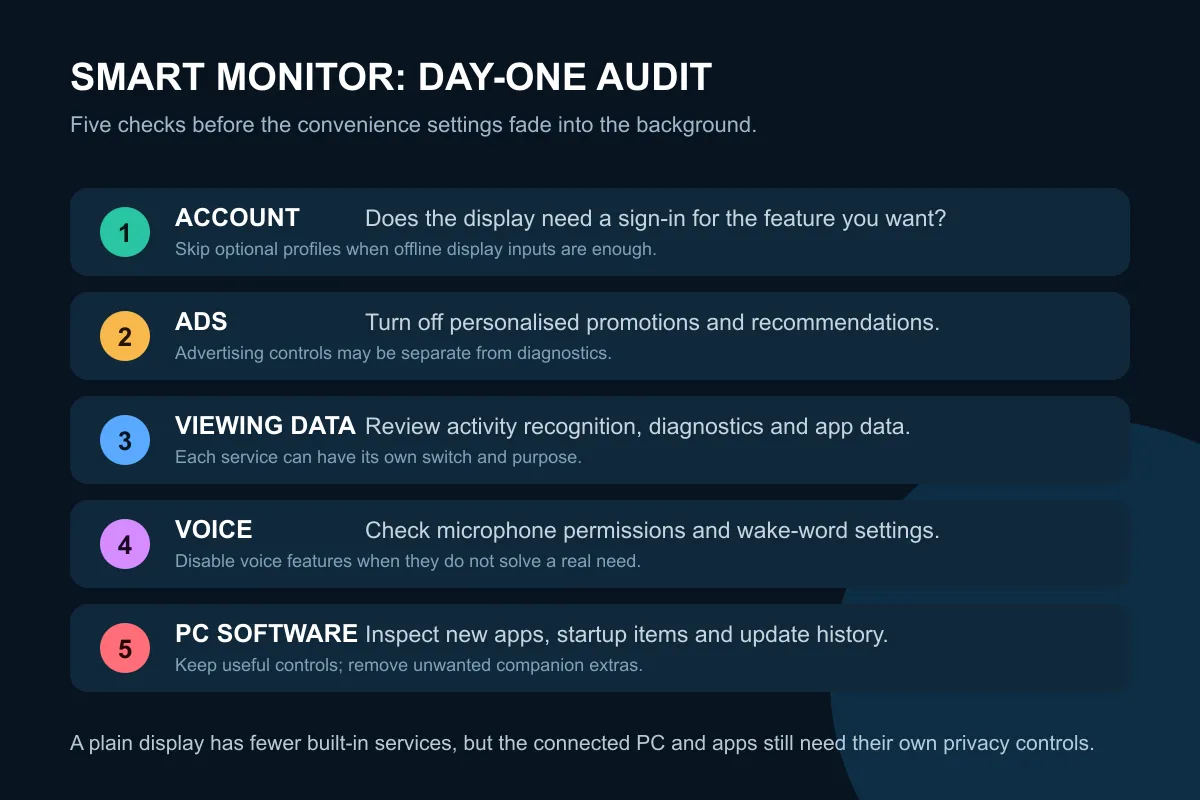
🔐 Five settings to inspect on day one
First, decide whether the display needs an online account. Second, review advertising and recommendation settings. Third, check viewing information and diagnostics. Fourth, inspect voice features and microphone permissions. Fifth, check the connected PC for a new companion app.
The office monitor range can suit buyers who value a straightforward work display. The gaming monitor category provides options where refresh, response and adaptive sync matter more than built-in streaming. Neither label guarantees privacy, so read the exact model's setup requirements.
💰 Pay only for features you will use
The catalogue snapshot's 12 most affordable live gaming displays cost R1,899 to R2,699 and covered FHD refresh rates from 144Hz through 240Hz. A smart monitor may cost more because it includes compute hardware, storage, wireless connectivity and licensed services. That premium makes sense only when those services replace another device or solve a regular need.
If the monitor will always connect to a PC or console, a simpler display may reduce duplicate menus and accounts. The monitor best sellers are a useful starting point for comparing the display qualities used every day before paying for an operating system that may sit idle.
Frequently Asked Questions
Can I use a smart monitor without connecting it to Wi-Fi?
Many models still accept HDMI or DisplayPort, but exact offline behaviour varies. Confirm whether setup, updates or core controls require an account or network.
Does turning off personalised ads stop all data collection?
Not necessarily. Diagnostics, app providers and operating-system services can have separate controls and purposes.
Should I block every monitor companion app?
No. Some apps provide useful firmware, colour or control features. Install only what you need, review permissions and remove unwanted extras.
Is a non-smart monitor automatically secure?
It has fewer built-in online services, but the connected PC, browser, console and apps still need their own privacy settings.
Ready to buy the screen instead of an unwanted software bundle? Compare Evetech monitors by panel, refresh, ports and support, then choose smart features only when their setup and privacy tradeoffs are clear.











