



Microsoft says the Windows on Arm app catalogue now contains more than 7,000 verified apps and games. That is useful progress because buyers can search for named software instead of relying on a broad promise. It is not proof that every entry is Arm-native, that every driver works, or that a specific game keeps the same performance and anti-cheat support.
Quick Answer
Treat 7,000 verified titles as a lookup tool, not a blanket approval for every Windows workload. The first 12 sellable laptops in the 26 August catalogue snapshot ranged from R6,999 to R10,999, so an SA buyer should test the exact app, game and peripheral list before moving that budget to Arm.
🧩 What verified can mean
An application can run as a native Arm build or through emulation. Both outcomes may earn a practical compatibility result, but they are not identical. Native software is compiled for the processor architecture. Emulated software depends on a translation layer, which can change performance, battery use, plug-in behaviour and troubleshooting.
Microsoft's progress report points to growth across education, security, productivity, creativity and entertainment. It also names future Windows on Arm systems from several major PC brands and NVIDIA's RTX Spark platform. More hardware gives developers a stronger reason to support the architecture.
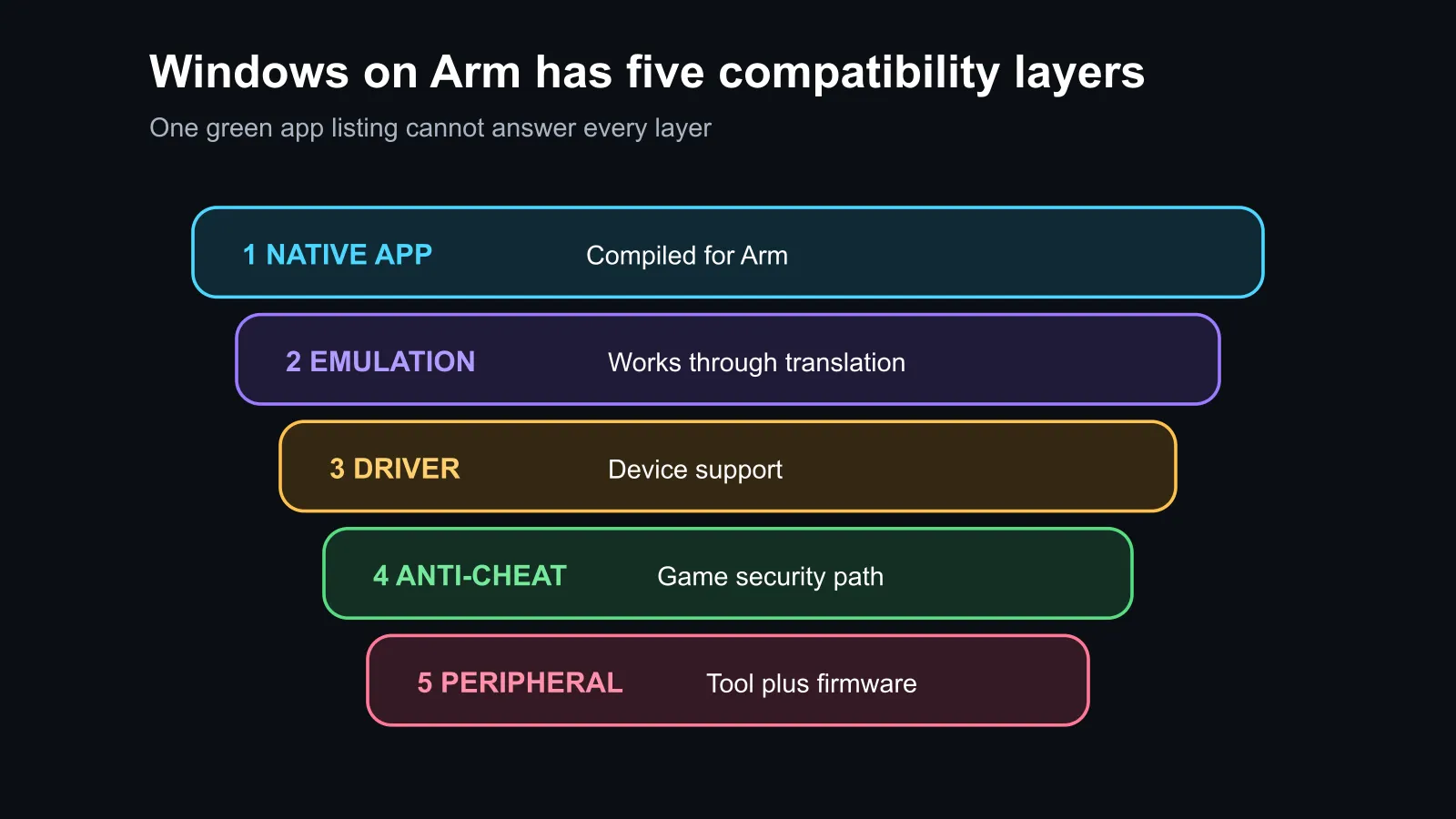
The catalogue count is still the start of a purchase check. Search the exact application name and version. Then identify whether it is native or emulated, whether all required plug-ins are supported and whether any hardware driver sits outside the app itself.
🎮 Games and drivers are the hard edge
Many normal desktop apps can run well through native builds or emulation. Games introduce more dependencies. Anti-cheat software may require kernel-level support, launchers can add another layer, and an update can change a previously working combination. A single important title that fails may outweigh hundreds of verified apps the buyer never uses.
Peripherals create the same trap. A printer, scanner, audio interface, capture device or specialist controller can depend on an Arm driver or configuration tool. The main program may open while the device remains unusable. Check both parts.
Use the AI laptop finder to narrow hardware, but keep a separate compatibility sheet beside it. List must-run work apps, must-play games, plug-ins, VPN tools and every non-standard peripheral.
💸 Why the local price range matters
The exact read-only snapshot sorted 12 sellable laptops from lowest price upward. The range started at R6,999 for a Chromebook, then moved to R8,499 and R8,999 for entry Windows notebooks, reaching R10,999 by the twelfth row. These are not Arm-specific prices; they show the real budget alternatives competing for an everyday laptop purchase.
The laptop specials page lets buyers compare processor, memory, storage and screen alongside that compatibility decision. An Arm system may offer excellent efficiency, but the benefit is only valuable if the buyer's daily tools work. An x86 laptop with fewer compatibility questions may be the safer purchase for specialist legacy software.
The laptop best sellers provide another check on practical configurations. Do not buy a processor architecture in isolation. Memory capacity, storage, display quality, ports, repair support and battery behaviour still matter every day.
✅ A five-line pre-purchase test
Write down the exact work applications and versions. Add the top five games. List every plug-in and security tool. Add printers, scanners, docks and specialist controllers. Finally, note whether native performance is important or whether working emulation is acceptable.
If every critical row is confirmed, Windows on Arm can be a sensible choice. If one revenue-critical tool, anti-cheat system or device driver is unknown, wait or choose a proven x86 option. The 7,000 figure makes checking easier; it does not remove the need to check.
Frequently Asked Questions
Does Windows on Arm run normal Windows software?
Many applications run natively or through emulation, but compatibility and performance must be checked per app and version.
Are all 7,000 verified titles native?
No. The compatibility catalogue includes working native and emulated paths, so buyers should inspect the status of each important title.
Why can a peripheral fail when the app works?
The device may require a separate driver or control utility that lacks Arm support even when the main application opens.
Is Arm a poor choice for every gamer?
No. It depends on the exact games, launchers and anti-cheat systems. A confirmed library can work well, while one unsupported title can decide the purchase.
Ready to test the laptop against your real software list? Compare current Evetech laptops, then verify every must-run app, game, driver and peripheral before choosing the processor architecture.











