

Core i9-14900K for Office Productivity: Performance Analysis & SA Value Rating 2026
Core i9-14900K for Office Productivity. Real-world benchmark data, FPS numbers & performance analysis. What SA gamers can actually expect.
Read moreRTX 4090 Common Issues and Fixes. Diagnosis steps, proven fixes & when to seek professional help. SA-specific support info included.
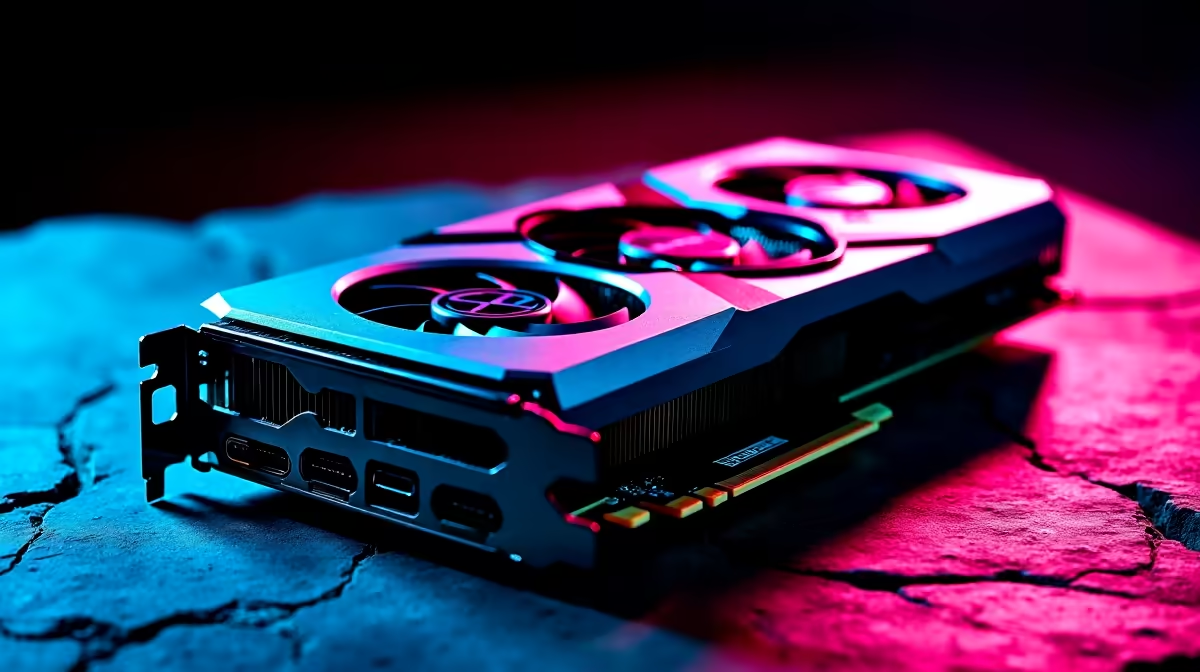
You just dropped a massive chunk of ZAR on the ultimate gaming crown jewel. The NVIDIA RTX 4090 is an absolute monster. But what happens when your new powerhouse starts acting up? Whether it is a worrying smell or strange noises, we are here to help. Let us dive into the most frequent RTX 4090 common issues and fixes to keep your rig running perfectly. 🚀
When you push the boundaries of graphical performance, minor hiccups can happen. Fortunately, most of these problems have straightforward solutions.
The biggest scare for early adopters was the melting 12VHPWR connector. This usually happens because the power cable is not fully seated. If you are currently shopping for new graphics cards, ensure you also invest in a high-quality ATX 3.0 power supply.
Always listen for a distinct click when plugging in your 12VHPWR cable. Leave at least 35mm of straight cable before attempting any bends to prevent uneven tension on the internal pins.
That high-pitched buzzing noise under heavy load is known as coil whine. It is annoying but completely harmless to your hardware. Capping your frame rate or undervolting can help optimise performance and drastically reduce the noise.
If your current power supply cannot handle the massive transient power spikes, your PC might shut down. In that case, it might be time to look at premium pre-built PCs that already balance these high-end components perfectly.
This graphics card is thicker than a brick. GPU sag is a real threat to your motherboard PCIe slot over time. Always use the included support bracket... or buy a dedicated support stand.
If your current chassis is simply too cramped for this beast, you might want to browse our best gaming PC deals for a roomier setup that breathes properly.
Sometimes the hardware is fine but the software decides to crash. Always use Display Driver Uninstaller (DDU) to completely wipe old drivers before installing fresh ones. This simple step solves most black screen errors.
If troubleshooting desktop components feels like a chore, you could always switch to portable power. Check out our massive range of notebooks for sale if you prefer gaming on the go without the setup hassle. Alternatively, keep an eye on our weekly specials for easy upgrades that will not break the bank.
Ready to Upgrade Your Setup? Dealing with hardware gremlins is never fun. If you want a flawless gaming experience backed by local South African expertise, Evetech has your back. Explore our massive range of specials and find the perfect components to conquer your world.
RTX 4090 Common Issues and Fixes available at Evetech.co.za with local warranty and fast delivery.
RTX 4090 Common Issues and Fixes - check Evetech for latest stock and SA pricing.
Depends on your use case. RTX 4090 Common Issues and Fix offers good value at current Rand pricing.
Core i9-14900K for Office Productivity. Real-world benchmark data, FPS numbers & performance analysis. What SA gamers can actually expect.
Read more
Silent RAM Options for Quiet Gaming. Curated for style and function. Clean builds that perform well without noise or clutter.
Read more
Apex Legends Performance on Mid-Range Gaming PC. Real-world benchmark data, FPS numbers & performance analysis. What SA gamers can actually expect.
Read more
MSI Laptop: Performance. Real-world benchmark data, FPS numbers & performance analysis. What SA gamers can actually expect.
Read more
PSVR2 : Where to Buy & Current Price. SA-focused analysis with local pricing data, real-world insights & actionable buying advice.
Read more
Noctua AIO Liquid Cooler: Asetek G8 V2 Pump,. SA-focused analysis with local pricing data, real-world insights & actionable buying advice.
Read more
AMD RX 9050 XT: Rumoured Specs, Price & Release. SA-focused analysis with local pricing data, real-world insights & actionable buying advice.

Can RTX 4080 Super Run AI Workloads for SA Developers Detailed answer with SA data, expert analysis & practical recommendations for local buyers.

Can RTX 4090 Run AI Workloads for SA Developers Detailed answer with SA data, expert analysis & practical recommendations for local buyers.

Top Settings for Intel Arc B580 at Ultrawide 1440p picks evaluated on performance, value & SA availability with current Rand pricing from Evetech.

RTX 4060 CS2 Low Settings at 1080p: FPS Results. Real-world benchmark data, FPS numbers & performance analysis. What SA gamers can actually expect.

Visual Artifacts: Possible GPU Issue Issue #1. Diagnosis steps, proven fixes & when to seek professional help. SA-specific support info included.

Can the RTX 4090 Handle 1440p 144Hz Gaming. Performance testing verdict with real data & practical recommendations for SA buyers.

Top ASUS GPU Under R15000 picks evaluated on performance, value & SA availability with current Rand pricing from Evetech.

GTA 6 Max Settings on RTX 5070. Tested & verified settings for best FPS and visual quality on SA hardware budgets.

Cyberpunk 2077 Max Settings on RTX 5080. Tested & verified settings for best FPS and visual quality on SA hardware budgets.

Starfield Max Settings on RTX 5070 Ti. Tested & verified settings for best FPS and visual quality on SA hardware budgets.

Top RTX 5090 Under R5000 picks evaluated on performance, value & SA availability with current Rand pricing from Evetech.