

Is gaming PC Overkill for 1080p Gaming?
Is gaming PC Overkill for 1080p Gaming Detailed answer with SA data, expert analysis & practical recommendations for local buyers.
Read moreRTX 5080 Temperature Too High: Cooling Solutions. Heat causes, diagnostic steps & cooling upgrades tested in SA summer conditions.
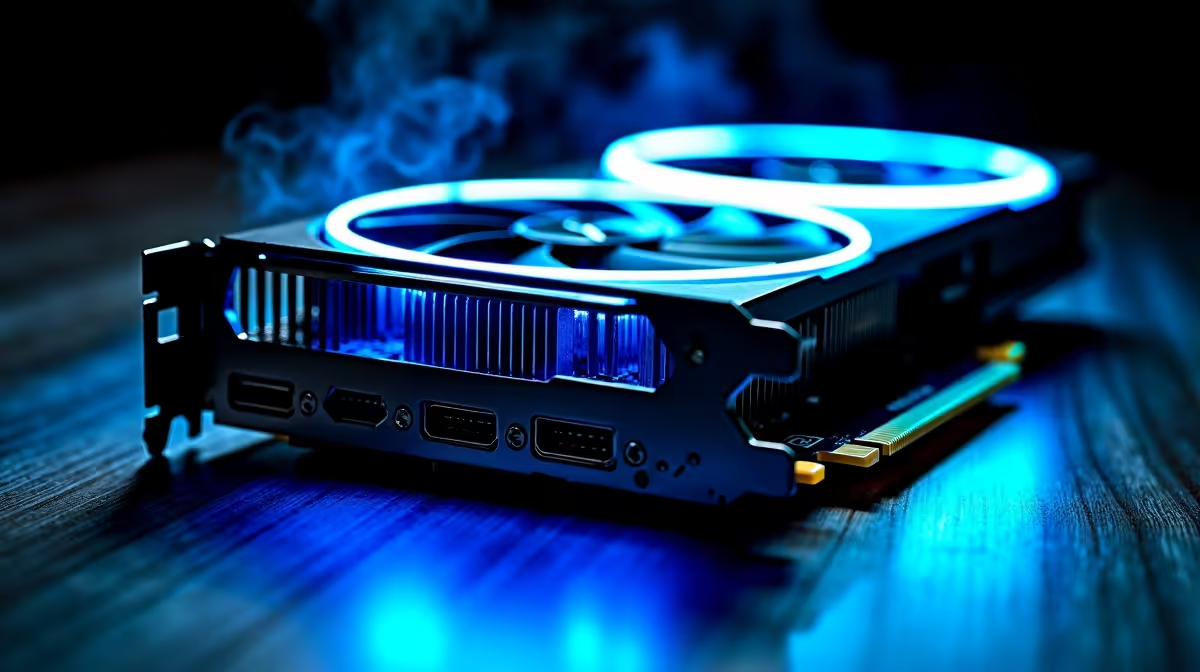
An RTX 5080 running too hot is typically caused by insufficient case airflow, a cooling solution inadequate for the card''s 350W TDP, or thermal paste degradation on older units. Solutions range from improving case airflow and cleaning dust from the GPU heatsink, to undervolting the card for lower temperatures at similar performance levels.
The RTX 5080 has a rated maximum junction temperature of 90 degrees Celsius, and NVIDIA''s thermal management system begins throttling clock speeds when the GPU approaches this limit. In practice, temperatures between 75 and 85 degrees Celsius during sustained gaming loads are normal and within safe operating parameters for a card with a 350W TDP. Temperatures consistently above 87 to 88 degrees Celsius under load are the point where active intervention is worthwhile, both to protect component longevity and to prevent thermal throttling from reducing your frame rates below the card''s full capability.
The RTX 5080 is a high-power card that generates significant heat. The number one cause of high GPU temperatures is inadequate case airflow. A minimum of two 120mm intake fans at the front of your case and one 120mm exhaust fan at the rear is the baseline. For a card in the RTX 5080''s thermal class, three 120mm or two 140mm front intakes combined with top exhaust significantly reduces temperatures. Ensure that front intake fans are not blocked by a closed front panel. Cases with mesh front panels move substantially more air than cases with solid or restricted front panels. Also verify that your GPU has at least 40mm of clearance between the bottom of the card and the PSU shroud below it to allow the GPU''s downward-facing fans to draw in ambient air freely rather than recirculating hot air.
Dust accumulation on GPU heatsink fins is a major factor in temperature rise on cards that have been in service for more than 12 months. Remove the GPU from the case and use compressed air to blow dust through the heatsink fins from both the fan side and the exhaust side. Do this with the GPU outside the case so dislodged dust is not deposited on other components. For users who have had their RTX 5080 for more than two years, reapplying thermal paste between the GPU die and the heatsink base plate can recover 5 to 10 degrees Celsius. This requires removing the GPU cooler and is a more advanced procedure but is effective on aged units. Undervolting is the highest-impact software solution. Using MSI Afterburner''s voltage and frequency curve tool, you can reduce the voltage at which the GPU operates at its peak frequency. A typical RTX 5080 undervolt can reduce temperatures by 8 to 15 degrees Celsius while maintaining 98 to 100% of stock gaming performance, since the card''s boost algorithm targets clock speed rather than voltage.
What temperature is too high for the RTX 5080? Consistently above 87 degrees Celsius under sustained gaming load is the point where active cooling improvements are worthwhile. NVIDIA''s thermal limit is 90 degrees, and exceeding 88 degrees means you have minimal headroom before throttling begins.
Does undervolting the RTX 5080 void the warranty? Undervolting is a software adjustment that does not void the warranty. It reduces voltage delivered to the GPU, which is less stressful on the hardware than running at stock voltages. Overclocking beyond stock frequencies is the modification that typically affects warranty terms.
Can adding more case fans really drop GPU temperature by 10 degrees? Yes, in cases where airflow is the primary limiting factor. Moving from no front intake fans to three front intakes with a positive pressure configuration can reduce GPU temperatures by 8 to 15 degrees Celsius in poorly ventilated builds.
Should I use a GPU support bracket with the RTX 5080? The RTX 5080 is a heavy three-slot card and GPU sag is common in ATX builds without support. Sag does not directly cause temperature issues, but ensuring the card sits level helps the cooler function as designed and prevents PCIe slot stress over time.
Ready to Find Your Perfect Match? Shop RTX 5080 and Cooling Solutions at Evetech
RTX 5080 Temperature Too High: Cooling S available at Evetech.co.za with local warranty and fast delivery.
RTX 5080 Temperature Too High: Cooling S - check Evetech for latest stock and SA pricing.
Depends on your use case. RTX 5080 Temperature Too High: offers good value at current Rand pricing.
Is gaming PC Overkill for 1080p Gaming Detailed answer with SA data, expert analysis & practical recommendations for local buyers.
Read more
Corsair Mouse Prices Across : Q3. Current stock data & price tracking for SA buyers. See what is available and where prices are heading.
Read more
AMD Keyboard Prices Across : Q1. Current stock data & price tracking for SA buyers. See what is available and where prices are heading.
Read more
GPU Availability Watch: September. Current stock data & price tracking for SA buyers. See what is available and where prices are heading.
Read more
ultrawide monitor Performance Drops After Update:. Real-world benchmark data, FPS numbers & performance analysis. What SA gamers can actually expect.
Read more
Headset Stock Levels in Port Elizabeth: October. Current stock data & price tracking for SA buyers. See what is available and where prices are heading.
Read more
MacBook Pro for Machine Learning in 2026: Can Apple Silicon Compete Detailed answer with SA data, expert analysis & practical recommendations for local buyers.

Choose the Right SATA SSD for machine learning. Step-by-step instructions with SA-specific tips, common pitfalls to avoid & expert recommendations.

Overwatch 2 Competitive Settings Servers. Tested & verified settings for best FPS and visual quality on SA hardware budgets.

League of Legends Settings for 144Hz Gaming. Tested & verified settings for best FPS and visual quality on SA hardware budgets.

Every AMD CPU Ranked for Gaming: Tier List. SA-focused analysis with local pricing data, real-world insights & actionable buying advice.

Easter Family Bundles: Monitors. Hand-picked gift ideas at every budget tier. SA pricing & Evetech availability included.

Ryzen 7 9800X3D Running 100 Degrees: Cooler. Diagnosis steps, proven fixes & when to seek professional help. SA-specific support info included.

Most Affordable Laptops : Starting from R8,000. Full parts list, Rand pricing & expected performance. Build confidently with SA-available components.

HBADA Chairs : Range and Pricing. Complete product range with SA pricing, key specs & recommendations for different budgets.

Ryzen 7 9800X3D for Music Production: Performance. Real-world benchmark data, FPS numbers & performance analysis. What SA gamers can actually expect.

Winter Cooling Management: Headsets. SA-focused analysis with local pricing data, real-world insights & actionable buying advice.

AKRacing Gaming Chair Range: Which Model Is Right. Complete product range with SA pricing, key specs & recommendations for different budgets.