

Is gaming PC Overkill for 1080p Gaming?
Is gaming PC Overkill for 1080p Gaming Detailed answer with SA data, expert analysis & practical recommendations for local buyers.
Read moreWinter Load Shedding Ready: Storages. SA-focused analysis with local pricing data, real-world insights & actionable buying advice.
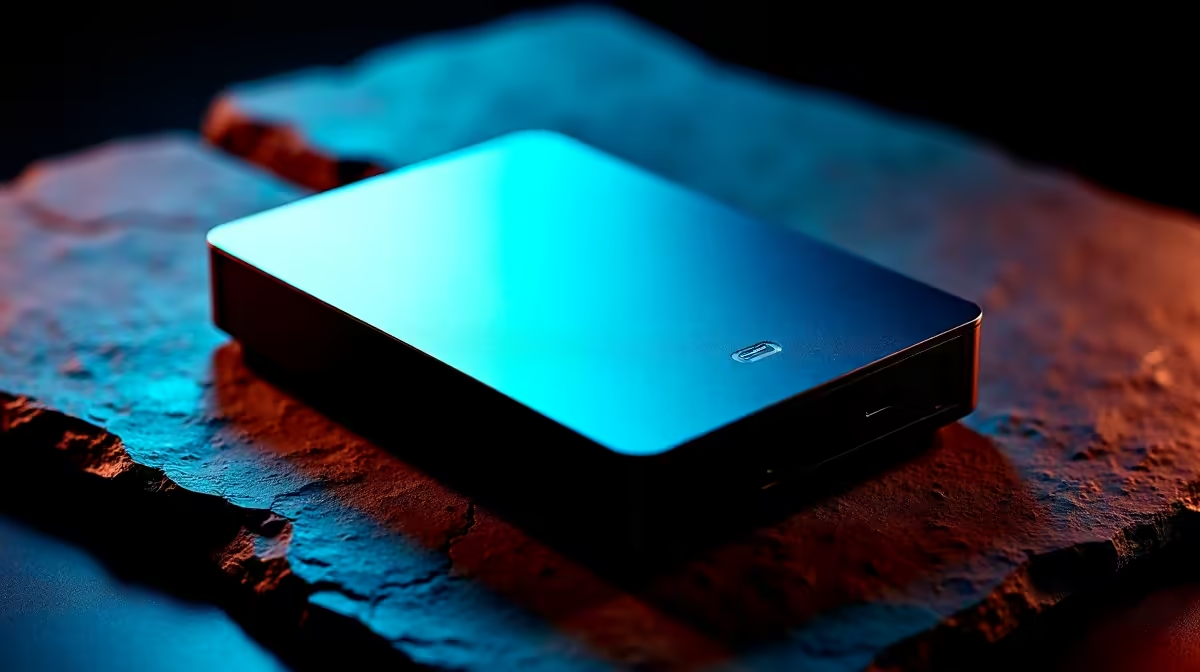
In South Africa, the best storage solutions for a loadshedding-ready winter setup are NVMe SSDs for your primary drive and external SSDs for backup, as both handle sudden power cuts far better than traditional hard drives. SSDs have no moving parts, so an unexpected shutdown during Stage 6 loadshedding is unlikely to cause physical drive failure or data corruption when combined with a UPS.
Most South Africans who have experienced loadshedding know the anxiety of a sudden power cut mid-session. Traditional spinning hard drives (HDDs) are particularly vulnerable to abrupt shutdowns because the read-write head can land on the magnetic platter, causing scratches and potential data loss. While modern HDDs have parking mechanisms, repeated uncontrolled shutoffs accelerate wear and shorten drive lifespan.
NVMe and SATA SSDs have no moving parts. A power cut during a write operation may result in minor data inconsistency in the file being actively written, but the drive itself suffers no physical damage. For South Africans facing regular loadshedding in winter 2024 and beyond, switching to SSD storage is both a performance and a reliability decision.
For desktop PC users, a UPS (Uninterruptible Power Supply) provides the bridge between a power cut and a safe system shutdown. Even a basic 650VA UPS gives you three to five minutes to save your work and shut down cleanly. When your primary storage is an NVMe SSD and you have a UPS, the risk of storage-related data loss during loadshedding drops dramatically.
For your primary boot and applications drive, a 1TB or 2TB NVMe SSD is the right choice. NVMe drives use the PCIe interface and deliver read speeds multiple times faster than SATA SSDs. Day-to-day, this means faster boot times, near-instant application launches, and quicker file saves, all of which matter when you are trying to finish work before the next scheduled outage.
For backup and archive storage, an external SSD paired with a USB 3.2 or USB-C connection gives you portable, shock-resistant storage that can be disconnected and moved to a safe location during extended power outages. External SSDs do not need a powered enclosure and can be powered directly from a USB port, making them practical for a laptop running on battery during loadshedding.
For households that have large media libraries or home server applications, a NAS (Network Attached Storage) device with multiple drives on a UPS is the professional approach. The UPS protects the NAS from abrupt shutdowns, and RAID configurations provide redundancy against individual drive failure.
Winter in South Africa has historically coincided with heavier loadshedding schedules as demand peaks with heating loads. This is the right time to audit your storage health. Use free tools like CrystalDiskInfo on Windows to check your NVMe or SATA SSD health rating and any pending reallocated sectors. If your drive shows warnings, winter is not the time to postpone a replacement.
For gamers and creative professionals in Johannesburg, Cape Town, Durban, and other heavily affected areas, keeping an automatic local backup running during the hours when Eskom historically schedules the grid to be live adds a meaningful safety net. A 2TB external SSD holds multiple full system backups and is compact enough to unplug and move if needed.
SSDs are significantly safer than HDDs during unexpected power cuts because they have no moving parts. While a file being actively written may be corrupted, the drive itself will not suffer physical damage. Pairing an SSD with a UPS is the best protection.
A 1TB NVMe SSD is suitable for most users as a primary drive covering the OS, applications, and active projects. Add a 2TB external SSD for backups and media that need to survive loadshedding incidents.
Repeated power interruptions can contribute to minor write-cycle wear from incomplete writes, but the effect on total drive lifespan is small for SSDs compared to HDDs. Using a UPS to allow clean shutdowns is still recommended best practice.
Ready to Find Your Perfect Match? Protect your data this winter with reliable SSD storage built for SA conditions. Shop SSDs at Evetech
Winter Load Shedding Ready: Storages in available at Evetech.co.za with local warranty and fast delivery.
Winter Load Shedding Ready: Storages in - check Evetech for latest stock and SA pricing.
Depends on your use case. Winter Load Shedding Ready: St offers good value at current Rand pricing.
Is gaming PC Overkill for 1080p Gaming Detailed answer with SA data, expert analysis & practical recommendations for local buyers.
Read more
Corsair Mouse Prices Across : Q3. Current stock data & price tracking for SA buyers. See what is available and where prices are heading.
Read more
AMD Keyboard Prices Across : Q1. Current stock data & price tracking for SA buyers. See what is available and where prices are heading.
Read more
GPU Availability Watch: September. Current stock data & price tracking for SA buyers. See what is available and where prices are heading.
Read more
ultrawide monitor Performance Drops After Update:. Real-world benchmark data, FPS numbers & performance analysis. What SA gamers can actually expect.
Read more
Headset Stock Levels in Port Elizabeth: October. Current stock data & price tracking for SA buyers. See what is available and where prices are heading.
Read more
MacBook Pro for Machine Learning in 2026: Can Apple Silicon Compete Detailed answer with SA data, expert analysis & practical recommendations for local buyers.

Choose the Right SATA SSD for machine learning. Step-by-step instructions with SA-specific tips, common pitfalls to avoid & expert recommendations.

Overwatch 2 Competitive Settings Servers. Tested & verified settings for best FPS and visual quality on SA hardware budgets.

League of Legends Settings for 144Hz Gaming. Tested & verified settings for best FPS and visual quality on SA hardware budgets.

Every AMD CPU Ranked for Gaming: Tier List. SA-focused analysis with local pricing data, real-world insights & actionable buying advice.

Easter Family Bundles: Monitors. Hand-picked gift ideas at every budget tier. SA pricing & Evetech availability included.

Ryzen 7 9800X3D Running 100 Degrees: Cooler. Diagnosis steps, proven fixes & when to seek professional help. SA-specific support info included.

Most Affordable Laptops : Starting from R8,000. Full parts list, Rand pricing & expected performance. Build confidently with SA-available components.

HBADA Chairs : Range and Pricing. Complete product range with SA pricing, key specs & recommendations for different budgets.

Ryzen 7 9800X3D for Music Production: Performance. Real-world benchmark data, FPS numbers & performance analysis. What SA gamers can actually expect.

Winter Cooling Management: Headsets. SA-focused analysis with local pricing data, real-world insights & actionable buying advice.

AKRacing Gaming Chair Range: Which Model Is Right. Complete product range with SA pricing, key specs & recommendations for different budgets.