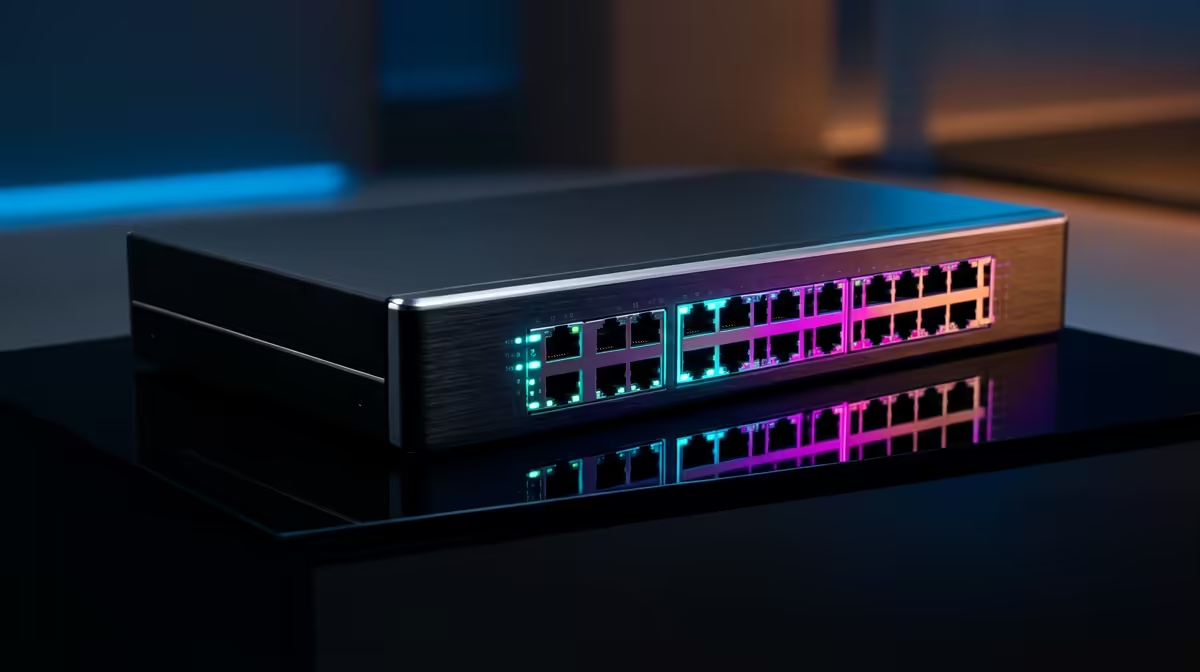
Two editors scrubbing through the same 4K timeline off one shared drive, and the playback stutters for both. That bottleneck is almost always the network, not the storage or the workstation, and 10GbE for media workflows is the upgrade that clears it. The difference between standard Gigabit and 10GbE is not incremental for video work; it is the line between unusable and seamless.
Quick Answer
10GbE delivers roughly 1,200 MB/s of sustained throughput, enough to feed two to three simultaneous 4K streams from a shared NAS without dropped frames. Standard Gigabit tops out near 125 MB/s, which cannot carry even a single uncompressed 4K stream cleanly. For collaborative editing, 10GbE is the practical minimum.
The Bandwidth Gap In Real Terms
Gigabit Ethernet, the standard in most offices, maxes out at about 125 MB/s in real use. That is fine for documents, web work and even some compressed footage on a single machine. It collapses the moment you ask it to stream high-bitrate 4K from shared storage, because a single uncompressed or lightly compressed 4K stream can demand more than Gigabit can supply on its own.
10GbE lifts the ceiling roughly tenfold to around 1,200 MB/s sustained. Suddenly a NAS can serve multiple editors at once, each scrubbing 4K timelines, without anyone seeing a dropped frame. The storage stops being a queue and starts behaving like a fast local drive shared across the team.
Why Shared Storage Changes The Maths
Editing off a local SSD is easy; the drive sits inches from the chip. The trouble starts when footage lives on a central NAS so a team can share projects. Now every byte travels over the network, and the network becomes the slowest link in the chain.
The Whole Chain Has To Keep Up
A 10GbE link only delivers its promise when the rest of the path matches it. The NAS needs drives, ideally NVMe or a fast array, capable of feeding 4K reads. The switch must support 10GbE, and each workstation needs a 10GbE network card. One Gigabit link anywhere in the path drags the whole flow back down to Gigabit speed, so the upgrade is a chain decision, not a single-component one.
Cabling Matters More Than People Expect
10GbE runs over copper or fibre. For copper, Cat6a is the safe choice for full-distance runs, while older Cat5e may only manage 10GbE over very short lengths if at all. Getting the cabling right up front saves a frustrating round of "why is it still slow" once the cards are installed.
What 10GbE Unlocks Day To Day
The payoff is felt in workflow, not benchmarks. Multiple editors pull from the same project simultaneously without fighting for bandwidth. Massive media files copy to and from the NAS in a fraction of the time. Proxy workflows become optional rather than mandatory, because the network can feed full-resolution footage directly.
For a team, that adds up to less waiting and fewer "let me just render a proxy first" delays. The GPU and CPU finally get fed at full speed, which is where the workstation graphics cards at Evetech come into their own, since a fast network only helps if the machine on the other end can decode and render what it receives.
Who It Is For And Who Can Skip It
10GbE is a clear win for studios, multi-editor teams and anyone working 4K or higher off shared storage. A solo editor working entirely off a local NVMe drive may not need it at all, since nothing is travelling over the network. The deciding question is simple: is your footage shared, and is it 4K or beyond? If yes, the network is your bottleneck.
Teams building this out usually start from a known-good base, and the systems Evetech ships most often give a sensible reference point for the CPU and memory a 10GbE editing node should pair with.
Cost, Rollout And Doing It In Stages
A full 10GbE upgrade need not happen all at once. The most common SA studio approach is to start where the pain is sharpest, usually the link between the NAS and the one or two heaviest editing stations, then expand outward as budget allows. A 10GbE switch and a card per workstation are the core costs, with cabling a smaller line item if you plan the runs sensibly.
You can also run a hybrid network for a while. The editing nodes and the NAS sit on 10GbE, while admin machines, printers and general office gear stay on Gigabit through the same switch. That keeps the spend focused on the machines that actually move 4K footage, rather than re-cabling an entire office that does not need it.
Direct Link Versus A Switch
For a very small setup, a single editor and a single NAS, you can sometimes skip the switch entirely and run a direct 10GbE cable between the two devices. It is the cheapest possible entry to 10GbE speed. The moment a second or third editor needs the same storage, though, a 10GbE switch becomes necessary so everyone shares the NAS at full speed.
Troubleshooting When 10GbE Underperforms
Installing the hardware and still seeing Gigabit-like speeds is a familiar frustration, and the cause is almost always a weak link in the chain. Confirm every device in the path negotiated a 10GbE connection, since one port quietly falling back to Gigabit drags the rest down. Check the cabling next, as a marginal or too-long copper run can refuse to hold 10GbE.
If the link is healthy but throughput still disappoints, look at the storage. A NAS built on slower mechanical drives may not read fast enough to fill a 10GbE pipe, even though the network is ready. In that case the bottleneck has simply moved from the network to the disks, and faster storage is the next upgrade rather than more network gear. Working through the chain in order, link speed, cabling, then storage, finds the culprit far faster than swapping parts at random.
Frequently Asked Questions
How much faster is 10GbE than Gigabit for video editing?
Roughly ten times faster in raw throughput, about 1,200 MB/s versus 125 MB/s. In practice that is the difference between serving several 4K streams from shared storage and struggling with even one.
Do I need 10GbE if I edit off a local drive?
Not usually. If all your footage sits on a fast local NVMe SSD, nothing travels over the network, so 10GbE adds little. It matters specifically when you edit from a shared NAS over the network.
What else do I need besides a 10GbE network card?
The whole path must support it: a 10GbE-capable switch, a NAS with fast enough drives to feed 4K reads, and suitable cabling such as Cat6a or fibre. A single Gigabit link anywhere caps the entire flow.
Will 10GbE fix stuttering 4K playback on its own?
Only if the network was the bottleneck. It clears network-limited stutter when streaming from shared storage, but if the workstation's GPU, CPU or local disk is the limit, those need attention too.
Is Cat6a cabling necessary for 10GbE?
For full-length runs, yes, Cat6a is the reliable choice. Cat5e may carry 10GbE only over very short distances, if at all, so plan the cabling alongside the cards to avoid a slow link.
A 10GbE network only pays off when the workstation can keep pace, so make sure the rendering end is ready by exploring the workstation graphics cards at Evetech before you upgrade the network.