


Christmas GPU Buying Guide for SA 2026
Christmas GPU Buying Guide. Hand-picked gift ideas at every budget tier. SA pricing & Evetech availability included.
Read moreWant better airflow from a 140mm fan? Learn how 140mm fan performance ratings like CFM and RPM affect cooling and noise. Get realistic expectations before you buy. 🔥💨
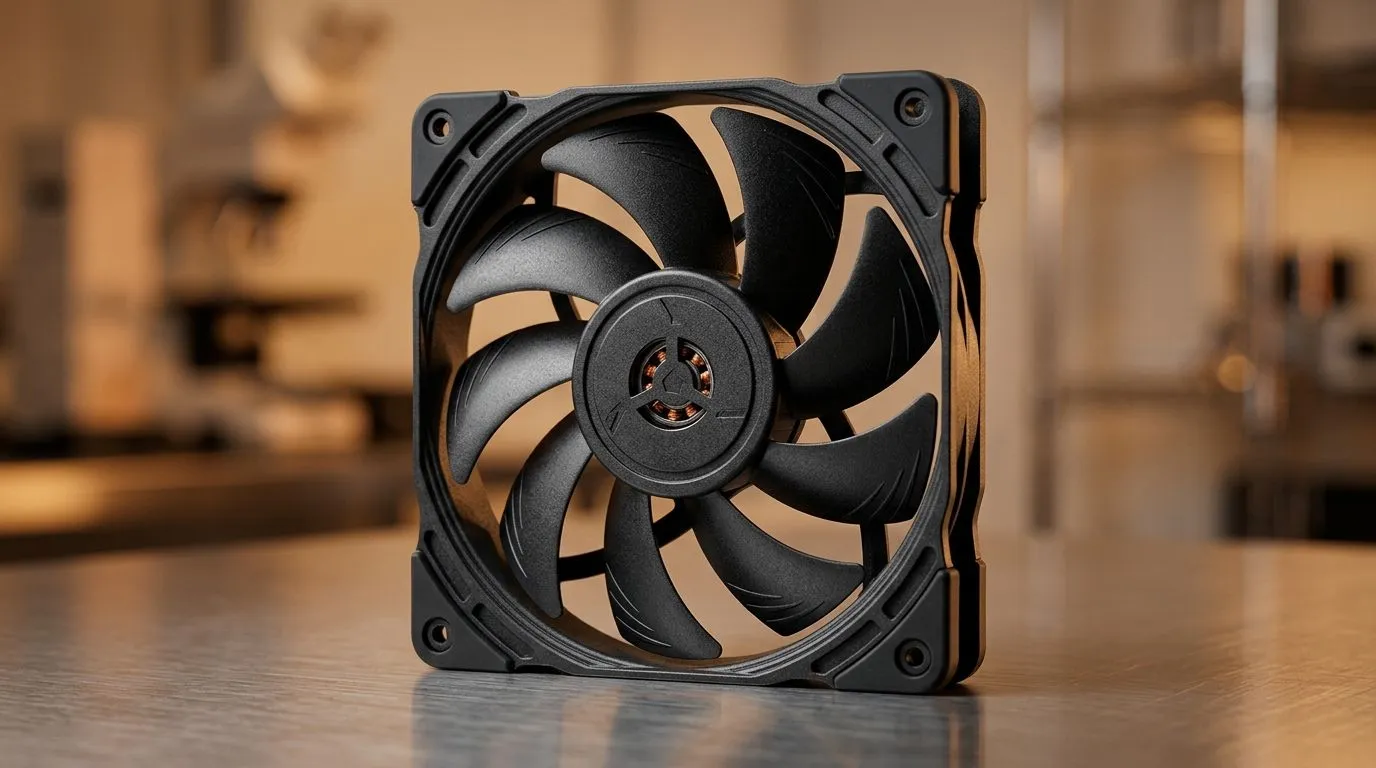
If your PC is loud when you game, the fix is often sitting right in the case. A 140mm fan can move more air than a smaller fan, but only if you match CFM, RPM, and noise levels to your airflow plan. In South African homes, where loadshedding and dust build-up are real concerns, smart cooling helps stability… and keeps your parts happier.
Today’s deep dive breaks down what “good” looks like when you’re comparing 140mm case fans. 🔧
Let’s translate fan marketing into real-world expectations.
CFM (cubic feet per minute) is a measure of airflow. Higher CFM generally means better cooling potential, especially across a radiator or restrictive front intake. But airflow is only useful if your case has a clear path for that air to go somewhere.
Evetech stocks a wide range of 140mm case fans here, which makes it easier to compare like-for-like: Shop 140mm case fans at Evetech
RPM is how fast the fan spins. Higher RPM usually increases CFM, but it often increases noise too. The sweet spot is where your CPU/GPU temps stay controlled without turning your rig into a leaf blower.
A lot of buyers also like to compare brands and models, so it helps to shop within a curated category first: Compare case fans from CORSAIR
Noise is subjective, but physics is not. More RPM tends to raise noise, and fan design (blade shape, static pressure, and bearing quality) changes the character of that sound. If you play late, noise at idle matters just as much as load.
If you’re trying to keep things quiet, it’s worth filtering to fan options that focus on performance and reliability rather than just flashy RGB. Start with the general range: Browse Evetech’s case fan lineup
And if you want a brand focused on practical thermals, this is a good place to begin: Explore Deepcool case fans
A good fan choice depends on where it lives.
Front intake fans help feed your GPU and push warm air toward the rest of the case. Top exhaust fans then remove heat that would otherwise recirculate.
If your case supports multiple fan sizes, make sure you’re not mixing airflow strategies. For maximum compatibility, it can help to compare both 120mm and 140mm options before committing: Check 120mm case fans
RGB looks great in a tempered-glass window, but it should never be the reason your temps climb. Choose fans first for airflow needs, then add lighting if you truly want it: Find RGB case fans
If you prefer a cleaner, quieter look, there are also non-RGB options worth considering: Shop case fans with no lighting effects
On Windows, use the PowerToys FancyZones utility to create custom snap layouts for your windows. It's a lifesaver for managing multiple apps on your ultrawide monitor, letting you organise your timeline, preview window, and asset folders perfectly for video editing.
Before you buy, do this quick sanity check:
One last question to ask yourself… are you chasing “maximum numbers” or “maximum comfort”?
If you want a smoother, quieter build that still performs under pressure, the next step is easy. Pick the 140mm fans that fit your airflow plan, then tune fan curves to match your actual workloads.
Ready to Find Your Perfect Match? If you’re building or upgrading for South African gaming, the right 140mm case fan setup can make a noticeable difference in comfort and stability. Browse the options that fit your case and your budget today. Explore our massive range of case fans and cooling upgrades and get your rig running cool, quiet, and ready.
CFM estimates how much air a 140mm fan moves at rated conditions, helping compare airflow, but real results depend on case restrictions and fan curves.
Higher RPM often increases airflow and reduces thermal resistance, but noise usually rises too—use RPM alongside measured dBA for realistic 140mm fan noise levels.
Often, yes. Many 140mm fans move similar air at lower RPM, improving 140mm fan noise levels while maintaining cooling, especially in low-to-moderate restriction builds.
Static pressure matters for radiators, tight dust filters, and dense heatsinks. Airflow (CFM) alone can overstate performance in these setups.
Look for measured dBA at a stated RPM and distance. Combine that with 140mm fan RPM specs to judge how loud it feels in a real case.
Compare CFM and static pressure under similar conditions, then factor your fan curve, radiator or filter restriction, and overall airflow balance in the case.
Most users land in a mid-range fan curve where the 140mm fan RPM stays lower for quieter operation, while still maintaining enough airflow to control GPU and CPU temps.
Christmas GPU Buying Guide. Hand-picked gift ideas at every budget tier. SA pricing & Evetech availability included.
Read more
Minecraft Max Settings on RTX 4080. Tested & verified settings for best FPS and visual quality on SA hardware budgets.
Read more
GPU Cooling: Complete Guide. Everything you need to know with SA pricing, step-by-step instructions & expert recommendations.
Read more
Starfield Max Settings on RTX 4090. Tested & verified settings for best FPS and visual quality on SA hardware budgets.
Read more
Starfield Max Settings on RTX 4080. Tested & verified settings for best FPS and visual quality on SA hardware budgets.
Read more
GPU Driver Installation. Everything you need to know with SA pricing, step-by-step instructions & expert recommendations.
Read more
Snapdragon X2 NPU Explained: How 80 TOPS Changes. Plain-English explanation of what it means, why it matters & how it affects your buying decisions in SA.

HBM? High Bandwidth Memory Used in GPUs and AI. Plain-English explanation of what it means, why it matters & how it affects your buying decisions in SA.

How much should you spend on sim racing accessories in South Africa for a realistic setup? We break down budgets by quality tiers, so you buy smart gear and avoid overspending 🎮💸

G-Sync and FreeSync? Variable Refresh Rate. Plain-English explanation of what it means, why it matters & how it affects your buying decisions in SA.

AMD Laptop: Value. SA-focused analysis with local pricing data, real-world insights & actionable buying advice.

How MacBook Neo Handles 30+ Chrome Tabs with Only. SA-focused analysis with local pricing data, real-world insights & actionable buying advice.

Why Apple Put 8GB RAM in MacBook Neo: The A18 Pro. SA-focused analysis with local pricing data, real-world insights & actionable buying advice.

Upgrade your work laptop with a New Motherboard. Step-by-step instructions with SA-specific tips, common pitfalls to avoid & expert recommendations.

Glorious Keyboard Switches Explained: Which. Plain-English explanation of what it means, why it matters & how it affects your buying decisions in SA.

Winter Keyboard Buying Guide. Everything you need to know with SA pricing, step-by-step instructions & expert recommendations.

Keyboard Buying Guide. Everything you need to know with SA pricing, step-by-step instructions & expert recommendations.

LGBTQ+ Gamers Keyboard Guide: January Edition. Everything you need to know with SA pricing, step-by-step instructions & expert recommendations.