


Black Myth: Wukong 2 Ultrawide Support: 21:9 and 32:9 Setup Guide
Black Myth: Wukong 2 Ultrawide Support: 21:9 and. Clear setup instructions with SA-specific considerations, troubleshooting tips & recommended components.
Read moreWondering if a 165Hz refresh rate is worth it on an ultrawide for competitive play? Here’s what you gain, what FPS you need, and how motion clarity compares 😊🎮
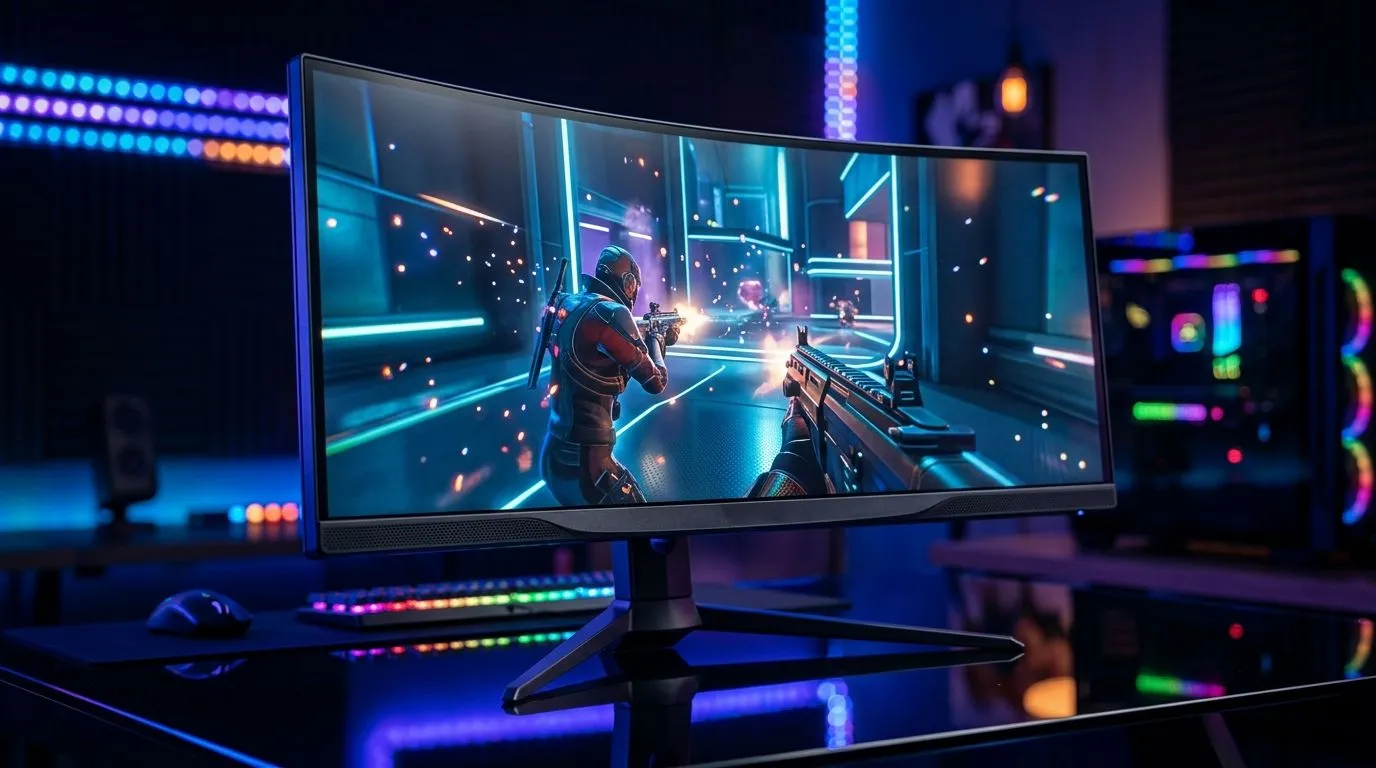
If you’ve ever stared at a curved ultrawide and wondered whether 165Hz is actually worth the extra cash, you’re not alone. For South African gamers, every rand has to pull its weight... especially when you’re chasing smoother aim, cleaner motion, and fewer excuses in ranked matches ⚡. The short answer? It can be worth it, but only if your PC can keep up and you play the right kinds of games.
A 165Hz refresh rate means the display can update the image up to 165 times per second. That is more than a standard 60Hz panel, and noticeably smoother than 144Hz in fast motion. For competitive ultrawide gaming, the benefit is not just “faster-looking” gameplay. It’s about motion clarity, less blur, and a more responsive feel when tracking targets.
That said, the monitor is only one part of the chain. If your GPU cannot push high frame rates, you will not fully benefit from the higher refresh rate. Nvidia explains that higher refresh rates can improve perceived responsiveness when paired with matching frame output. For the best result, your frame rate should sit close to your panel’s refresh ceiling. Source: NVIDIA display technology guidance
In fast shooters, the difference can be obvious. A player moving across an ultrawide display at 165Hz looks more fluid than at 60Hz or even 100Hz. Your mouse input also feels tighter because the screen updates more often. In a clutch moment, that can matter.
But competitive ultrawide gaming has a twist. The wider aspect ratio gives you extra peripheral vision, which is brilliant for immersion and map awareness. Yet some esports players still prefer 16:9 because it keeps the field of view more familiar and easier to scan. So the real question is not only whether 165Hz is worth it. It’s whether you want the blend of speed and immersion an ultrawide gives you.
If you mainly play CS2, Apex Legends, Valorant, or racing sims, 165Hz on an ultrawide makes a strong case. If you mostly play slower single-player games, the extra refresh rate is nice, but not essential.
Here’s the honest part... a high-refresh ultrawide can expose weak links elsewhere. A budget CPU, older GPU, or slow RAM can hold back your frames. That means you may pay for performance you never fully see.
If you’re building around a 165Hz display, it helps to think about the whole setup. A sturdy desk keeps the monitor at the right distance. A proper gaming chair helps with posture during long sessions. And a clean setup with better cable management makes it easier to focus when the pressure is on.
You can also make the space feel more intentional with an ergonomic gaming desk, a complete Arrozi gaming setup, and a supportive gaming chair. If you like a cleaner aesthetic, subtle NZXT case lighting can tie the whole battlestation together ✨
Before buying, look at the games you actually play. If your system already hits 140fps to 165fps in your favourite titles, the upgrade is easy to justify.
Ultrawide is brilliant for immersion and multitasking. It is less ideal if you only want the leanest, most tournament-style setup.
A smooth monitor means little if your neck hurts after an hour. Good posture helps you stay locked in longer.
For ultrawide gaming, position the monitor so the centre of the screen sits at eye level. It reduces neck strain and makes tracking enemies across the wide field feel more natural during long sessions.
To get the most from 165Hz, make sure your graphics card, cable, and monitor settings all support the refresh rate you want. A mismatch can quietly limit performance.
So... is it worth it? If you play competitive titles, want a more responsive feel, and your PC can feed high frame rates, yes... 165Hz on an ultrawide is a smart buy. If your machine struggles to hit high FPS, you may be better off investing in GPU power first.
For South African gamers, the best purchase is usually the one that improves the whole experience, not just one spec on the box. A fast panel, a capable PC, and a comfortable setup together make the difference. That’s where the value really shows.
Ready to Find Your Perfect Match? The Mac vs Windows debate is complex, but for maximum power, choice, and value in South Africa, Windows is hard to beat. Explore our massive range of laptop specials and find the perfect machine to conquer your world.
It can be worth it if your GPU can sustain high FPS and the monitor has low response time. Benefits show most when games are smooth and consistent.
The jump is smaller than 60 to 144. 165Hz can feel smoother at the margins, but response time and stable FPS often matter more.
Yes. For full 165Hz output, aim for consistently near 165 FPS or use VRR so frame pacing stays smooth when FPS fluctuates.
Both matter. Refresh rate improves motion smoothness, while low response time reduces ghosting. Prioritize the lowest latency and best overdrive behavior.
Yes, if you switch to 165Hz and your system can drive it. If you already play near 120Hz, the improvement may be limited.
Start with a balanced or medium setting, then test for overshoot. Competitive use favors clean motion with minimal artifacts.
It helps when FPS dips. VRR reduces tearing and can improve perceived smoothness, especially during complex scenes and fights.
Use game mode, enable VRR if supported, set the correct overdrive level, and avoid post-processing that adds latency or blurs motion.
Black Myth: Wukong 2 Ultrawide Support: 21:9 and. Clear setup instructions with SA-specific considerations, troubleshooting tips & recommended components.
Read more
Setting Up HDMI 2.1 Cable. Tested & verified settings for best FPS and visual quality on SA hardware budgets.
Read more
Every spec on PCIe 5.0 explained in plain English. What matters for gaming and creator work in 2026, what's marketing fluff, and how each number translates to real-world performance.

A head-to-head look at WiFi 7: real-world performance, ZAR pricing and which option delivers better value for SA builders. The clear answer — no fluff.

Everything you need to set up and tune PCIe 5.0 properly: the prep work, the settings that actually matter, and the mistakes to skip. Written for SA builders in 2026.

Everything you need to set up and tune X870E Motherboard properly: the prep work, the settings that actually matter, and the mistakes to skip. Written for SA builders in 2026.

Wondering what a 512GB SSD capacity really holds? This guide breaks down how many games, photos, and documents fit on 512GB, with real-world ranges 📦💾

Every spec on vrm explained in plain English. What matters for gaming and creator work in 2026, what's marketing fluff, and how each number translates to real-world performance.

Every spec on motherboard explained in plain English. What matters for gaming and creator work in 2026, what's marketing fluff, and how each number translates to real-world performance.

Premium vs Midrange Motherboards in South Africa: real-world performance, SA pricing, power draw and which one delivers better value for your build for SA buyers. The clear answer — without the fluff.
Wondering what a 512GB SSD capacity really holds? This guide breaks down how many games, photos, and documents fit on 512GB, with real-world ranges 📦💾
Every spec on PCIe 5.0 explained in plain English. What matters for gaming and creator work in 2026, what's marketing fluff, and how each number translates to real-world performance.
A head-to-head look at WiFi 7: real-world performance, ZAR pricing and which option delivers better value for SA builders. The clear answer — no fluff.

Every spec on USB4 explained in plain English. What matters for gaming and creator work in 2026, what's marketing fluff, and how each number translates to real-world performance.