Why Ultrawide Gaming in Black Myth: Wukong 2 Changes Everything ⚡
If you’re a South African gamer craving an immersive portal into the mythical world of Black Myth: Wukong 2, ultrawide support is a must-know. The game’s stunning landscapes and fluid combat shine on ultrawide monitors with 21:9 and 32:9 aspect ratios, letting you see more of the action without feeling cramped. This setup guide unlocks how to maximise your gameplay visuals, whether you’re upgrading your rig or hunting for that perfect widescreen monitor.
Understanding Ultrawide Support in Black Myth: Wukong 2
Black Myth: Wukong 2 supports various ultrawide resolutions, including the popular 3440x1440 (21:9) and the immersive 5120x1440 (32:9). These wider screens let you capture broader vistas and spot enemies before they get close — a strategic edge in South Africa’s competitive gaming scene 🔧.
The game optimises HUD placement for wider ratios, so UI elements stay neatly arranged without stretching or distortion. But do note, running ultrawide at high refresh rates demands powerful hardware. Check Evetech’s best gaming PC deals if you need a performance boost tailored for these expansive resolutions.
Choosing the Right Ultrawide Monitor for Wukong 2
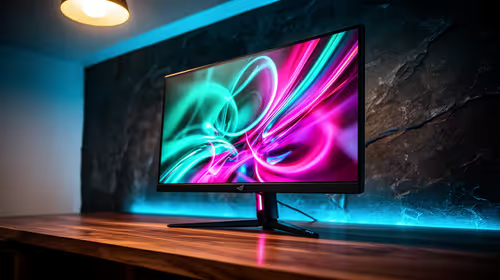
Not all ultrawide monitors suit Black Myth: Wukong 2 equally. For silky-smooth gameplay, look for 100Hz or higher refresh rates and fast response times below 5ms. South African gamers can find excellent options on Evetech’s monitor selection page, ranging from affordable to premium models.
Also consider panel type: IPS screens offer vibrant colours for the mythical landscapes, while VA panels boast deeper blacks but slower pixel response. If you want the ultimate immersion, 21:9 is excellent for general ultrawides, but 32:9 setups provide a wraparound feel that’s truly next-level for open-world exploration 🚀.
Ultrawide Monitor Tip
Make sure your GPU supports DisplayPort 1.4 or HDMI 2.1 to avoid bandwidth clogs at high ultrawide resolutions. Your in-game experience will thank you!
Setting Up 21:9 and 32:9 Aspect Ratios in Black Myth: Wukong 2
Start by adjusting your monitor’s native resolution in Windows display settings. Then launch Black Myth: Wukong 2 and navigate to Video or Display settings. Select the appropriate ultrawide resolution (e.g. 3440x1440 or 5120x1440) and confirm the aspect ratio matches your setup.
If you notice any black bars or stretched visuals, toggle “Windowed Borderless” mode or experiment with “Display Scaling” options. Some rigs handle scaling better, so tailor settings for your hardware specs.
If building your rig or upgrading, browse Evetech’s pre-built PC deals for systems ready for ultrawide gaming. These rigs balance powerful GPUs and CPUs with fast memory to handle widescreen loads.
Laptops and Portable Ultrawide Gaming in South Africa
While ultrawide gaming on laptops is rare due to screen constraints, some models support external ultrawide displays. Plugging in an ultrawide monitor to a high-end gaming laptop gives you portability and the immersive widescreen experience. Evetech offers a range of notebooks for sale in South Africa so you can mix mobility and power.
Optimise Your Settings and Experience for Ultrawide Play
To get smooth gameplay on ultrawide screens, monitor your FPS and GPU load. Reduce ultra settings like shadows or ray tracing if you hit performance dips. Dual storage solutions help: keep the game on a portable SSD for faster load times alongside your main drive.
Keep an eye on Evetech’s specials page for discounts on GPUs and monitors to upgrade your setup affordably.
Ultrawide gaming in Black Myth: Wukong 2 is about seeing more and reacting quicker. With the right gear and settings, you’ll conquer Sun Wukong’s mythical world like never before.
Ulawululo lwakho lwesikrini esikhulu luqala lapha
Experience Black Myth: Wukong 2 at its widest and sharpest by upgrading your rig and monitor today. Don’t miss out on the best shopping deals to build your ultimate ultrawide setup — Shop now at Evetech.