


AIO Liquid 240mm Setup and Configuration: Complete Tutorial
AIO Liquid 240mm Setup and Configuration. Clear setup instructions with SA-specific considerations, troubleshooting tips & recommended components.
Read more• Compare 2.4 GHz vs Bluetooth for peripherals • Explain latency, range, battery, pairing • Recommend use cases and buying tips • Troubleshoot interference quickly 2.4 GHz vs Bluetooth helps you choose the right wireless peripheral — clear comparisons and practical tips ⚡🔍
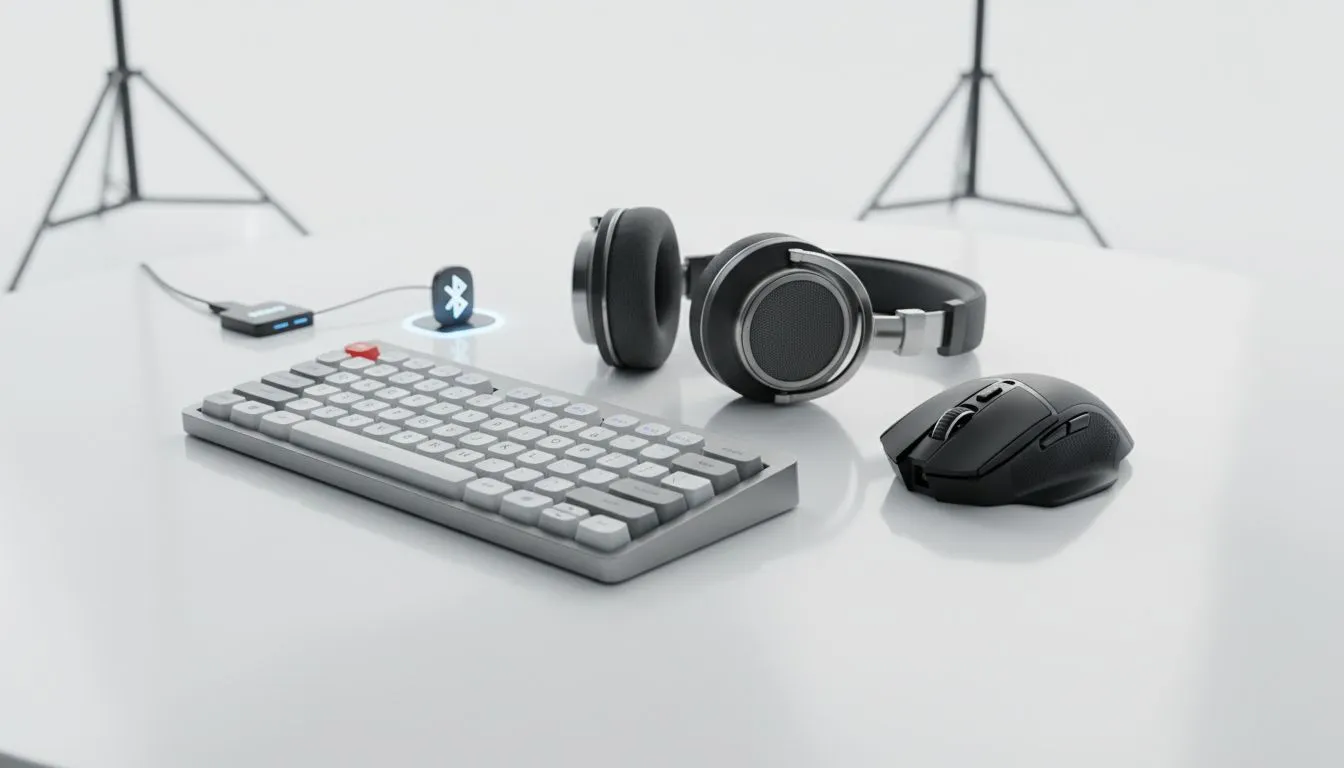
Still choosing between a 2.4 GHz dongle and Bluetooth for your keyboard or mouse? Whether you raid at midnight in Cape Town or grind ranked matches in Jozi, the right wireless connection changes feel, latency and battery life. This guide cuts through the marketing noise so you can pick peripherals that actually perform when it matters — with local buying links and practical tips. ⚡
In the market for a new keyboard? Check current best gaming keyboard deals on Evetech to compare models and ZAR prices.
2.4 GHz wireless typically uses a USB dongle and proprietary radio stacks tuned for low latency, which is why pro gamers favour it for fast-paced titles. Bluetooth prioritises compatibility and power efficiency, and modern versions improved responsiveness a lot. For technical background on Bluetooth versions and features, see the Bluetooth SIG documentation (Bluetooth.com).
If you care about milliseconds, default to a 2.4 GHz dongle for mice and tournament-style keyboards. If cross-device pairing and convenience matter, Bluetooth is a solid everyday option. For comparisons and tests on wireless latency and responsiveness, check independent tests like those at Rtings.
Want something budget-friendly? Evetech lists cheapest gaming keyboards in South Africa so you can compare wired, 2.4 GHz and Bluetooth models by price in ZAR.
Range is situational. Bluetooth 5+ can give you longer reach on the same power, but real-world interference from Wi‑Fi and other devices matters. 2.4 GHz dongles often stick to dedicated channels and may be more stable in crowded Wi‑Fi environments. For wired-only fans, explore wired keyboard options on Evetech for ultimate consistency.
If battery life is a priority, Bluetooth peripherals often last longer per charge. But note some high-performance 2.4 GHz keyboards use smart power modes to extend runtime. If a long battery is your main criterion, browse the wireless listings on Evetech to compare estimated runtimes and user reviews.
Turn on your router's 5 GHz band and move high-bandwidth devices away from your gaming desk. For 2.4 GHz dongles, try different USB ports or a short USB extension to reduce interference and lower latency.
Think about your use case:
Micro-story: I switched a friend from Bluetooth to a 2.4 GHz kit before a tourney. The latency drop was subtle but decisive for flick shots... she placed top three. Small changes like port placement and polling rate tuning made that happen.
Ready to Find Your Perfect Match? The Mac vs Windows debate is complex, but for maximum power, choice, and value in South Africa, Windows is hard to beat. Explore our massive range of laptop specials and find the perfect machine to conquer your world.
Choose 2.4 GHz for gaming: it usually offers lower latency and more consistent connections than Bluetooth for gaming peripherals.
2.4 GHz dongles can draw more power in high-performance modes; Bluetooth Low Energy often delivers longer battery life for casual use.
2.4 GHz radios typically provide longer, more stable range in open areas; Bluetooth range varies by version and device class.
Some Bluetooth profiles add latency; modern BLE and higher Bluetooth versions reduce lag, but 2.4 GHz remains the lower-latency option.
Yes—2.4 GHz shares spectrum with Wi-Fi and microwaves. Use channel selection, positioning, or 2.4 GHz devices with adaptive frequency hopping.
Bluetooth pairs directly with host stacks and supports multi-device bonding; 2.4 GHz dongles often use plug-and-play USB pairing per device.
Bluetooth excels for connecting smartphones and laptops without dongles; 2.4 GHz multi-device hubs can offer better performance for dedicated peripherals.
AIO Liquid 240mm Setup and Configuration. Clear setup instructions with SA-specific considerations, troubleshooting tips & recommended components.
Read more
Setting Up DDR5 64GB Kit. Tested & verified settings for best FPS and visual quality on SA hardware budgets.
Read more
Overwatch 2 Setup Guide Gamers. Clear setup instructions with SA-specific considerations, troubleshooting tips & recommended components.
Read more
R and RStudio on Mac: Data Science Setup Guide. Clear setup instructions with SA-specific considerations, troubleshooting tips & recommended components.
Read more
NVIDIA Broadcast Setup with GPU: Streamer Guide. Clear setup instructions with SA-specific considerations, troubleshooting tips & recommended components.
Read more
Core Ultra 7 265K Temperature Guide: Normal Range. Complete product range with SA pricing, key specs & recommendations for different budgets.
Read more
AMD RX 9050 XT: Rumoured Specs, Price & Release. SA-focused analysis with local pricing data, real-world insights & actionable buying advice.

Can RTX 4080 Super Run AI Workloads for SA Developers Detailed answer with SA data, expert analysis & practical recommendations for local buyers.

Can RTX 4090 Run AI Workloads for SA Developers Detailed answer with SA data, expert analysis & practical recommendations for local buyers.

Top Settings for Intel Arc B580 at Ultrawide 1440p picks evaluated on performance, value & SA availability with current Rand pricing from Evetech.

RTX 4060 CS2 Low Settings at 1080p: FPS Results. Real-world benchmark data, FPS numbers & performance analysis. What SA gamers can actually expect.

Visual Artifacts: Possible GPU Issue Issue #1. Diagnosis steps, proven fixes & when to seek professional help. SA-specific support info included.

Can the RTX 4090 Handle 1440p 144Hz Gaming. Performance testing verdict with real data & practical recommendations for SA buyers.

Top ASUS GPU Under R15000 picks evaluated on performance, value & SA availability with current Rand pricing from Evetech.

GTA 6 Max Settings on RTX 5070. Tested & verified settings for best FPS and visual quality on SA hardware budgets.

Cyberpunk 2077 Max Settings on RTX 5080. Tested & verified settings for best FPS and visual quality on SA hardware budgets.

Starfield Max Settings on RTX 5070 Ti. Tested & verified settings for best FPS and visual quality on SA hardware budgets.

Top RTX 5090 Under R5000 picks evaluated on performance, value & SA availability with current Rand pricing from Evetech.