


Humidity Damage to PC Components: Recovery Guide
Humidity Damage to PC Components: Recovery Guide. Everything you need to know with SA pricing, step-by-step instructions & expert recommendations.
Read more2.4GHz wireless vs Bluetooth for gaming mice ⚡ Learn which connection gives lower latency, better stability, and the best everyday setup for gaming, work, and travel.
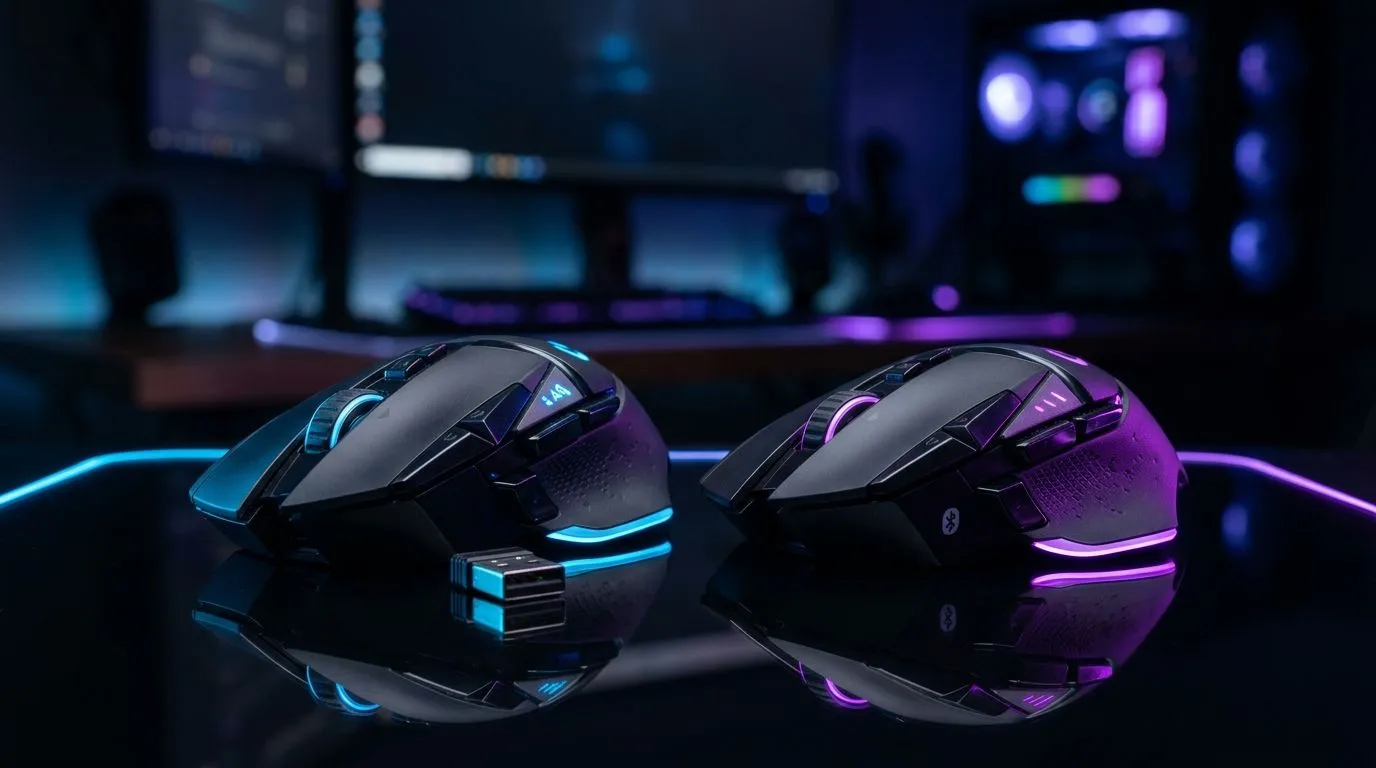
If your FPS feels “sticky” or your mouse sometimes misses micro-movements, the connection type might be the culprit. In South Africa, where load-shedding and flaky Wi‑Fi aren’t rare… choosing the right wireless link can make a noticeable difference.
So what’s the real story behind 2.4GHz Wireless vs Bluetooth for Gaming Mice? In plain terms: they’re both wireless, but they behave very differently under pressure. And for gamers, that difference shows up in latency, consistency, and driver headaches.
Most dedicated 2.4GHz gaming mice use a dongle and a direct radio link. That typically gives more consistent response than Bluetooth, especially when you’re dealing with multiple devices.
Bluetooth, on the other hand, shares airtime with your phone, headset, keyboard, and whatever else is paired. It can still be great for casual play, but competitive shooters often demand tighter timing.
Both standards can cover a typical desk setup, but 2.4GHz dongles are built for gaming profiles: stable pairing and fewer interruptions.
If you want a safe buy for long sessions, you’ll often see fewer “why did it disconnect?” moments with 2.4GHz.
Here’s the honest angle. Battery life varies by model, polling rate, lighting, and sensor. So don’t assume one tech always wins. Instead, check product specs per mouse. Use Evetech listings to compare models side by side.
If you’re shopping now, start with curated categories to narrow choices fast:
For ranked play, prioritize consistency over “convenience.” A 2.4GHz gaming mouse usually pairs quickly and maintains a steadier feel during fast flicks. That matters when you’re tracking targets at high DPI and low sensitivity.
If your schedule is more “relaxed” and you don’t need every millisecond, Bluetooth can work. You’ll also benefit if you prefer one mouse that pairs to a laptop easily.
Bluetooth shines if you frequently switch between a laptop and PC. But for competitive sessions, you may still prefer a 2.4GHz dongle on your main rig.
On Windows, keep your Bluetooth mouse on a dedicated adapter profile and minimise other active transfers during gaming. If your mouse supports it, disable unnecessary LED effects to stabilise battery behaviour during long ranked sessions.
In SA, value matters. If you’re aiming for a sweet spot, compare a few models at once, then choose based on your use-case (ranked vs casual, single-PC vs multi-device).
For quick savings, check the latest bundle-friendly options:
The goal is simple: buy once, plug in confidently, and stop thinking about your input device mid-match. ✨
Ready to Find Your Perfect Match? The Mac vs Windows debate is complex, but for maximum power, choice, and value in South Africa, Windows is hard to beat. Explore our massive range of laptop specials and find the perfect machine to conquer your world.
Yes. 2.4GHz wireless usually delivers lower latency and more stable performance than Bluetooth, making it better for competitive gaming.
Bluetooth can add more input lag than 2.4GHz wireless, especially in fast-paced games where quick clicks and movement matter most.
2.4GHz wireless is usually more stable for gaming mouse use because it uses a dedicated dongle and is less affected by Bluetooth congestion.
Yes. A Bluetooth gaming mouse works well for casual gaming, productivity, and travel where convenience matters more than ultra-low latency.
Yes. Most 2.4GHz wireless gaming mice need a USB receiver or dongle to deliver their low-latency connection.
Bluetooth mice are ideal for laptops, tablets, and travel setups because they save USB ports and pair easily without a dongle.
Yes. Many wireless gaming mice support both 2.4GHz and Bluetooth, letting you switch between performance and convenience.
Humidity Damage to PC Components: Recovery Guide. Everything you need to know with SA pricing, step-by-step instructions & expert recommendations.
Read more
Gamer Spending Trends April : Complete Setups. Clear setup instructions with SA-specific considerations, troubleshooting tips & recommended components.
Read more
Setting Up DDR5 32GB Kit. Tested & verified settings for best FPS and visual quality on SA hardware budgets.
Read more
Tech Setup Guide for SPU Res Students. Clear setup instructions with SA-specific considerations, troubleshooting tips & recommended components.
Read more
Monster Hunter Wilds Ultrawide Support: 21:9 and. Clear setup instructions with SA-specific considerations, troubleshooting tips & recommended components.
Read more
Apple iPad Durability Guide: Cases, Screen. Practical breakdown of costs, regulations & whether it makes financial sense for SA buyers.
Read more
AMD RX 9050 XT: Rumoured Specs, Price & Release. SA-focused analysis with local pricing data, real-world insights & actionable buying advice.

Can RTX 4080 Super Run AI Workloads for SA Developers Detailed answer with SA data, expert analysis & practical recommendations for local buyers.

Can RTX 4090 Run AI Workloads for SA Developers Detailed answer with SA data, expert analysis & practical recommendations for local buyers.

Top Settings for Intel Arc B580 at Ultrawide 1440p picks evaluated on performance, value & SA availability with current Rand pricing from Evetech.

RTX 4060 CS2 Low Settings at 1080p: FPS Results. Real-world benchmark data, FPS numbers & performance analysis. What SA gamers can actually expect.

Visual Artifacts: Possible GPU Issue Issue #1. Diagnosis steps, proven fixes & when to seek professional help. SA-specific support info included.

Can the RTX 4090 Handle 1440p 144Hz Gaming. Performance testing verdict with real data & practical recommendations for SA buyers.

Top ASUS GPU Under R15000 picks evaluated on performance, value & SA availability with current Rand pricing from Evetech.

GTA 6 Max Settings on RTX 5070. Tested & verified settings for best FPS and visual quality on SA hardware budgets.

Cyberpunk 2077 Max Settings on RTX 5080. Tested & verified settings for best FPS and visual quality on SA hardware budgets.

Starfield Max Settings on RTX 5070 Ti. Tested & verified settings for best FPS and visual quality on SA hardware budgets.

Top RTX 5090 Under R5000 picks evaluated on performance, value & SA availability with current Rand pricing from Evetech.