

Storage Specs Explained for Beginners
Storage Specs Explained for Beginners. Plain-English explanation of what it means, why it matters & how it affects your buying decisions in SA.
Read more60Hz vs 100Hz monitors — decide which refresh rate boosts admin efficiency, reduces eye strain, and balances power and cost for office work. ✅🧾
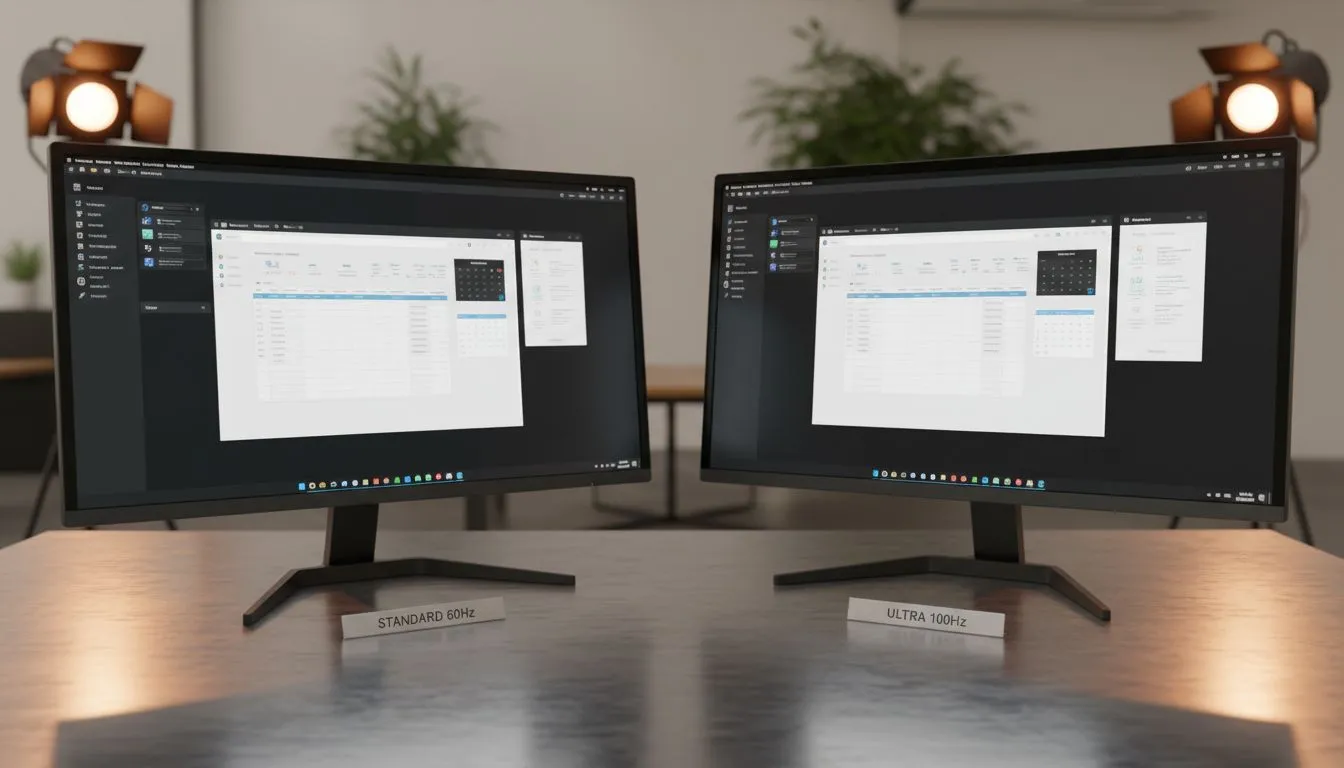
Staring at a spreadsheet for eight hours a day in a busy South African office is tough enough without dealing with choppy screen movement. While gamers have long obsessed over refresh rates, the 60Hz vs 100Hz monitors comparison for admin tasks is finally getting the attention it deserves. Upgrading your office display isn't just about luxury... it is about reducing eye fatigue and making your workday feel significantly more fluid. 🔧
The refresh rate, measured in Hertz (Hz), tells you how many times per second your screen updates the image. A standard 60Hz screen updates 60 times. A 100Hz screen does it 100 times. When you are scrolling through a massive Excel file or dragging windows across your desktop, the difference is immediate. When browsing the full range of pc monitors, you will notice that 100Hz has become the new "sweet spot" for professionals who want more than the bare minimum.
On Windows, go to Settings > System > Display > Advanced Display. Ensure your refresh rate is actually set to 100Hz. Many users buy high-refresh screens but leave them running at 60Hz by default, missing out on the smoothness they paid for!
The primary benefit of a higher refresh rate in an admin environment is the reduction of motion blur. When you move your mouse cursor, it looks like a solid object rather than a flickering ghost. This might seem minor, but over a 40-hour work week, your brain does less work "filling in the gaps" of movement.
Most modern IPS panels now offer 100Hz as a standard feature because it provides better colour accuracy alongside that extra smoothness. If you often deal with flickering or screen tearing during video calls or basic animations, look for a screen with Adaptive Sync technology. This ensures the monitor and your PC stay in perfect harmony.
Choosing between Flat monitors and Curved monitors often comes down to personal preference. For data entry and accounting, flat screens are often preferred to avoid any perceived distortion of straight lines. However, curved screens can reduce eye travel if you are using a larger display.
To keep things running smoothly, many office-grade monitors now include FreeSync (AMD) support. Even if you aren't gaming, this tech helps maintain a stable image. Similarly, those using high-end workstations might opt for G-Sync (NVIDIA) compatible displays to ensure the most consistent visual experience possible in South Africa's demanding professional landscape. 🚀
In the 60Hz vs 100Hz monitors comparison for admin tasks, the winner is clear. For a very small price difference, often just a few hundred ZAR, you gain a monitor that feels more responsive and is kinder to your eyes. It makes every click and scroll feel instantaneous... a small upgrade that pays massive dividends in daily comfort. ✨
Ready to Find Your Perfect Match? The 60Hz vs 100Hz debate is clear: higher refresh rates mean better productivity and less eye strain. For the best value and widest selection in South Africa, Evetech has you covered. Explore our massive range of monitor specials and find the perfect display to conquer your workday.
100Hz delivers smoother scrolling and cursor motion; 60Hz is fine for static tasks. For admin work, benefits are modest but noticeable in long scrolling and multitasking.
Yes—100Hz monitors for spreadsheets reduce perceived lag when navigating large sheets and remote desktop sessions, improving fluidity during heavy scrolling.
Often marginal: is 100Hz worth for office depends on workflow. If you scroll, switch windows, or use large dashboards, 100Hz can improve efficiency.
Higher refresh rates can lower motion blur and flicker, easing eye strain. Compare eye strain 60Hz vs 100Hz and also check flicker-free tech and blue light settings.
Power usage 100Hz vs 60Hz monitor varies by panel and backlight; the refresh rate alone usually causes a small increase compared with brightness and features.
Seek IPS or VA panel, adjustable stand, reliable color and flicker-free backlight. A budget 100Hz monitor for productivity should balance price and ergonomics.
Storage Specs Explained for Beginners. Plain-English explanation of what it means, why it matters & how it affects your buying decisions in SA.
Read more
Will RDNA 5 Use the Same Silicon as the Next. Plain-English explanation of what it means, why it matters & how it affects your buying decisions in SA.
Read more
Google Workspace on Mac: Drive, Docs, Sheets and. Everything you need to know with SA pricing, step-by-step instructions & expert recommendations.
Read more
Back-to-School Parent Guide: Storages. Everything you need to know with SA pricing, step-by-step instructions & expert recommendations.
Read more
to Esports Tournaments. Everything you need to know with SA pricing, step-by-step instructions & expert recommendations.
Read more
Easter Storage Buying Guide. Hand-picked gift ideas at every budget tier. SA pricing & Evetech availability included.
Read more
AMD RX 9050 XT: Rumoured Specs, Price & Release. SA-focused analysis with local pricing data, real-world insights & actionable buying advice.

Can RTX 4080 Super Run AI Workloads for SA Developers Detailed answer with SA data, expert analysis & practical recommendations for local buyers.

Can RTX 4090 Run AI Workloads for SA Developers Detailed answer with SA data, expert analysis & practical recommendations for local buyers.

Top Settings for Intel Arc B580 at Ultrawide 1440p picks evaluated on performance, value & SA availability with current Rand pricing from Evetech.

RTX 4060 CS2 Low Settings at 1080p: FPS Results. Real-world benchmark data, FPS numbers & performance analysis. What SA gamers can actually expect.

Visual Artifacts: Possible GPU Issue Issue #1. Diagnosis steps, proven fixes & when to seek professional help. SA-specific support info included.

Can the RTX 4090 Handle 1440p 144Hz Gaming. Performance testing verdict with real data & practical recommendations for SA buyers.

Top ASUS GPU Under R15000 picks evaluated on performance, value & SA availability with current Rand pricing from Evetech.

GTA 6 Max Settings on RTX 5070. Tested & verified settings for best FPS and visual quality on SA hardware budgets.

Cyberpunk 2077 Max Settings on RTX 5080. Tested & verified settings for best FPS and visual quality on SA hardware budgets.

Starfield Max Settings on RTX 5070 Ti. Tested & verified settings for best FPS and visual quality on SA hardware budgets.

Top RTX 5090 Under R5000 picks evaluated on performance, value & SA availability with current Rand pricing from Evetech.