Quick Answer
Cooling support is always worth paying for. Tempered glass is worth including at any budget above R1,200. ARGB case fans are worth paying for only if your motherboard has ARGB headers or you include an ARGB hub, otherwise you pay for lighting you cannot control or synchronise.
Cooling Support: The Feature That Matters Most 🌬️
When comparing cases at similar price points, the case with better cooling support will consistently deliver lower CPU and GPU temperatures, which translates to higher sustained clock speeds and longer component lifespan. Cooling support means documented radiator mount dimensions, multiple fan positions, dust filters on intake points, and adequate front panel open area. A case spending R200 to R400 more than a competing product to include a genuine mesh front panel and 360mm radiator support is a worthwhile premium. For South African gaming environments where summer indoor temperatures in Gauteng reach 28°C to 32°C regularly, thermal headroom is not a theoretical concern but a practical daily issue.
Tempered Glass: Clear Value at Any Tier 🔮
Tempered glass side panels justify their cost through visibility, aesthetics, and resale value. A PC with a glass panel showing a lit build photographs and streams better, which matters for SA content creators and esports players who stream their setups. Tempered glass does not meaningfully affect thermal performance unless the entire side panel is solid glass with no ventilation cutouts, in which case it restricts natural convection. Modern cases use glass on the display side only, keeping mesh or perforated steel on the intake and exhaust panels where it counts. The cost difference between an all-steel case and a glass-panel equivalent is typically R150 to R300 at the same quality tier, a justifiable premium for builders who take pride in their setup.
ARGB Fans: When the Premium Makes Sense 💡
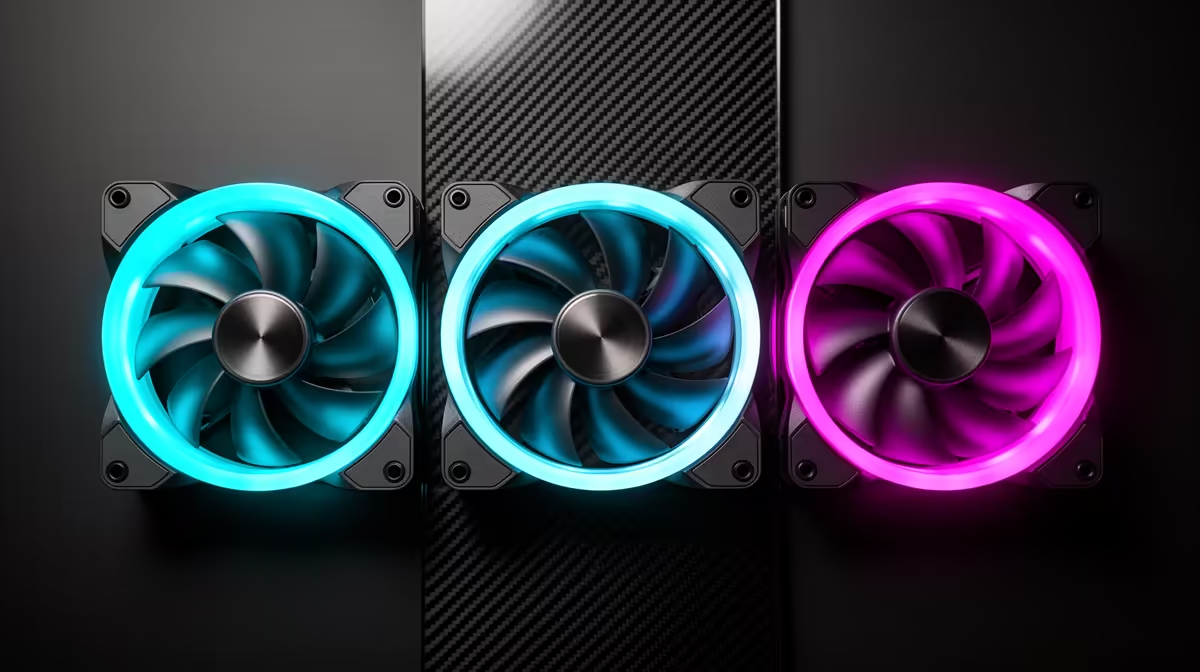
ARGB fans cost R150 to R350 each versus R80 to R150 for standard PWM fans. The price premium buys individually addressable LEDs that create colour gradients, animations, and sync effects when connected to an ARGB motherboard header or hub. The premium only delivers value if you have a glass-panel case to display the effect and a software ecosystem to control it. ASUS AURA Sync, MSI Mystic Light, and Gigabyte Fusion all support third-party ARGB headers. If your motherboard has no ARGB header, an ARGB hub costing R200 to R400 is required. If the case is in a closed cabinet or your desk faces a wall, standard non-RGB fans perform identically and save R200 to R600 on a full fan set.
Match ARGB Fans to Your Motherboard Brand ⚡
ARGB fan RGB software works best when the fans share the same ecosystem as your motherboard. ASUS AURA fans on an ASUS board, MSI Mag fans on an MSI board. Cross-brand setups often default to static colour or basic effects because the software cannot fully enumerate third-party firmware.
FAQ
How many ARGB fans do I need for a visually impressive build?
Three ARGB fans visible through a glass side panel create a strong visual impression. Two front intake and one rear exhaust is a common configuration.
Does cooling performance decrease if I add a tempered glass panel?
Not measurably on the display side. The glass panel faces the GPU and motherboard but does not block intake or exhaust paths in well-designed cases. Thermal performance is driven by front and top panel design, not the side glass panel.
Are ARGB case fans compatible across brands?
The physical 3-pin ARGB connector is standardised, so fans connect to any compatible header physically. However, lighting effects, animation presets, and ecosystem sync features require matching software. Using a universal controller like a Lian Li ARGB hub bypasses manufacturer software and controls all connected fans through a single interface.
Ready to spec the fans and case for your dream build?
Browse Evetech's ARGB fans and tempered glass cases to put together a setup that looks as good as it performs.