


AIO Liquid 240mm Setup and Configuration: Complete Tutorial
AIO Liquid 240mm Setup and Configuration. Clear setup instructions with SA-specific considerations, troubleshooting tips & recommended components.
Read moreARGB vs RGB CPU cooler lighting explained: learn key differences, setup, compatibility, and pick the best lighting for your build quickly. ✨🔧
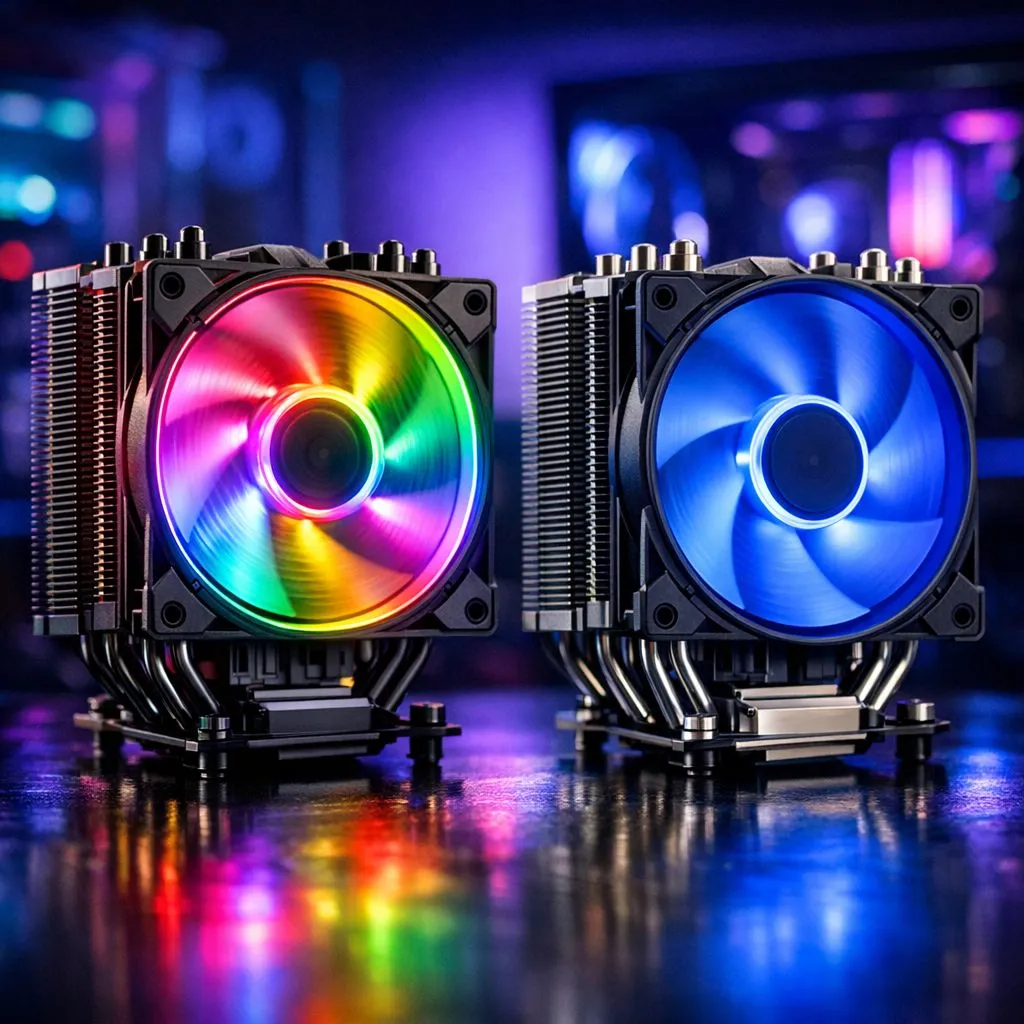
Building a PC in South Africa is a journey. You’ve picked the perfect CPU, a beast of a GPU... now for the final touch: the lighting. But then you hit the snag: ARGB vs RGB CPU cooler lighting. It sounds like alphabet soup, but choosing the right one is key to getting that perfect glow for your rig. So, what’s the real difference, and which one should you get for your setup? Let's break it down.
Think of standard RGB as the simple, reliable choice. It uses a 4-pin, 12V connector on your motherboard. The "RGB" stands for Red, Green, and Blue, the primary colours that mix to create millions of different hues.
The key thing to know about standard RGB is that all the LEDs on a single device—like your CPU cooler's fan—will be the same colour at the same time. You can set it to a static blue, a breathing red, or have it cycle through the whole spectrum... but you can't have a rainbow effect on a single fan. It’s a fantastic, budget-friendly way to add a splash of colour and personality to your build without overcomplicating things, and you can find it across a wide selection of CPU coolers.
This is where the real magic happens. ARGB (Addressable RGB), sometimes called DRGB (Digital RGB), is the next level of lighting customisation. It uses a 3-pin, 5V connector. The "Addressable" part is the crucial difference: each individual LED on an ARGB device can be controlled independently.
This opens up a universe of possibilities. You can create mesmerising rainbow wave effects, chasing patterns, and intricate lighting schemes that sync across all your components. If you've seen those jaw-dropping PC builds with fluid, multi-coloured animations, that’s ARGB at work. Most modern air coolers offer ARGB variants for those who want total control over their rig's aesthetics.
So, how do they stack up head-to-head? The main distinction between ARGB and RGB cooler lighting comes down to three things: customisation, connectors, and cost.
Always double-check your motherboard's specifications before buying a cooler! Look for labelled "RGB_HEADER" (12V, 4-pin) or "ADDR_HEADER" "JRAINBOW" (5V, 3-pin). Plugging a 5V ARGB cooler into a 12V RGB header will fry the LEDs instantly. When in doubt, check the manual.
The right choice in the ARGB vs RGB debate really depends on your personal style and budget. There's no single "best" answer, only what's best for your build.
Thankfully, you don't have to break the bank for either. You can find great ARGB options from brands like Deepcool that offer incredible performance and aesthetics, while there are also many reliable and stylish coolers from EINAREX that cater to both RGB and ARGB fans. Ultimately, the choice is yours.
Ready to Light Up Your Rig? The ARGB vs RGB choice comes down to your style and budget. Whether you want a subtle glow or a full-on light show, the perfect CPU cooler is waiting for you. Explore our massive range of CPU coolers and find the perfect component to keep your PC cool and looking incredible.
ARGB offers individually addressable LEDs for per-LED effects; RGB uses a single color channel for all LEDs. See ARGB vs RGB differences for visuals and control.
Yes—ARGB typically needs a 3-pin 5V ARGB header. Check ARGB compatibility with motherboards before buying.
Sometimes. Many brands support both via hubs or software, but ARGB features need addressable support. Refer to RGB lighting sync motherboard guides.
ARGB may draw slightly more power due to individual LEDs, but power draw is usually low. See ARGB power draw comparison for specifics.
Generally yes—ARGB offers advanced effects, so prices can be higher. Check best ARGB CPU coolers for value options.
Plug the cooler's 3-pin 5V ARGB cable to the motherboard ARGB header or an ARGB controller. Search how to connect ARGB cooler for step-by-step tips.
ARGB gives dynamic custom effects and is better for showcase builds. For simpler, static color schemes, RGB is sufficient—see ARGB vs RGB for PC builds.
AIO Liquid 240mm Setup and Configuration. Clear setup instructions with SA-specific considerations, troubleshooting tips & recommended components.
Read more
Setting Up DDR5 64GB Kit. Tested & verified settings for best FPS and visual quality on SA hardware budgets.
Read more
Overwatch 2 Setup Guide Gamers. Clear setup instructions with SA-specific considerations, troubleshooting tips & recommended components.
Read more
R and RStudio on Mac: Data Science Setup Guide. Clear setup instructions with SA-specific considerations, troubleshooting tips & recommended components.
Read more
NVIDIA Broadcast Setup with GPU: Streamer Guide. Clear setup instructions with SA-specific considerations, troubleshooting tips & recommended components.
Read more
Core Ultra 7 265K Temperature Guide: Normal Range. Complete product range with SA pricing, key specs & recommendations for different budgets.
Read more
AMD RX 9050 XT: Rumoured Specs, Price & Release. SA-focused analysis with local pricing data, real-world insights & actionable buying advice.

Can RTX 4080 Super Run AI Workloads for SA Developers Detailed answer with SA data, expert analysis & practical recommendations for local buyers.

Can RTX 4090 Run AI Workloads for SA Developers Detailed answer with SA data, expert analysis & practical recommendations for local buyers.

Top Settings for Intel Arc B580 at Ultrawide 1440p picks evaluated on performance, value & SA availability with current Rand pricing from Evetech.

RTX 4060 CS2 Low Settings at 1080p: FPS Results. Real-world benchmark data, FPS numbers & performance analysis. What SA gamers can actually expect.

Visual Artifacts: Possible GPU Issue Issue #1. Diagnosis steps, proven fixes & when to seek professional help. SA-specific support info included.

Can the RTX 4090 Handle 1440p 144Hz Gaming. Performance testing verdict with real data & practical recommendations for SA buyers.

Top ASUS GPU Under R15000 picks evaluated on performance, value & SA availability with current Rand pricing from Evetech.

GTA 6 Max Settings on RTX 5070. Tested & verified settings for best FPS and visual quality on SA hardware budgets.

Cyberpunk 2077 Max Settings on RTX 5080. Tested & verified settings for best FPS and visual quality on SA hardware budgets.

Starfield Max Settings on RTX 5070 Ti. Tested & verified settings for best FPS and visual quality on SA hardware budgets.

Top RTX 5090 Under R5000 picks evaluated on performance, value & SA availability with current Rand pricing from Evetech.