

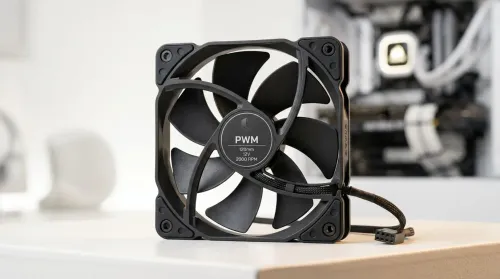
Smart PWM CPU Fan Control for Quiet Cooling
Learn how to balance noise vs cooling performance with smart PWM CPU fans—set curves, reduce buzz, and maintain safe temps. Get cooler, quieter builds in minutes 🧊🔇
Read moreARGB vs RGB fans — Checklist: compare lighting control; check motherboard compatibility; weigh cost vs performance. Find which is better for your build ✅💡
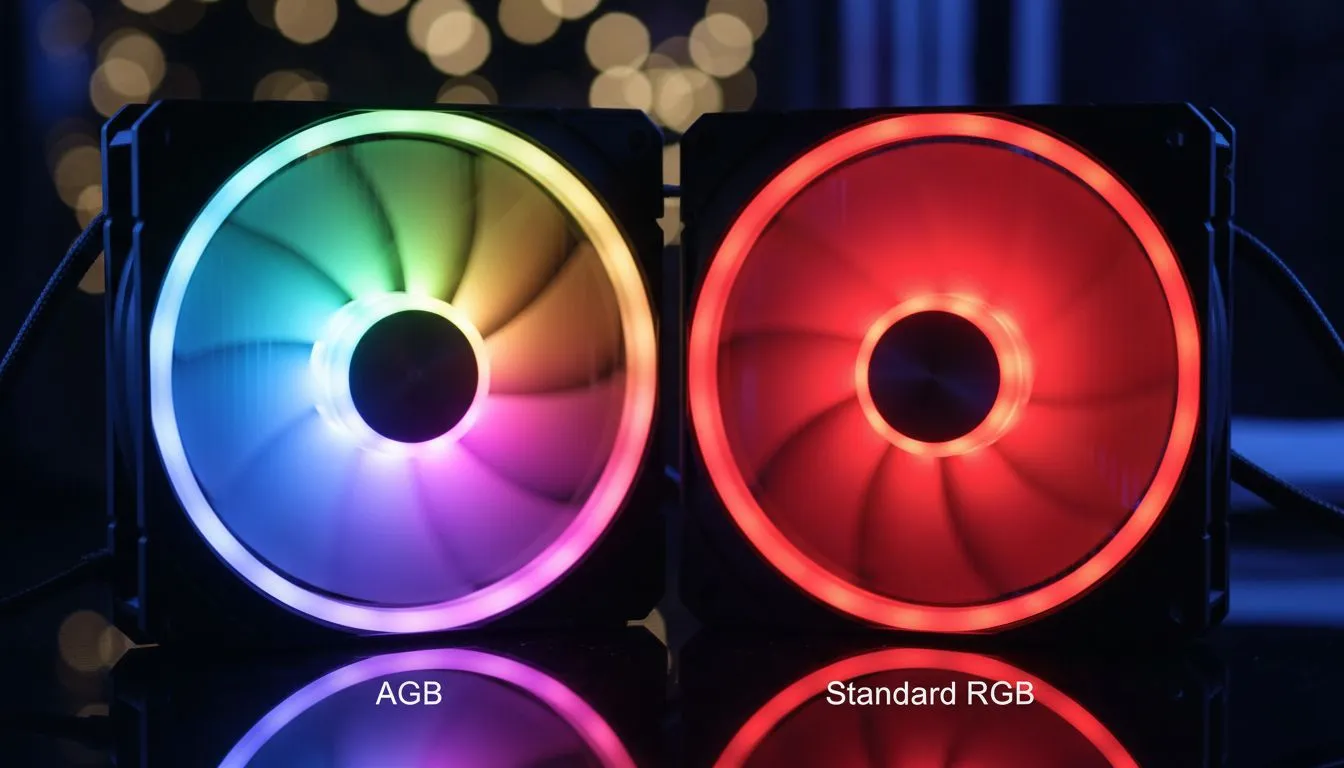
Building a new gaming PC in South Africa is an art. You’ve picked your CPU, your graphics card is ready to shred, but what about the vibe? The personality? That’s where lighting comes in, and the first big question you’ll face is ARGB vs RGB fans. They both make your rig glow, but the difference is huge. Getting it right is key to crafting a PC that doesn’t just perform... it impresses. Let's dive in.
Think of standard RGB as the simple, reliable choice for adding some colour to your build. An RGB fan contains LEDs, but they all act as one unit. If you set the colour to blue, every single LED on the fan turns blue. You can cycle through different colours or apply basic effects like 'breathing', but the entire fan will always be a single, solid colour at any given moment.
This technology uses a 4-pin connector that runs on 12V power. It’s a straightforward and effective way to move beyond a non-lit build, and it's often kinder on the wallet. For builders who want a clean, single-colour theme—like an all-white or all-red setup—standard RGB is a perfect fit. It provides that essential splash of personality without overwhelming complexity or cost.
This is where the magic happens. ARGB stands for Addressable RGB, and that one word—'Addressable'—is the key. Unlike standard RGB, each LED on an ARGB fan can be controlled individually. This is what allows for the spectacular, flowing "rainbow wave" effects you see on high-end gaming rigs.
Instead of one solid colour, you can have a dozen different colours chasing each other around the fan frame at the same time. This fine-tuned control is made possible by a 3-pin connector that runs on 5V. The difference between ARGB and RGB fans is essentially the difference between a single light switch and a full lighting control desk. For anyone wanting to create truly unique, dynamic, and complex lighting themes, ARGB is the undeniable champion.
The single most important rule with RGB is to never plug a 3-pin ARGB connector (5V) into a 4-pin RGB header (12V) on your motherboard. The voltage difference will permanently damage the LEDs in your fan. Always double-check your motherboard manual and the fan's connector before plugging anything in!
So, when it comes down to it, which should you choose? Let’s break down the core differences to help you decide which lighting is better for your next PC.
The right choice really depends on your vision and your budget.
If you're building a performance-focused machine and just want a touch of static colour to match your components, standard RGB is a smart, cost-effective option. You can get a fantastic look inside a well-priced chassis, like these Gamdias gaming cases under R1500, without overspending on lighting.
However, if your PC is a centrepiece... a statement... then ARGB is the way to go. The visual potential is almost limitless. Pairing a set of quality ARGB fans with a premium case that has a large tempered glass side panel, like those from Fractal Design, creates a truly stunning result. Many modern Gamdias gaming cases are also designed specifically to show off these incredible lighting effects.
Ultimately, the best lighting system is the one that fits your aesthetic and works with your hardware. Plan your build, check your motherboard, and then choose the fans that will bring your vision to life. 🚀
Ready to Light Up Your Rig? Whether you choose the simple elegance of RGB or the dynamic spectacle of ARGB, the right lighting transforms a PC from a tool into a masterpiece. Explore our massive range of computer cases and find the perfect canvas for your lighting creation.
ARGB fans control each LED individually for dynamic effects; standard RGB fans use a single color channel. This is a core addressable RGB fans benefit.
Many modern motherboards support ARGB headers, but check your manual. See an ARGB fans compatibility guide to confirm pin layout and voltage.
LED type doesn't change airflow. Performance depends on fan design, bearings and RPM, not whether LEDs are ARGB or RGB.
If you value custom lighting and sync, ARGB is worth it. For budget or minimal builds, standard RGB offers lower cost with simpler control.
Control via motherboard RGB software, a dedicated controller, or RGB hub. Search how to install ARGB fans for setup steps and software tips.
You can mix them physically, but lighting sync may differ. Use separate controllers or hubs when combining to avoid control conflicts.
Choose based on airflow, noise and control. For immersive lighting pick ARGB fans for gaming PC builds; for simple looks, standard RGB suffices.
Learn how to balance noise vs cooling performance with smart PWM CPU fans—set curves, reduce buzz, and maintain safe temps. Get cooler, quieter builds in minutes 🧊🔇
Read more
Wondering if a “48 hour” wireless gaming headset battery truly lasts? In daily use, your hours vary by settings and volume 🎧🔋. Here’s how long it lasts, what drains it fastest, and how to extend it.
Read more
Learn how to choose gaming headset audio quality in South Africa—plus mic clarity and comfort—so you hear every footstep and sound clear in-game 🎧🎙️. Use this buyer guide to match your budget and play style.
Read more
Dial in the best gaming headset setup for clear voice chat in South Africa. Fix mic issues, reduce background noise, and improve call clarity with practical settings and wireless stability 🎧🇿🇦
Read more
Choosing the best gaming headset features for Xbox and PC? Here’s what to look for in South Africa—comfort, mic quality, wireless range, and low-latency audio 🎧🇿🇦
Read more
Gaming headset price in South Africa, from entry to premium in ZAR. Compare sound, mic, and comfort before you buy. ✅🎧 Save money with the right headset tier.
Read more
Snapdragon X2 NPU Explained: How 80 TOPS Changes. Plain-English explanation of what it means, why it matters & how it affects your buying decisions in SA.

HBM? High Bandwidth Memory Used in GPUs and AI. Plain-English explanation of what it means, why it matters & how it affects your buying decisions in SA.

How much should you spend on sim racing accessories in South Africa for a realistic setup? We break down budgets by quality tiers, so you buy smart gear and avoid overspending 🎮💸

G-Sync and FreeSync? Variable Refresh Rate. Plain-English explanation of what it means, why it matters & how it affects your buying decisions in SA.

AMD Laptop: Value. SA-focused analysis with local pricing data, real-world insights & actionable buying advice.

How MacBook Neo Handles 30+ Chrome Tabs with Only. SA-focused analysis with local pricing data, real-world insights & actionable buying advice.

Why Apple Put 8GB RAM in MacBook Neo: The A18 Pro. SA-focused analysis with local pricing data, real-world insights & actionable buying advice.

Upgrade your work laptop with a New Motherboard. Step-by-step instructions with SA-specific tips, common pitfalls to avoid & expert recommendations.

MacBook Pro 16-Inch M5 Max: Complete Specs,. Everything you need to know with SA pricing, step-by-step instructions & expert recommendations.

Travelling With a MacBook: Travellers. Everything you need to know with SA pricing, step-by-step instructions & expert recommendations.

Back-to-School Parent Guide: Laptops. Everything you need to know with SA pricing, step-by-step instructions & expert recommendations.

MacBook Air 13-Inch M5: Complete Specs, Features. Everything you need to know with SA pricing, step-by-step instructions & expert recommendations.