


Storage Specs Explained for Beginners
Storage Specs Explained for Beginners. Plain-English explanation of what it means, why it matters & how it affects your buying decisions in SA.
Read moreARM-based 20-core systems vs x86 workstations: compare AI development performance, efficiency, software compatibility, and upgrade value 🤖⚡ Make the smarter platform choice for your next build.
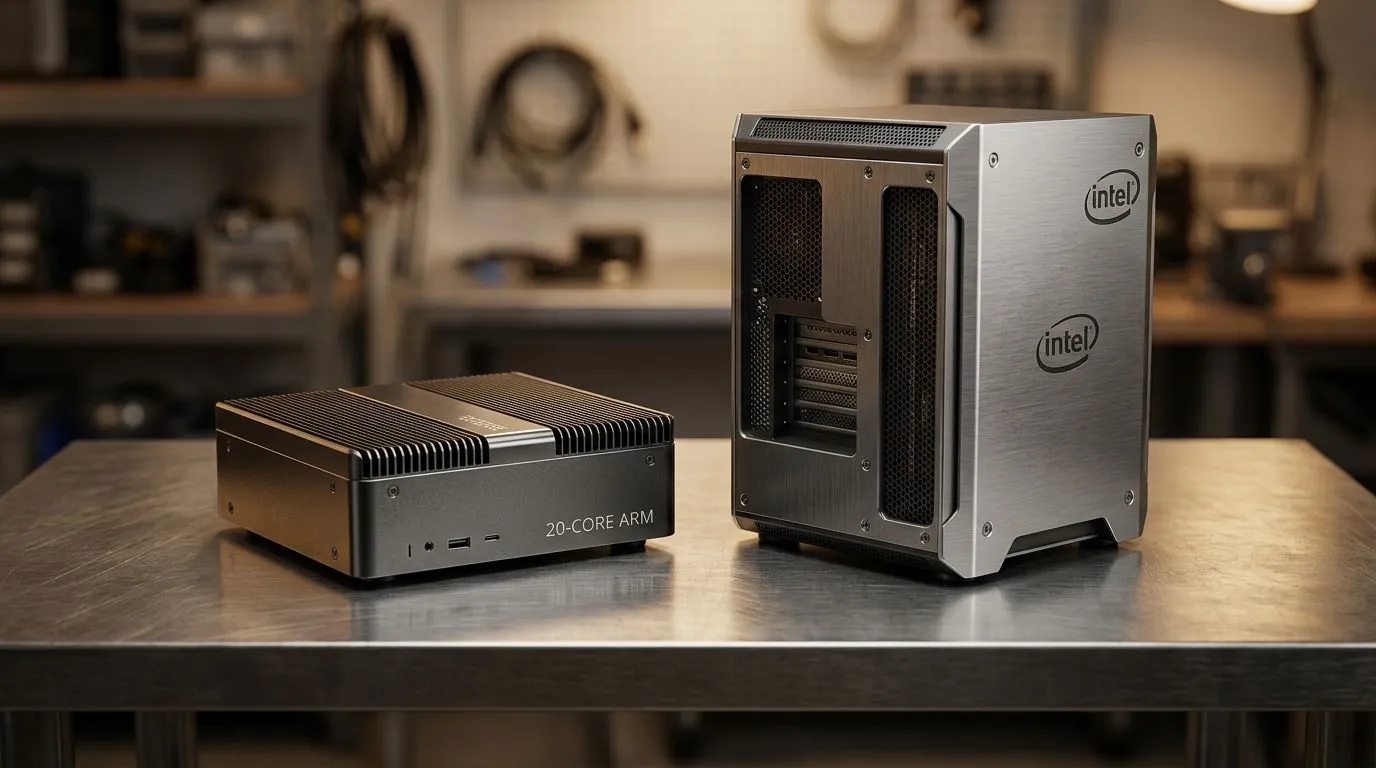
If you’re spec-ing a machine for AI coding, the CPU story matters… but it’s not just about raw GHz. In South Africa, budgets are real, and uptime is everything. ARM-based 20-core systems promise strong performance-per-watt, while x86 workstations still dominate software compatibility and developer tooling. So what should you buy for local AI development, not just benchmarks? Let’s break down the trade-offs that actually affect your day-to-day work 🔧.
ARM designs have improved a lot for developer tasks, especially when workloads can use many efficient cores. x86 systems, meanwhile, tend to win when you need broad support for libraries, drivers, and pre-compiled dependencies across popular AI stacks.
Here’s the practical way to think about it:
For more context on compact compute options that are popular for dev setups, check Evetech’s mini PC range here: Mini PCs for flexible AI development setups
When you’re building AI apps, compatibility becomes a hidden cost. With x86, most documentation assumes an x86 environment first. With ARM, you may need to confirm:
If you’re trying ARM-based minis as a dev node, start with a small, reproducible project: one notebook, one API service, one training script. Keep it simple. Then test installation time, build errors, and runtime behaviour before you commit.
If you want to explore ARM-friendly mini PC options from Evetech, these pages are a good place to start:
In SA, power is personal. Even if you don’t care about the details, heat and efficiency affect fan noise, stability, and how long a system can sustain loads before throttling.
ARM-based systems often look attractive when:
But x86 workstations still shine when you’re doing heavier builds, running many services, or you need maximum compatibility for third-party tools. When in doubt, consider a hybrid approach: a stable x86 workstation for “hard” compatibility tasks, and a smaller ARM box for everyday coding and preprocessing.
For brand-specific ARM/compact explorations, Evetech lists options by brand, including:
On Windows, use the PowerToys FancyZones utility to create custom snap layouts for your windows. It's a lifesaver for managing multiple apps on an ultrawide monitor, letting you organise your timeline, preview window, and asset folders perfectly for video editing.
Before you buy, answer these quick questions:
If you’re building for AI development, don’t just chase a higher number. Aim for fewer installation surprises and smoother iteration cycles. That’s what actually speeds up your output 🚀.
ARM-based 20-core systems can be an excellent value for efficient, CPU-focused AI development. x86 workstations still win when compatibility, tooling, and “it just runs” matter most. In South Africa, the best choice is the one that reduces downtime and helps you iterate fast, even when your schedule is hectic… and your power is unpredictable ✨.
Ready to Find Your Perfect Match? The Mac vs Windows debate is complex, but for maximum power, choice, and value in South Africa, Windows is hard to beat. Explore our massive range of laptop specials and find the perfect machine to conquer your world.
Yes, especially for power-efficient AI development and inference, but software compatibility can still limit some ML workflows.
x86 is often better for broad machine learning compatibility, mature tools, and easier driver support across common AI stacks.
Raw speed depends on the workload, but x86 often wins in mixed AI development tasks while ARM can excel in efficiency.
Many popular AI frameworks work on ARM, but some packages and dependencies may need extra setup compared with x86 workstations.
CPU performance, GPU support, RAM capacity, storage speed, and software compatibility matter more than core count alone.
If you value quiet operation and low power use, ARM can be a strong choice for lighter AI development and edge workloads.
Storage Specs Explained for Beginners. Plain-English explanation of what it means, why it matters & how it affects your buying decisions in SA.
Read more
Will RDNA 5 Use the Same Silicon as the Next. Plain-English explanation of what it means, why it matters & how it affects your buying decisions in SA.
Read more
Google Workspace on Mac: Drive, Docs, Sheets and. Everything you need to know with SA pricing, step-by-step instructions & expert recommendations.
Read more
Back-to-School Parent Guide: Storages. Everything you need to know with SA pricing, step-by-step instructions & expert recommendations.
Read more
to Esports Tournaments. Everything you need to know with SA pricing, step-by-step instructions & expert recommendations.
Read more
Easter Storage Buying Guide. Hand-picked gift ideas at every budget tier. SA pricing & Evetech availability included.
Read more
AMD RX 9050 XT: Rumoured Specs, Price & Release. SA-focused analysis with local pricing data, real-world insights & actionable buying advice.

Can RTX 4080 Super Run AI Workloads for SA Developers Detailed answer with SA data, expert analysis & practical recommendations for local buyers.

Can RTX 4090 Run AI Workloads for SA Developers Detailed answer with SA data, expert analysis & practical recommendations for local buyers.

Top Settings for Intel Arc B580 at Ultrawide 1440p picks evaluated on performance, value & SA availability with current Rand pricing from Evetech.

RTX 4060 CS2 Low Settings at 1080p: FPS Results. Real-world benchmark data, FPS numbers & performance analysis. What SA gamers can actually expect.

Visual Artifacts: Possible GPU Issue Issue #1. Diagnosis steps, proven fixes & when to seek professional help. SA-specific support info included.

Can the RTX 4090 Handle 1440p 144Hz Gaming. Performance testing verdict with real data & practical recommendations for SA buyers.

Top ASUS GPU Under R15000 picks evaluated on performance, value & SA availability with current Rand pricing from Evetech.

GTA 6 Max Settings on RTX 5070. Tested & verified settings for best FPS and visual quality on SA hardware budgets.

Cyberpunk 2077 Max Settings on RTX 5080. Tested & verified settings for best FPS and visual quality on SA hardware budgets.

Starfield Max Settings on RTX 5070 Ti. Tested & verified settings for best FPS and visual quality on SA hardware budgets.

Top RTX 5090 Under R5000 picks evaluated on performance, value & SA availability with current Rand pricing from Evetech.