


Black Myth: Wukong 2 Ultrawide Support: 21:9 and 32:9 Setup Guide
Black Myth: Wukong 2 Ultrawide Support: 21:9 and. Clear setup instructions with SA-specific considerations, troubleshooting tips & recommended components.
Read moreFind the best 1440p GPU for your rig with our ultimate guide. We break down the top NVIDIA and AMD cards, from budget champs to high-end powerhouses. Learn how to optimize settings for buttery-smooth frame rates and stunning visuals. Upgrade your gaming experience today! 🚀🖥️
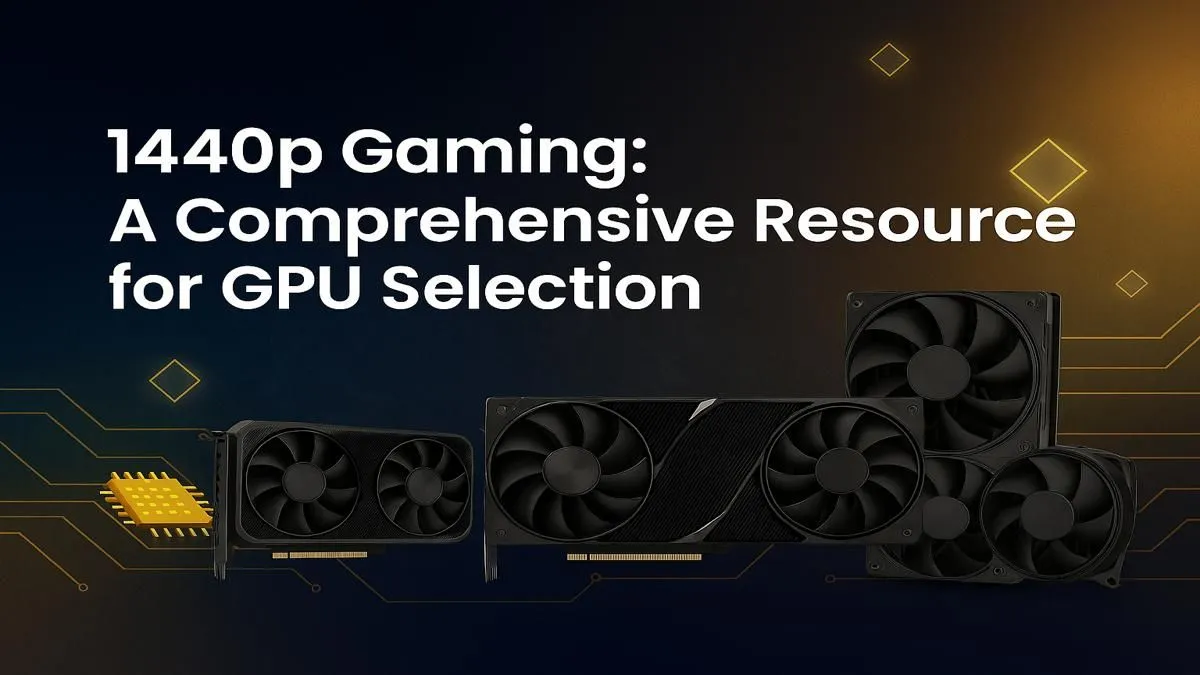
Alright, let's talk frames. You've upgraded your monitor, ditched 1080p, and are ready for the crisp, immersive world of 1440p gaming. But there's a catch... your old GPU is chugging like it's climbing a Highveld hill in January. Finding the best 1440p GPU in South Africa isn't just about grabbing the most expensive card; it's about finding the perfect balance of power, price, and features for your rig. Let's dive in. 🚀
For years, 1080p was the undisputed king. But now, 1440p (or QHD) offers a massive leap in visual fidelity without the wallet-busting demands of 4K. It's the gold standard for a reason:
Choosing the right card is crucial to unlocking this potential. It's the engine that drives your entire gaming experience.
Before you splash the cash, you need to know what to look for. It's not just about the brand name. Here are the core specs that matter when you're hunting for the best graphics card for 1440p gaming.
Think of VRAM (Video RAM) as the GPU's dedicated workspace. High-resolution textures, complex models, and other game assets are stored here for quick access. For 1440p, 8GB of VRAM is the absolute minimum today. However, with games like Alan Wake 2 and Starfield pushing boundaries, aiming for a card with 12GB or even 16GB is a smart, future-proofing move.
This is one of the most important features for modern 1440p gaming. Technologies like NVIDIA's DLSS, AMD's FSR, and Intel's XeSS use AI to render your game at a lower resolution and then intelligently upscale it to 1440p. The result? A massive performance boost with minimal-to-no perceptible loss in image quality. It’s how you can enable demanding features like ray tracing and still hit a smooth 60+ FPS.
Ultimately, your choice will come down to performance-per-Rand. You need to consider your budget and what kind of games you play. Are you an esports fanatic needing every possible frame in Valorant? Or a single-player enthusiast wanting to experience cinematic worlds in all their glory? Answering these questions will help you narrow down your options from our full range of graphics cards.
The GPU market is a fierce battleground. Here’s a look at the main players and their top choices for the ultimate 1440p experience.
NVIDIA is often praised for its mature driver support and class-leading features, especially ray tracing and DLSS upscaling.
AMD often competes aggressively on price-to-performance, especially in traditional rasterization (gaming without ray tracing).
Don't sleep on the new guy! Intel has entered the GPU space with some seriously compelling options.
Getting the best 1440p GPU is only half the battle. Your graphics card doesn't work in a vacuum. To avoid bottlenecks and unlock your card's full potential, make sure the rest of your PC is up to the task.
Make sure you have Resizable BAR (for NVIDIA Intel) or Smart Access Memory (for AMD) enabled in your motherboard's BIOS. This feature allows your CPU to access the entirety of your GPU's VRAM at once, rather than in small chunks. It can provide a noticeable FPS boost in many modern games, and it costs you absolutely nothing to turn on!
You might see powerful-sounding cards and wonder if they're good for gaming. While workstation graphics cards are incredibly powerful for tasks like 3D modelling, video editing, and scientific calculation, they are not optimised for gaming. Their drivers are built for stability and precision, not the raw, high-speed frame delivery that games require. Stick to consumer gaming cards for the best results.
Ultimately, the best 1440p GPU is the one that fits your budget, your games, and your performance goals. Whether you prioritise the cutting-edge features of an NVIDIA RTX card, the raw rasterization power of an AMD Radeon card, or the incredible value of an Intel Arc card, the perfect upgrade is waiting for you.
Ready to Ascend to 1440p Glory? The 1440p sweet spot offers an incredible gaming experience, but choosing the right card is key. Explore our massive range of graphics cards and find the perfect GPU to power your victories.
The best budget 1440p GPU often balances price and performance. Cards like the NVIDIA GeForce RTX 4060 or AMD Radeon RX 7700 XT offer excellent entry points for QHD gaming.
While 8GB VRAM can handle many games at 1440p, 12GB or more is recommended for higher texture settings in modern AAA titles and for better future-proofing your system.
For 1440p 144Hz gaming, you'll need a powerful GPU like an NVIDIA RTX 4070 Super or AMD RX 7800 XT to consistently hit high frame rates, especially in demanding games.
Optimize your GPU by updating to the latest drivers, adjusting in-game settings like textures and shadows, and enabling features like NVIDIA DLSS or AMD FSR for a performance boost.
Both NVIDIA and AMD offer great 1440p GPUs. NVIDIA often leads in ray tracing performance with DLSS, while AMD typically provides strong rasterization value with FSR technology.
To avoid bottlenecks, pair your 1440p GPU with a modern mid-range CPU, such as an Intel Core i5-13600K or an AMD Ryzen 5 7600X, to ensure a balanced gaming system.
Black Myth: Wukong 2 Ultrawide Support: 21:9 and. Clear setup instructions with SA-specific considerations, troubleshooting tips & recommended components.
Read more
Setting Up HDMI 2.1 Cable. Tested & verified settings for best FPS and visual quality on SA hardware budgets.
Read more
Every spec on PCIe 5.0 explained in plain English. What matters for gaming and creator work in 2026, what's marketing fluff, and how each number translates to real-world performance.

A head-to-head look at WiFi 7: real-world performance, ZAR pricing and which option delivers better value for SA builders. The clear answer — no fluff.

Everything you need to set up and tune PCIe 5.0 properly: the prep work, the settings that actually matter, and the mistakes to skip. Written for SA builders in 2026.

Everything you need to set up and tune X870E Motherboard properly: the prep work, the settings that actually matter, and the mistakes to skip. Written for SA builders in 2026.

Wondering what a 512GB SSD capacity really holds? This guide breaks down how many games, photos, and documents fit on 512GB, with real-world ranges 📦💾

Every spec on vrm explained in plain English. What matters for gaming and creator work in 2026, what's marketing fluff, and how each number translates to real-world performance.

Every spec on motherboard explained in plain English. What matters for gaming and creator work in 2026, what's marketing fluff, and how each number translates to real-world performance.

Premium vs Midrange Motherboards in South Africa: real-world performance, SA pricing, power draw and which one delivers better value for your build for SA buyers. The clear answer — without the fluff.
Wondering what a 512GB SSD capacity really holds? This guide breaks down how many games, photos, and documents fit on 512GB, with real-world ranges 📦💾
Every spec on PCIe 5.0 explained in plain English. What matters for gaming and creator work in 2026, what's marketing fluff, and how each number translates to real-world performance.
A head-to-head look at WiFi 7: real-world performance, ZAR pricing and which option delivers better value for SA builders. The clear answer — no fluff.

Every spec on USB4 explained in plain English. What matters for gaming and creator work in 2026, what's marketing fluff, and how each number translates to real-world performance.