


Humidity Damage to PC Components: Recovery Guide
Humidity Damage to PC Components: Recovery Guide. Everything you need to know with SA pricing, step-by-step instructions & expert recommendations.
Read moreFind the best ASUS laptop for streaming with our expert guide. We break down top ROG and TUF models perfect for Twitch, YouTube, and beyond. Discover the key specs, features, and setups to elevate your content creation and launch your streaming career today! 🚀💻
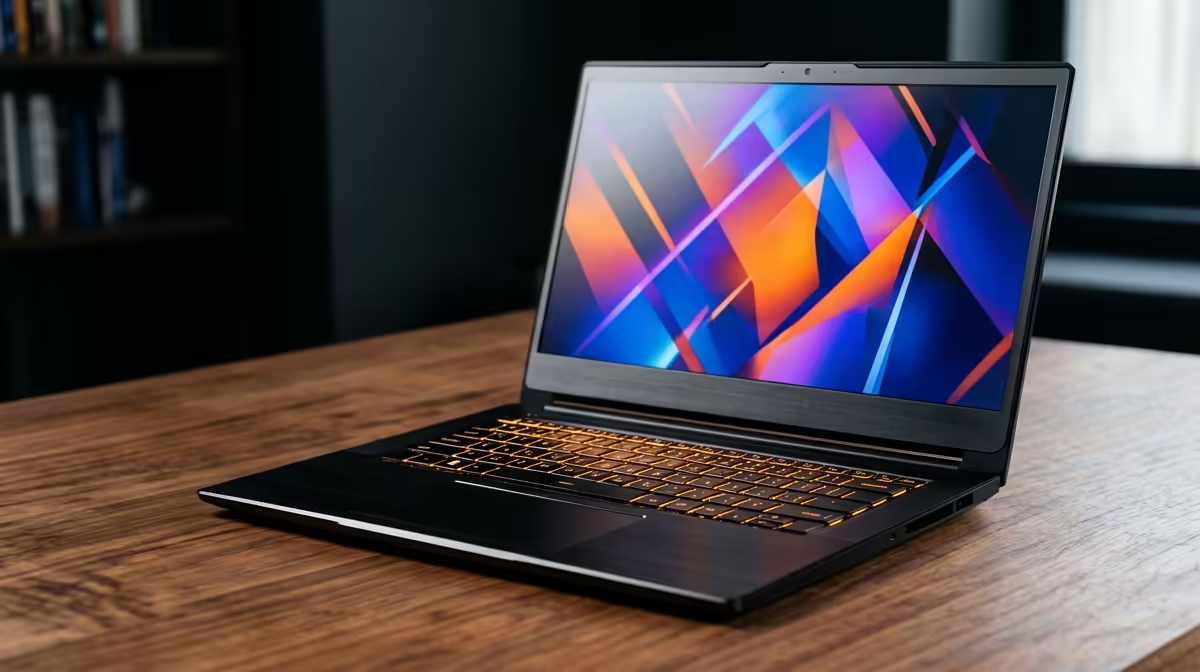
So, you’re ready to share your insane Warzone clutches or brilliant Baldur's Gate 3 strategies with the world. You hit ‘Go Live’, your community tunes in... and your stream starts lagging like a dial-up connection. Sound familiar? Finding the best ASUS laptop for streaming in South Africa isn't just about raw power; it's about finding the smart, reliable machine that lets your content shine without dropping a single frame. Let's get you kitted out. 🚀
Streaming is tough on your hardware. Your laptop is essentially doing two heavy jobs at once: running your game at high settings and encoding that gameplay into a video feed to send to Twitch or YouTube. If your machine isn't up to the task, you get stuttering, pixelated video, and a frustrating experience for your viewers.
The secret to a smooth broadcast lies in a balanced system. The best ASUS laptop for streaming combines a powerful multi-core processor (CPU), a modern graphics card (GPU) with a dedicated encoder, and enough fast memory (RAM) to handle it all. Without this trio, your CPU gets overloaded, and your stream quality tanks.
ASUS offers a brilliant range of laptops, but the right choice depends on where you are in your creator journey. Are you just starting out, or are you looking to go pro?
Just dipping your toes into the streaming world? You need a machine that offers incredible performance without breaking the bank. The ASUS TUF Gaming laptops are built for this. They pack modern Intel or AMD CPUs and, crucially, NVIDIA GeForce RTX graphics. This gives you access to the NVIDIA NVENC encoder, which is the gold standard for high-quality, low-performance-impact streaming. It's the perfect entry point for building your channel.
When streaming becomes more than a hobby, you need a machine that can keep up. This is where the legendary Republic of Gamers (ROG) series comes in. With top-tier processors, more powerful RTX GPUs, and advanced cooling systems, these laptops can handle high-bitrate 1080p or even 1440p streaming while you game on Ultra settings. They are built for performance, ensuring your stream is always buttery smooth. ✨
For those who need power on the go, the sleek and powerful ASUS ROG Zephyrus models offer a stunning balance of portability and performance, making them a top contender for the best creator laptop.
Use NVIDIA Broadcast. It's a free app for any GeForce RTX-powered laptop that uses AI to create a virtual green screen, remove background noise from your mic, and even keep you perfectly framed with auto-tracking. It adds a layer of professional polish to your stream with almost zero effort.
As you browse the options, keep these core components in mind. They are the difference between a good stream and a great one.
Ultimately, the best ASUS laptop for streaming is one that removes technical headaches and lets you focus on what you do best: creating amazing content. Whether you're just starting out or upgrading your professional setup, there is a massive range of ASUS gaming laptops ready to power your ambitions.
Ready to Power Up Your Stream? Your creator journey deserves a machine that won't let you down. ASUS offers the perfect blend of power, innovation, and reliability for South African streamers. Explore our massive range of ASUS laptop specials and find the perfect machine to conquer your world.
The ASUS ROG (Republic of Gamers) series, particularly Zephyrus and Strix models, is ideal for streaming due to powerful CPUs, dedicated GPUs, and advanced cooling systems.
Yes, many ASUS TUF Gaming laptops are excellent for streaming. They offer a great balance of performance and price, making them a fantastic choice for new streamers.
For smooth streaming, aim for an Intel Core i7/AMD Ryzen 7 or higher, an NVIDIA RTX 3060 or better, at least 16GB of RAM, and a fast NVMe SSD for quick load times.
16GB of RAM is a solid starting point for most game streaming. For more demanding games or complex scenes in OBS, 32GB is recommended for optimal performance.
Start by updating drivers via MyASUS and NVIDIA GeForce Experience. Install streaming software like OBS, configure your scenes, and use Armoury Crate to set a performance profile.
The ASUS Zephyrus series excels at content creation thanks to its powerful internals, high-refresh-rate Pantone-validated displays, and portable, premium designs.
Humidity Damage to PC Components: Recovery Guide. Everything you need to know with SA pricing, step-by-step instructions & expert recommendations.
Read more
Gamer Spending Trends April : Complete Setups. Clear setup instructions with SA-specific considerations, troubleshooting tips & recommended components.
Read more
Setting Up DDR5 32GB Kit. Tested & verified settings for best FPS and visual quality on SA hardware budgets.
Read more
Tech Setup Guide for SPU Res Students. Clear setup instructions with SA-specific considerations, troubleshooting tips & recommended components.
Read more
Monster Hunter Wilds Ultrawide Support: 21:9 and. Clear setup instructions with SA-specific considerations, troubleshooting tips & recommended components.
Read more
Apple iPad Durability Guide: Cases, Screen. Practical breakdown of costs, regulations & whether it makes financial sense for SA buyers.
Read more
AMD RX 9050 XT: Rumoured Specs, Price & Release. SA-focused analysis with local pricing data, real-world insights & actionable buying advice.

Can RTX 4080 Super Run AI Workloads for SA Developers Detailed answer with SA data, expert analysis & practical recommendations for local buyers.

Can RTX 4090 Run AI Workloads for SA Developers Detailed answer with SA data, expert analysis & practical recommendations for local buyers.

Top Settings for Intel Arc B580 at Ultrawide 1440p picks evaluated on performance, value & SA availability with current Rand pricing from Evetech.

RTX 4060 CS2 Low Settings at 1080p: FPS Results. Real-world benchmark data, FPS numbers & performance analysis. What SA gamers can actually expect.

Visual Artifacts: Possible GPU Issue Issue #1. Diagnosis steps, proven fixes & when to seek professional help. SA-specific support info included.

Can the RTX 4090 Handle 1440p 144Hz Gaming. Performance testing verdict with real data & practical recommendations for SA buyers.

Top ASUS GPU Under R15000 picks evaluated on performance, value & SA availability with current Rand pricing from Evetech.

GTA 6 Max Settings on RTX 5070. Tested & verified settings for best FPS and visual quality on SA hardware budgets.

Cyberpunk 2077 Max Settings on RTX 5080. Tested & verified settings for best FPS and visual quality on SA hardware budgets.

Starfield Max Settings on RTX 5070 Ti. Tested & verified settings for best FPS and visual quality on SA hardware budgets.

Top RTX 5090 Under R5000 picks evaluated on performance, value & SA availability with current Rand pricing from Evetech.