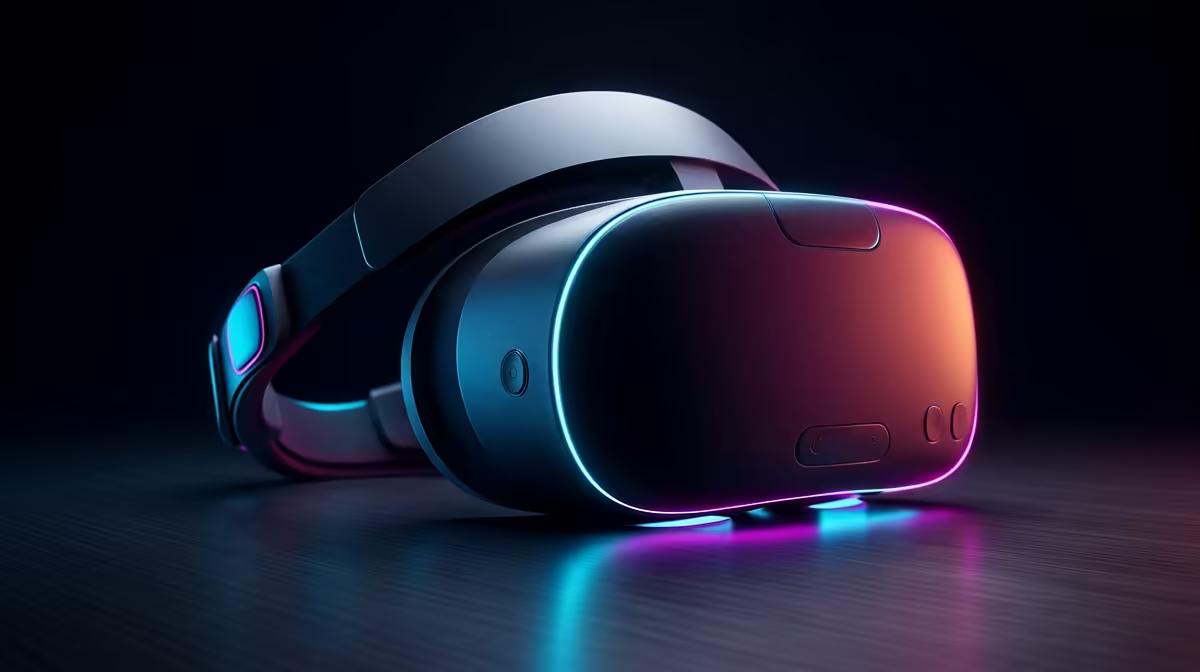
Getting into virtual reality no longer means spending PC-rig money on the headset alone. The budget VR headset that makes the most sense for South African buyers right now is the Meta Quest 3S, a standalone unit that runs current-gen hardware without a cable to a gaming PC. It uses the same processor as the pricier Quest 3, which means the experiences feel modern rather than like a cut-rate compromise. What you give up is mostly in the lenses and resolution, not the brains.
Quick Answer
The Quest 3S 128GB is the cheapest current-generation way into VR in SA, landing around R14,999. It shares the Snapdragon XR2 Gen 2 chip with the full Quest 3, so apps and games run at the same level. The trade-offs are a lower-resolution fresnel lens panel (1832x1920 per eye) versus the Quest 3's sharper pancake display (2064x2208 per eye) and less storage on the base model.
Why Standalone Is the Right Budget Path
A budget headset has to be standalone to genuinely be cheap. The moment a headset needs a gaming PC to run, the real cost balloons because you are buying a capable graphics card and processor alongside the goggles. The Quest 3S runs games and apps on its own onboard chip, with no PC, no cable, and no external sensors to mount on your walls.
That self-contained design is what keeps the entry price honest. You charge it, put it on, and play. For someone testing whether VR suits them at all, spending on a standalone unit avoids committing to an expensive desktop build first. You can always connect it to a PC later for higher-end experiences if you catch the bug.
What the Quest 3S Keeps From the Quest 3
The most important thing the 3S keeps is the processor. The Snapdragon XR2 Gen 2 is the same silicon driving the full Quest 3, so the 3S is not running a weaker, older brain. Games render at the same fidelity ceiling, the same mixed-reality features work, and the colour passthrough cameras let you see your room blended with virtual objects.
It also keeps the modern controllers and the inside-out tracking that needs no external base stations. Hand tracking, room-scale movement, and the broad Quest game library all carry over. In day-to-day use, a newcomer would struggle to tell which headset they were wearing for most content.
What You Give Up at the Lower Price
The savings come from the optics and resolution. The Quest 3S uses older fresnel lenses, which have a smaller sweet spot, so text and fine detail are sharpest in the centre and soften toward the edges of your view. The full Quest 3 uses pancake lenses with a larger clear area and a noticeably crisper panel.
Resolution and Clarity
The 3S runs 1832x1920 pixels per eye against the Quest 3's 2064x2208. In practice that means slightly less sharp text in productivity apps and a touch more screen-door feel in bright scenes. For gaming and casual mixed reality, most people adapt quickly and stop noticing. For reading-heavy use or detailed work, the Quest 3 is the better panel.
Field of View and Comfort
The fresnel optics also give a slightly narrower comfortable viewing zone, so getting the headset positioned correctly on your face matters more for a clean image. Spend a moment adjusting the strap and eye spacing and the difference shrinks.
Storage
The base 3S ships with 128GB, which is fine for a handful of large games but fills up if you install a big library. A larger-capacity version exists for those who download heavily, and it is worth deciding upfront because storage is not expandable.
Who the Budget Pick Suits
The Quest 3S is the right call for first-time VR buyers, families wanting a shared headset for fitness and party games, and gamers curious about VR who do not want to gamble big money. If your priority is the sharpest possible image, mixed-reality productivity, or PC VR as your main use, the step up to the Quest 3 earns its premium. To compare current standalone and PC-connected options side by side, the VR and AR glasses section at Evetech lays out what is in stock so you can weigh resolution against price.
Budgeting Beyond the Headset
The headset is the bulk of the spend, but plan a little extra. A protective case for transport, a better head strap for longer sessions, and a charging dock all improve daily use. None are essential on day one, and you can add them over time as you settle into how you play. When you are ready to round out the kit, the accessories most-bought list is a quick way to spot the straps, cases, and chargers other buyers reach for.
Frequently Asked Questions
Do I need a gaming PC to use the Quest 3S?
No. The Quest 3S is fully standalone and runs games and apps on its own chip with no PC required. You can optionally connect it to a PC later for higher-end PC VR titles, but it works completely on its own out of the box.
Is the Quest 3S powerful enough for current games?
Yes. It uses the same Snapdragon XR2 Gen 2 processor as the full Quest 3, so it runs the current Quest game library at the same performance level. The difference between the two headsets is in the lenses and resolution, not the processing power.
How much storage do I need?
The base 128GB suits a handful of large titles. If you plan to keep a big library installed at once, choose a higher-capacity version, because the storage cannot be expanded later.
What is the real difference between the 3S and the Quest 3?
The Quest 3 has sharper pancake lenses, a higher-resolution panel, and a larger clear viewing area. The 3S uses older fresnel lenses at a lower resolution to hit a lower price, while keeping the same processor and core features.
Is VR comfortable for people who wear glasses?
Many glasses fit inside the headset, and the eye-spacing adjustment helps. For long sessions, lens inserts made to your prescription are a popular add-on that removes the need to wear glasses underneath.
Curious about VR but not ready to spend rig money? Explore the VR and AR range at Evetech to see standalone headsets like the Quest 3S in stock and pick the entry point that fits your budget.