


AIO Liquid 240mm Setup and Configuration: Complete Tutorial
AIO Liquid 240mm Setup and Configuration. Clear setup instructions with SA-specific considerations, troubleshooting tips & recommended components.
Read more- Best chair settings for posture: seat height, lumbar, recline - Adjust armrests, headrest, screen height - Quick setup plus simple stretches Best chair settings for posture: quick, actionable steps to cut neck and shoulder pain from desk time. 🪑✨
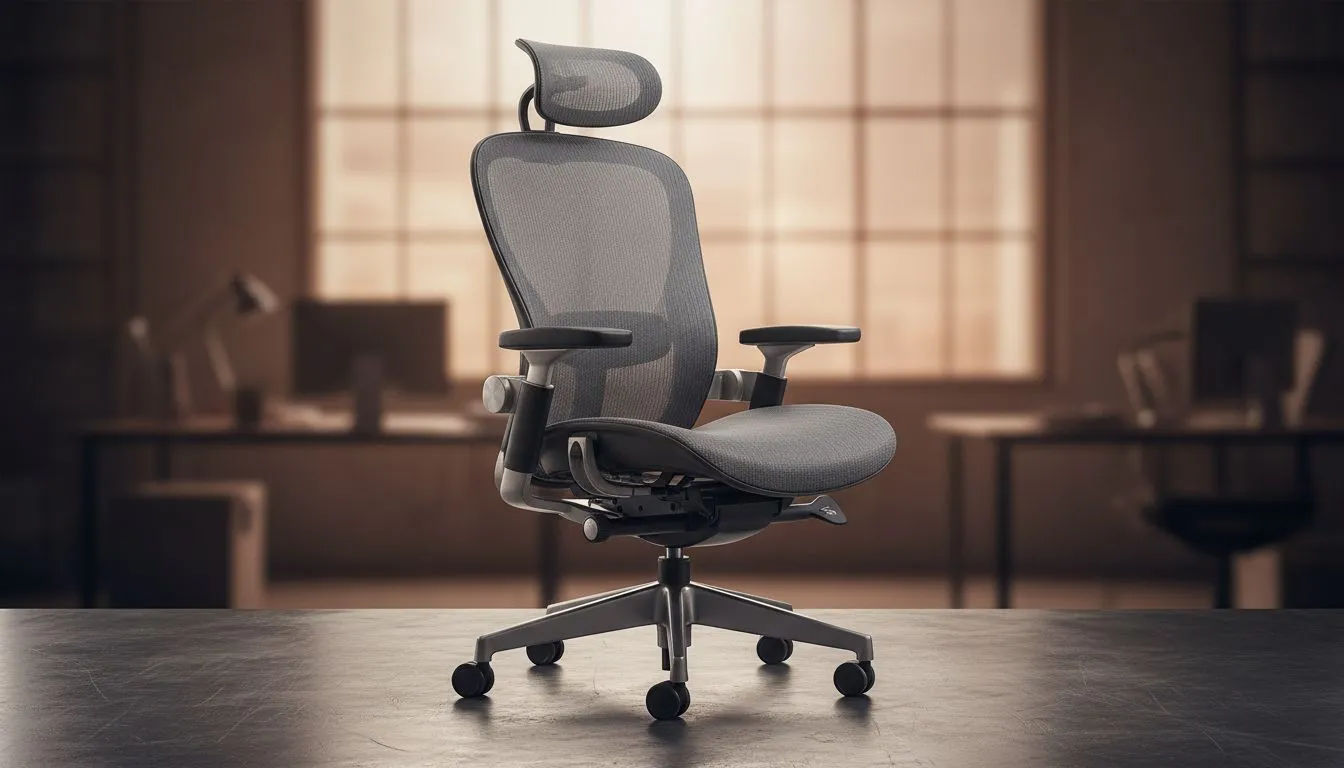
Struggling with neck and shoulder pain after long gaming or work sessions? You're not alone. The secret often lies in your chair settings—optimising posture can drastically reduce discomfort fast. For South African gamers and tech buyers, mastering the best chair settings for posture is essential to stay comfortable and focused. Let’s dive into practical adjustments that protect your body and power your play.
Your gaming chair height affects spinal alignment more than you might think. Set your feet flat on the floor, with knees at roughly 90 degrees. This reduces pressure on your lower back and prevents strain from awkward postures. Adjust seat depth so about 2–3 fingers fit behind your knees—too deep and circulation suffers; too shallow and you lose support.
If you're hunting for chairs with great height and depth adjustability, check out the gaming chairs selection at Evetech for options tailored to South African gamers.
A supportive backrest with lumbar adjustment is crucial. Angle your backrest to about 100–110 degrees. This slight recline helps reduce spinal pressure without encouraging slouching. The lumbar support should fit snugly into the curve of your lower back.
Brands like Vertagear gaming chairs come with precise lumbar controls, perfect for customising your posture support.
Neck pain often starts from poor headrest setup. Adjust the headrest height and tilt so it supports the base of your skull—not pushing your head forward. This alignment helps maintain a neutral neck position and prevents shoulder tension.
Armrests should support your elbows and forearms without lifting your shoulders. Adjust height so your arms form a 90-degree angle, and position them close to your torso. Try the precision armrest settings on Enova chairs to minimise shoulder strain during long sessions.
Regularly stand, stretch, and reset your chair settings every hour. Micro-movements improve circulation and ease build-up of tension around your neck and shoulders.
Investing in chairs with ergonomic design pays off in the long run. For example, noblechairs gaming chairs offer premium support features that adapt to your body, limiting fatigue and pain during those marathon gaming battles.
If budget is a consideration, check gaming chairs under R5000 to find the best posture-focused models that won’t break the bank.
The right settings make all the difference. Small tweaks now prevent chronic pain later.
Upgrade Your Comfort Now Don’t let neck and shoulder pain slow your game. Shop now at Evetech for chairs engineered to support posture and boost your focus.
Set seat height so feet are flat, add lumbar support, recline 100–110°, and align armrests and monitor height; these chair settings relieve neck pain.
Seat height should let knees be level or slightly below hips with feet flat and thighs parallel to the floor to support spinal alignment.
Yes. A slight recline (100–110°) reduces spinal load and shoulder tension; lock recline for typing at 100–105° and recline more for breaks.
Armrests set at elbow height with relaxed shoulders prevent shoulder elevation and neck strain. Use adjustable armrests for typing and gaming.
Position the top third of the screen at eye level and 50–70 cm away to keep the head neutral and reduce forward-head posture.
Do chin tucks, neck side bends, doorway pec stretches, and shoulder rolls every 30–60 minutes to ease tension and reset posture.
Yes. Ergonomic chairs with adjustable lumbar, seat depth, and armrests make it easier to apply the proper chair settings for posture and reduce pain.
AIO Liquid 240mm Setup and Configuration. Clear setup instructions with SA-specific considerations, troubleshooting tips & recommended components.
Read more
Setting Up DDR5 64GB Kit. Tested & verified settings for best FPS and visual quality on SA hardware budgets.
Read more
Overwatch 2 Setup Guide Gamers. Clear setup instructions with SA-specific considerations, troubleshooting tips & recommended components.
Read more
R and RStudio on Mac: Data Science Setup Guide. Clear setup instructions with SA-specific considerations, troubleshooting tips & recommended components.
Read more
NVIDIA Broadcast Setup with GPU: Streamer Guide. Clear setup instructions with SA-specific considerations, troubleshooting tips & recommended components.
Read more
Core Ultra 7 265K Temperature Guide: Normal Range. Complete product range with SA pricing, key specs & recommendations for different budgets.
Read more
AMD RX 9050 XT: Rumoured Specs, Price & Release. SA-focused analysis with local pricing data, real-world insights & actionable buying advice.

Can RTX 4080 Super Run AI Workloads for SA Developers Detailed answer with SA data, expert analysis & practical recommendations for local buyers.

Can RTX 4090 Run AI Workloads for SA Developers Detailed answer with SA data, expert analysis & practical recommendations for local buyers.

Top Settings for Intel Arc B580 at Ultrawide 1440p picks evaluated on performance, value & SA availability with current Rand pricing from Evetech.

RTX 4060 CS2 Low Settings at 1080p: FPS Results. Real-world benchmark data, FPS numbers & performance analysis. What SA gamers can actually expect.

Visual Artifacts: Possible GPU Issue Issue #1. Diagnosis steps, proven fixes & when to seek professional help. SA-specific support info included.

Can the RTX 4090 Handle 1440p 144Hz Gaming. Performance testing verdict with real data & practical recommendations for SA buyers.

Top ASUS GPU Under R15000 picks evaluated on performance, value & SA availability with current Rand pricing from Evetech.

GTA 6 Max Settings on RTX 5070. Tested & verified settings for best FPS and visual quality on SA hardware budgets.

Cyberpunk 2077 Max Settings on RTX 5080. Tested & verified settings for best FPS and visual quality on SA hardware budgets.

Starfield Max Settings on RTX 5070 Ti. Tested & verified settings for best FPS and visual quality on SA hardware budgets.

Top RTX 5090 Under R5000 picks evaluated on performance, value & SA availability with current Rand pricing from Evetech.