


Complete Guide: Setting Up AIO Liquid 420mm
Setting Up AIO Liquid 420mm. Tested & verified settings for best FPS and visual quality on SA hardware budgets.
Read moreLooking for compact PCs that handle VMs smoothly? These multitasking machines deliver powerful performance. 🔥💻 #TechTips
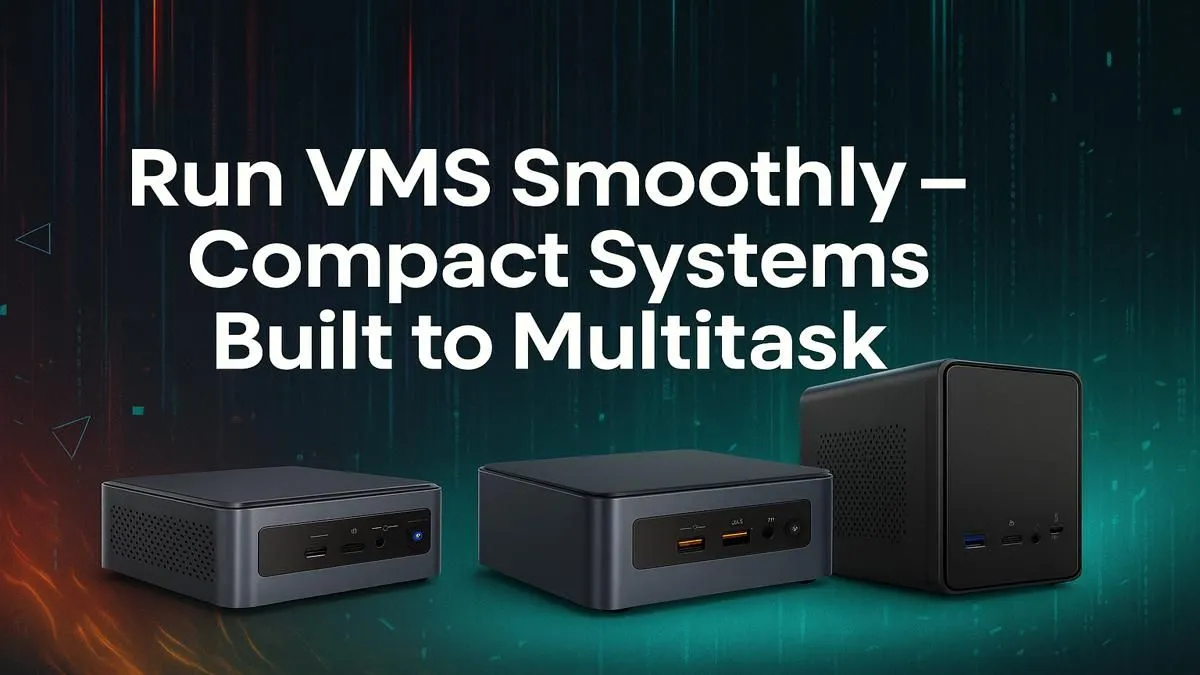
Tired of that massive tower hogging your desk space but need serious power for virtual machines? You're not alone. In South Africa, where home offices and gaming setups need to be efficient, big performance doesn't have to mean a big footprint. The best compact PCs for running VMs smoothly are here, packing incredible power into a chassis that’s barely bigger than a lunchbox. Let's explore how to get flagship performance without the bulk. 🚀
For years, the thinking was simple: more power needs more space. But technology has evolved. Modern compact PCs now deliver the processing muscle required for demanding tasks like virtualisation, making them a brilliant choice for developers, IT pros, and tech enthusiasts.
The primary benefit is obvious… they save a massive amount of space. But it's more than that. They're also incredibly power-efficient, which is a welcome bonus with today's electricity costs in SA. These machines prove that you can run multiple operating systems simultaneously on a small form factor PC without your machine breaking a sweat or your power bill skyrocketing.
When you're looking for a compact PC for VMs, not all specs are created equal. You need to prioritise the components that handle the heavy lifting of running multiple systems at once. Getting this right is the difference between a seamless workflow and a frustrating, laggy experience.
The processor is the brain of your operation. For virtualisation, the number of cores and threads is more important than raw clock speed. Each VM you run needs CPU cores allocated to it. A CPU with 8 cores and 16 threads, for instance, can comfortably run a couple of VMs alongside your main OS without choking. This is crucial for a setup that needs to run VMs smoothly.
When setting up a VM in VirtualBox or VMware, only allocate the resources you actually need. Giving a lightweight Linux server 8GB of RAM when it only uses 1GB is wasteful. Start small and monitor usage, increasing resources as needed to keep your host system responsive. ✨
RAM is arguably the most critical resource for VMs. Each virtual machine requires its own dedicated slice of system memory. If your host PC has 16GB of RAM, and you assign 4GB to a Windows VM and 2GB to a Linux VM, you're left with 10GB for your host system. We recommend a minimum of 16GB, but 32GB is the sweet spot for anyone serious about running multiple VMs. Checking out the essential mini PC components can help you plan an upgrade.
Don't forget storage speed! Running your VMs from a fast NVMe SSD means they will boot up in seconds, and applications inside the VM will feel just as responsive as they do on your main machine. The difference between an old hard drive and a modern NVMe drive for virtualisation is night and day. ⚡
Now that you know what to look for, where do you find the right machine? You have options ranging from barebones kits to fully-configured, ready-to-go systems. Brands have emerged that specialise in creating some of the best compact PCs designed for high performance.
For example, checking out Minisforum's powerful lineup reveals just how much power can be engineered into a tiny space. These units often come equipped with capable AMD Ryzen or Intel Core processors, ample RAM slots, and NVMe support, making them perfect candidates for a robust yet discreet virtualisation station.
Find Your Pint-Sized Powerhouse Stop letting a bulky rig dictate your workspace. It's time to embrace the power and convenience of a compact PC built for demanding tasks. Explore our curated selection of mini PCs and find the perfect fit for your virtualisation needs today.
Look for at least 16GB RAM and quad-core i5 or Ryzen 5 processor or higher. SSD storage helps too!
Yes! Modern mini PCs with 32GB RAM and 8-core CPUs handle multiple VMs smoothly.
Absolutely—many compact PCs offer workstation-grade performance ideal for devs! 💻✨
A dedicated GPU improves performance, especially for graphics-intensive VM tasks. 🎮
Space-saving design, efficient multitasking, and powerful performance in a compact size.
For multiple VMs, 32GB RAM ensures a smooth experience with multitasking. ⚡
Yes! Many compact PCs offer excellent VM performance without breaking the bank.
Setting Up AIO Liquid 420mm. Tested & verified settings for best FPS and visual quality on SA hardware budgets.
Read more
Intel XTU Download & Setup Guide: Intel CPU. Clear setup instructions with SA-specific considerations, troubleshooting tips & recommended components.
Read more
Cyberpunk 2077 Max Settings on RTX 4090. Tested & verified settings for best FPS and visual quality on SA hardware budgets.
Read more
The Complete Guide to GPU. Everything you need to know with SA pricing, step-by-step instructions & expert recommendations.
Read more
NVCleanstall Download & Setup Guide: NVIDIA. Clear setup instructions with SA-specific considerations, troubleshooting tips & recommended components.
Read more
to Driver Installation for Beginners. Everything you need to know with SA pricing, step-by-step instructions & expert recommendations.
Read more
AMD RX 9050 XT: Rumoured Specs, Price & Release. SA-focused analysis with local pricing data, real-world insights & actionable buying advice.

Can RTX 4080 Super Run AI Workloads for SA Developers Detailed answer with SA data, expert analysis & practical recommendations for local buyers.

Can RTX 4090 Run AI Workloads for SA Developers Detailed answer with SA data, expert analysis & practical recommendations for local buyers.

Top Settings for Intel Arc B580 at Ultrawide 1440p picks evaluated on performance, value & SA availability with current Rand pricing from Evetech.

RTX 4060 CS2 Low Settings at 1080p: FPS Results. Real-world benchmark data, FPS numbers & performance analysis. What SA gamers can actually expect.

Visual Artifacts: Possible GPU Issue Issue #1. Diagnosis steps, proven fixes & when to seek professional help. SA-specific support info included.

Can the RTX 4090 Handle 1440p 144Hz Gaming. Performance testing verdict with real data & practical recommendations for SA buyers.

Top ASUS GPU Under R15000 picks evaluated on performance, value & SA availability with current Rand pricing from Evetech.

GTA 6 Max Settings on RTX 5070. Tested & verified settings for best FPS and visual quality on SA hardware budgets.

Cyberpunk 2077 Max Settings on RTX 5080. Tested & verified settings for best FPS and visual quality on SA hardware budgets.

Starfield Max Settings on RTX 5070 Ti. Tested & verified settings for best FPS and visual quality on SA hardware budgets.

Top RTX 5090 Under R5000 picks evaluated on performance, value & SA availability with current Rand pricing from Evetech.