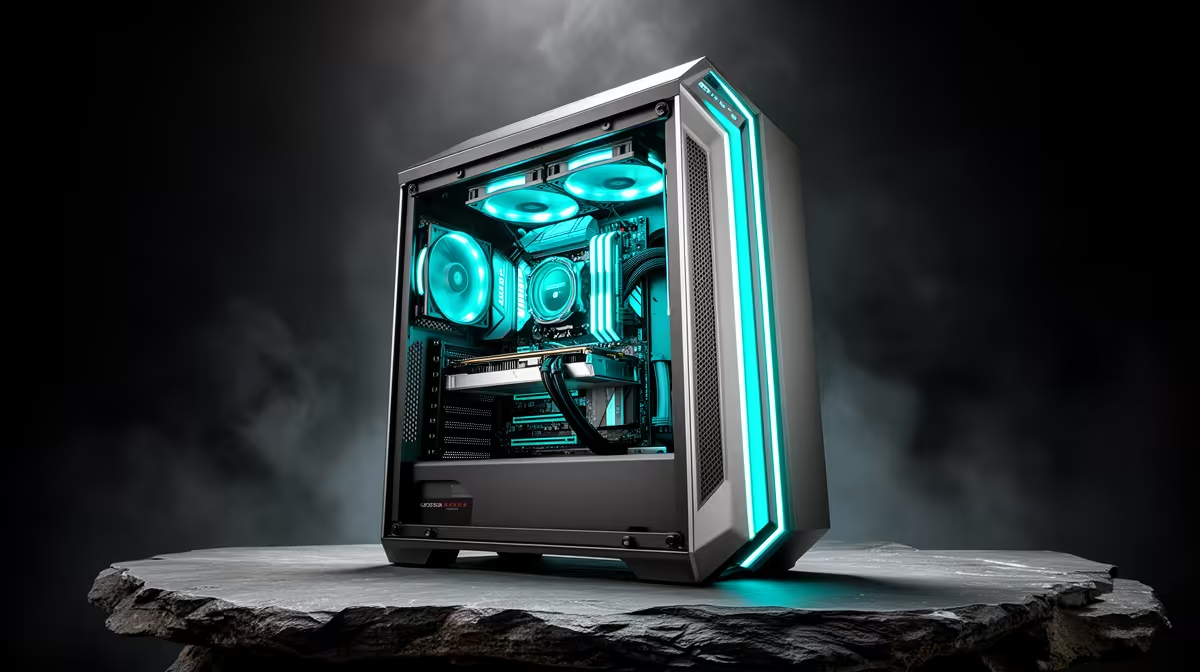
Run a 32-billion-parameter model at Q4 quantisation and it wants roughly 20GB of VRAM sitting on the card before it returns a single token at a usable speed. That number is why a desktop PC for AI coding and local LLMs beats a laptop every time the work gets serious. A tower has the physical room, power headroom, and cooling to host a 24GB-class GPU, and in South Africa that same GPU costs less per gigabyte of VRAM than its mobile equivalent. The result is more model on the card, more tokens per second, and a build you can grow.
Quick Answer
For local LLM inference and AI-assisted coding, build a desktop around a 24GB-class GPU so a 32B model at Q4 (roughly 20GB) fits entirely in VRAM. Pair it with at least 32GB of system RAM, a Ryzen or Core CPU with strong single-thread speed, and a fast NVMe SSD. Expect a capable SA build to start well above R8,000 and scale with the GPU you choose.
Why VRAM Is The Whole Game
A local language model lives or dies on memory. When the full set of model weights fits inside the GPU's VRAM, every layer runs on the card's high-bandwidth memory and tokens stream out smoothly. The moment the model is even slightly too big, the runner spills layers into system RAM, and system RAM moves data at a fraction of the speed GPU memory does. Generation drops off a cliff, often from comfortably readable to painfully slow.
This is the single fact that should drive your build. A mid-range card with 8GB will run small 7B models well but chokes on anything larger. A 16GB card opens up 13B and 14B models comfortably and 32B at tight quantisation with offloading. A 24GB card lets a 32B model at Q4 sit fully on-card, which is the sweet spot for a serious coding assistant that understands a real codebase.
The GPU Decision
Your GPU choice is essentially a VRAM budget decision dressed up as a performance decision. NVIDIA cards carry a real advantage here because the dominant local-inference stacks lean on CUDA, and most quantised model loaders are tuned for it first. Within the NVIDIA range, ignore the headline gaming benchmarks and look at the memory figure.
The 16GB Tier
A 16GB card is where local AI starts to feel genuinely useful. It runs 7B and 13B models with ease, handles 14B coding models at good speed, and stretches to 32B with some layers offloaded if you accept slower output. For a student or a developer testing the waters, this tier delivers most of the value without the top-end price. Current-generation 16GB options include the RTX 5060 Ti and the RTX 4080, both of which handle quantised coding models well.
The 24GB Tier
This is where local coding assistants come into their own. A 24GB card holds a 32B model at Q4 entirely on-card, which means a model large enough to reason about multi-file code, follow project conventions, and refactor sensibly, all running offline on your own machine. You can compare current 24GB-class and workstation options across the AI PC range at Evetech to see what the VRAM-per-Rand picture looks like right now.
Going Beyond 24GB
If your work involves 70B models, a single 48GB workstation card or a dual-card setup is the path forward. A 70B model at Q4 needs 40 to 48GB to load fully on-card and generate at speed. At ZAR prices this is a serious investment, and for most solo developers a 32B model on a 24GB card is the better-value ceiling.
CPU, RAM, And Storage
The GPU carries the inference load, but a lopsided build wastes it. For the CPU, prioritise strong single-thread performance and enough cores to keep the GPU fed; a current Ryzen or Core chip in the mid range is ample, and you do not need a top-tier CPU for inference. System RAM should be at least 32GB, and 64GB is the sensible target if you load large models that partially offload or run other tools alongside the model. Skimping on RAM forces swapping and stalls.
Storage deserves more attention than most builds give it. Each model you download occupies tens of gigabytes on disk, and a serious local-AI machine accumulates several. A fast NVMe SSD means a model loads into VRAM in seconds rather than crawling off a slow drive. Budget for capacity here, because a working local-AI desktop fills storage quickly.
Quantisation: What Q4 Means in Practice
Most local inference guides throw around "Q4" without unpacking it. When a model is quantised to Q4, its weights are stored at 4-bit precision instead of the full 16 or 32 bits used during training. This roughly quarters the memory footprint with a small and usually acceptable quality trade-off for coding and chat tasks. The practical result is that a 32B model you could not fit anywhere near an 8GB card now sits comfortably on a 24GB card with room for a decent context window. Q8 offers better quality at double the VRAM cost; Q2 and Q3 compress further but degrade noticeably. For an AI coding assistant that needs to reason about a real codebase, Q4 is the sweet spot.
Why The Tower Wins Over A Laptop
A laptop with a 16GB mobile GPU exists, but it costs far more for the same VRAM, throttles under sustained load because of thermal limits, and offers no upgrade path. A tower runs the GPU at full power indefinitely, stays cool, and lets you swap to a bigger card next year without replacing the whole machine. For anyone whose AI work is more than occasional, the desktop is simply the better-engineered tool. You can see how complete tower builds are specced and priced in the PC best sellers, which is a useful reality check on what a balanced configuration costs locally.
Frequently Asked Questions
How much VRAM do I need for a 32B model?
A 32B model at Q4 quantisation occupies around 20GB of VRAM when fully loaded on-card, which is why a 24GB GPU is the recommended target. Smaller quantisation can reduce that footprint, but it costs some output quality, so 24GB gives you comfortable headroom.
Can I run local LLMs without an NVIDIA GPU?
You can, but it is harder. Most local-inference tools are built around CUDA first, so NVIDIA cards have the smoothest software support and the widest compatibility with quantised model loaders. Other GPUs work but often need more setup effort.
Is 32GB of system RAM enough?
For models that fit fully in VRAM, 32GB is comfortable. If you run large models that offload some layers to system RAM, or keep other heavy tools open, step up to 64GB so the machine does not start swapping to disk.
Does the CPU matter for local AI?
Less than the GPU, but it still matters. A capable mid-range Ryzen or Core CPU with good single-thread speed keeps the GPU supplied and handles any layers running on the processor. You do not need a flagship CPU for inference work.
Why not just use a cloud AI service instead?
Local inference keeps your code private, runs offline, and has no per-token cost once the hardware is bought. For developers handling sensitive codebases or wanting unlimited usage, a local desktop pays for itself and removes the dependency on a connection.
Want a tower that fits a 24GB GPU and runs 32B models on-card? Explore the AI PC range at Evetech, compare VRAM per Rand across the lineup, and build a machine that handles serious local AI coding today and scales tomorrow.