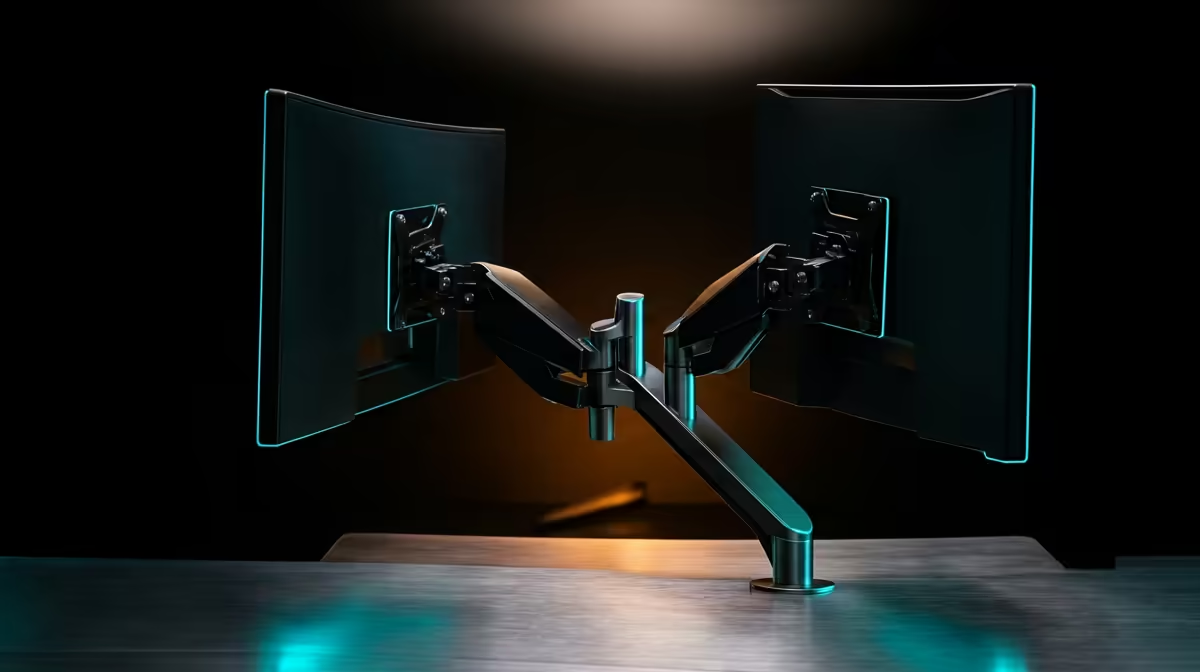
Two screens on two stock stands eat most of a desk and leave a mess of bases you cannot push back. A dual monitor arm fixes that by carrying both displays on a single clamp or grommet mount, with each screen adjusting independently for height, tilt and swivel. For South African two-screen home offices, it is the cleanest way to reclaim desk space and stop fighting with mismatched factory stands.
Quick Answer
A dual monitor arm mounts both displays on one base, usually a desk clamp or a grommet fitting, and each arm moves independently within its per-screen weight rating. It frees the footprint of two stock stands, lets you set both screens to the same eye level, and suits most WFH two-screen desks. Expect to pay roughly R900 to R3,500 depending on build and weight rating.
How a Dual Arm Actually Works
The single base anchors to your desk, and two articulating arms extend from it, each ending in a VESA plate that bolts to the back of a monitor. Because both arms share one mounting point, you only clamp the desk once, and the screens float above the surface instead of resting on bulky feet. That recovered space is where your keyboard, notes or a microphone go, and the desk reads as far tidier.
The independent adjustment is the real win. Each arm moves on its own, so you can set both screens to a matched height, angle one inward as your main display, and tilt the second for reference reading. A well-set pair of screens also fixes posture, and pairing the arm with a proper desk surface makes the difference; the gaming and standing desks at Evetech are worth a look when you are building out the whole workspace.
The Specs That Actually Matter
Weight Rating Per Arm
This is the number that makes or breaks a buy. A dual arm lists a weight range per arm, and each of your monitors must fall inside it. A screen lighter than the minimum will not stay where you set it because the gas spring overpowers it, drifting upward on its own. A screen heavier than the maximum sags no matter how you adjust the tension. Weigh or check the spec sheet for both monitors and confirm each one sits within the arm's rated range before buying.
VESA Compatibility
Monitor arms attach via the VESA mounting pattern, a square of threaded holes on the back of the display. The two standard spacings are 75x75mm and 100x100mm. Most arms support both, but check that your monitors have VESA holes at all, because some thin or budget displays omit them and need a separate VESA adapter plate.
Clamp Versus Grommet Mount
Two ways to fix the base to your desk. A C-clamp bites down on the rear edge and needs no drilling, provided the desk has a few centimetres of overhang for it to grip. A grommet mount anchors through an existing cable hole or one you drill yourself, which is sturdier and works on desks with no usable rear lip. Most arms include both fittings, so check your desk edge thickness against the clamp's stated range before assuming it fits.
Range of Motion
Look at how far each arm extends, how high it lifts, and whether the screens rotate to portrait. Tilt and swivel are standard; full height adjustment and portrait rotation are where cheaper arms cut corners. If you code or read long documents, a screen that rotates to portrait is genuinely useful.
Who a Dual Arm Suits
A dual arm earns its place on any desk running two screens for work: developers watching code and a browser, traders running charts, editors with a timeline and a preview, or remote workers who need their meeting up on one display and their notes on the second. It is less essential if your two screens are very different sizes or if one rarely moves, but even then the desk-space recovery alone often justifies it. Pair it with the rest of a clean setup, and a quick look at what other SA buyers are choosing among the best-selling desk accessories at Evetech rounds out a workspace built for long hours.
Gas Spring Versus Mechanical Arms
Dual arms move in one of two ways, and it changes the feel day to day. A gas-spring arm uses a pressurised cylinder so you nudge the screen and it floats smoothly to a new position, holding wherever you let go. This is the better choice if you reposition often, such as standing for a call then sitting again, because adjustment is effortless. A mechanical spring or tension arm is usually cheaper and sets to a fixed position, which is fine for a screen that rarely moves but stiffer to readjust. If your two-screen desk is static, a tension arm saves money; if you move screens regularly, the gas-spring premium is worth it.
Cable Management and Aesthetics
Part of the reason to buy a dual arm is the tidy look, and that depends on the cabling as much as the screens. Better arms include internal channels or clip-on covers that route the display and power cables down the arm and out of sight, so the desk stays clean. Before buying, check whether the arm handles cable routing or leaves the cables loose, because dangling cables drag on the arms and undo the neatness you paid for. Plan where the cables run to the wall or a power point so the gain in desk space is not lost to a tangle behind the screens.
Setting It Up Well
Mount both screens so the top edge sits roughly at eye level, which keeps your neck neutral. Position them at the same height and angle them slightly inward so the join between them faces you, reducing how far you turn your head. Route the cables through the arm's channels if it has them, since loose cables drag on the arms and spoil the tidy look you bought the arm for in the first place. Adjust the spring tension so each screen holds its position without creeping.
Frequently Asked Questions
Will a dual monitor arm fit my two screens?
It fits if both monitors fall within the arm's per-screen weight range and have a VESA mounting pattern, usually 75x75mm or 100x100mm. Check both numbers on each monitor's spec sheet before buying, since a screen outside the weight range will drift or sag.
Clamp or grommet mount, which is better?
Clamp is easiest and needs no drilling, gripping the desk edge with a few centimetres of overhang. Grommet is sturdier and anchors via a bolt through a drilled or pre-existing hole in the desktop. Most arms include both options, so choose based on whether your desk has a usable rear edge.
Can the two screens be different sizes?
Yes, as long as each one stays within the arm's weight rating. Independent adjustment lets you set different heights and angles, though very different sizes can look uneven side by side. Matching the screens' top edges to the same eye level keeps it comfortable.
Does my desk need to be a certain thickness?
For a clamp mount, yes. Each clamp lists a desk-thickness range it grips, so check your desk against that range. A grommet mount sidesteps the issue by bolting through a hole instead of gripping the edge.
Why do monitor arms have weight ratings per arm?
Because each arm uses a gas spring or tension mechanism tuned for a range of weights. Too light and the spring lifts the screen on its own; too heavy and the arm sags. Matching each monitor to the rated range keeps both screens locked where you set them.