

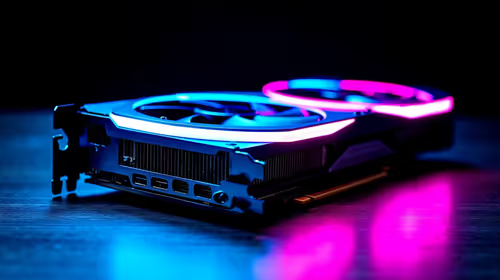
Will A Pcie 5.0 Gpu Work With A Pcie 4.0 Motherboard? Compatibility Guide
Will A Pcie 5.0 Gpu Work With A Pcie 4.0. Hand-picked gift ideas at every budget tier. SA pricing & Evetech availability included.
Read moreFind the top gaming keyboards tested in Benchmarks ZA 🔍. Boost your game with our expert analysis and performance ratings 🎮.

Tired of your keyboard lagging behind your reflexes in a tense firefight? In South Africa, choosing the right gear is crucial, but spec sheets only tell half the story. That's where real-world performance data comes in. We're diving deep into the best gaming keyboard benchmarks ZA gamers need to understand, moving beyond flashy RGB to focus on what truly impacts your gameplay: speed, accuracy, and reliability. Let's get you that competitive edge. ⚡
Before you can find the best gaming keyboard, you need to know what you're looking for. Benchmarks aren't just about marketing fluff; they measure tangible metrics that directly affect your in-game performance. The most critical factor is latency—the tiny delay between you pressing a key and the action registering on-screen. For competitive gaming, anything under 10ms is good, but the top-tier boards push this down to 1ms or even less.
Another key metric is the actuation point, which is how far you need to press a key for it to register. A shorter actuation point means faster inputs. This is why many pro gamers and those seeking the cheapest gaming keyboard in South Africa with a competitive edge often look for mechanical options over standard membrane boards.
The heart of any gaming keyboard is its switches. This is where the real performance differences lie. While membrane keyboards are affordable, their mushy feel and slower response times can't compete with mechanical switches in pure performance benchmarks.
Mechanical keyboards offer a variety of keyboard switches, each with a unique feel and performance profile:
Ultimately, the best switch for you comes down to personal preference, but linear switches consistently top the latency and speed benchmarks.
gaming sessions can lead to wrist strain. Pairing your keyboard with an [ergonomic wrist rest](https: www.evetech.co.za buy-wrist-rest x 1586.aspx) can significantly improve comfort and endurance, letting you play for longer without fatigue.
A keyboard's performance isn't just about its internal hardware. How you interact with it matters, too. Swapping out the standard keycaps for a set with a different profile or texture can improve your finger-grip and typing accuracy. High-quality PBT custom keycaps also resist the shine and wear that comes from intense gaming sessions, keeping your setup looking and feeling fresh.
When you're looking for the best gaming keyboard benchmarks ZA has to offer, remember to factor in the entire ecosystem. Software for macros, custom lighting profiles, and key remapping all contribute to a setup that is uniquely optimised for your playstyle.
So, how do you use these benchmarks to find the right board without breaking the bank? The key is to prioritise. If you're a competitive FPS player, focus on low latency and linear switches. If you're an all-rounder, a tactile switch might be more your speed.
Keep an eye out for Evetech's promotions, where you can often find high-performance gear at a great price. Checking out the best gaming keyboard deals is a smart way to get top-tier performance for a fraction of the cost. By understanding the benchmarks that matter, you can make an informed choice that will genuinely improve your gaming experience. ✨
Complete Your Battle Station A fast keyboard deserves a precise mouse. Get a perfectly matched, high-performance setup with our curated keyboard and mouse combos and ensure every click and keystroke counts.
Our benchmarks highlight top-performing keyboards. Check our reviews for recent updates! 🎮
Yes! Many tested keyboards offer low latency and high performance with wireless tech 🔌
Linear and tactile switches like Reds and Browns are popular among gamers ⌨️
Faster response times mean quicker input, giving you an edge in competitive scenarios 🕹️
RGB doesn't impact performance, but it adds personalization and style 🌈
It depends on needs; we offer budget-friendly picks optimized for casual play 💻
Every 3-5 years unless tech advances or your usage demands frequent updates 💡
Will A Pcie 5.0 Gpu Work With A Pcie 4.0. Hand-picked gift ideas at every budget tier. SA pricing & Evetech availability included.
Read more
Streamelements Setup with GPU: Streamer Guide. Clear setup instructions with SA-specific considerations, troubleshooting tips & recommended components.
Read more
Intel Arc B580 Throttling Under Load: Temperature. Everything you need to know with SA pricing, step-by-step instructions & expert recommendations.
Read more
Complete ATX Case Size Guide: Interior Dimensions. Best deals curated with real SA discounts, price history & tips on getting genuine value.

What GPU Do You Need for AI & Machine Learning. Hardware requirements breakdown with recommended specs & SA pricing for each tier.

Top Settings for RTX 4060 at Ultrawide 1440p picks evaluated on performance, value & SA availability with current Rand pricing from Evetech.

Head-to-head comparison of FreeSync vs G-Sync Explained: Which Should Gamers for SA gamers. Performance benchmarks, Rand pricing & which delivers better value.

Every spec on PCIe 5.0 explained in plain English. What matters for gaming and creator work in 2026, what's marketing fluff, and how each number translates to real-world performance.

Every spec on bios explained in plain English. What matters for gaming and creator work in 2026, what's marketing fluff, and how each number translates to real-world performance.

Every spec on gaming setups explained in plain English. What matters for gaming and creator work in 2026, what's marketing fluff, and how each number translates to real-world performance.

Every spec on cooling systems explained in plain English. What matters for gaming and creator work in 2026, what's marketing fluff, and how each number translates to real-world performance.

Every spec on understanding how much vram is needed explained in plain English. What matters for gaming and creator work in 2026, what's marketing fluff, and how each number translates to real-world.

How to pick the right PCIe 5.0 for your build in 2026: the features worth paying for, ZAR value tiers, and the trade-offs between budget, mid-range and flagship picks.

Every spec on gpu explained in plain English. What matters for gaming and creator work in 2026, what's marketing fluff, and how each number translates to real-world performance.

Every spec on gpu explained in plain English. What matters for gaming and creator work in 2026, what's marketing fluff, and how each number translates to real-world performance for SA buyers.