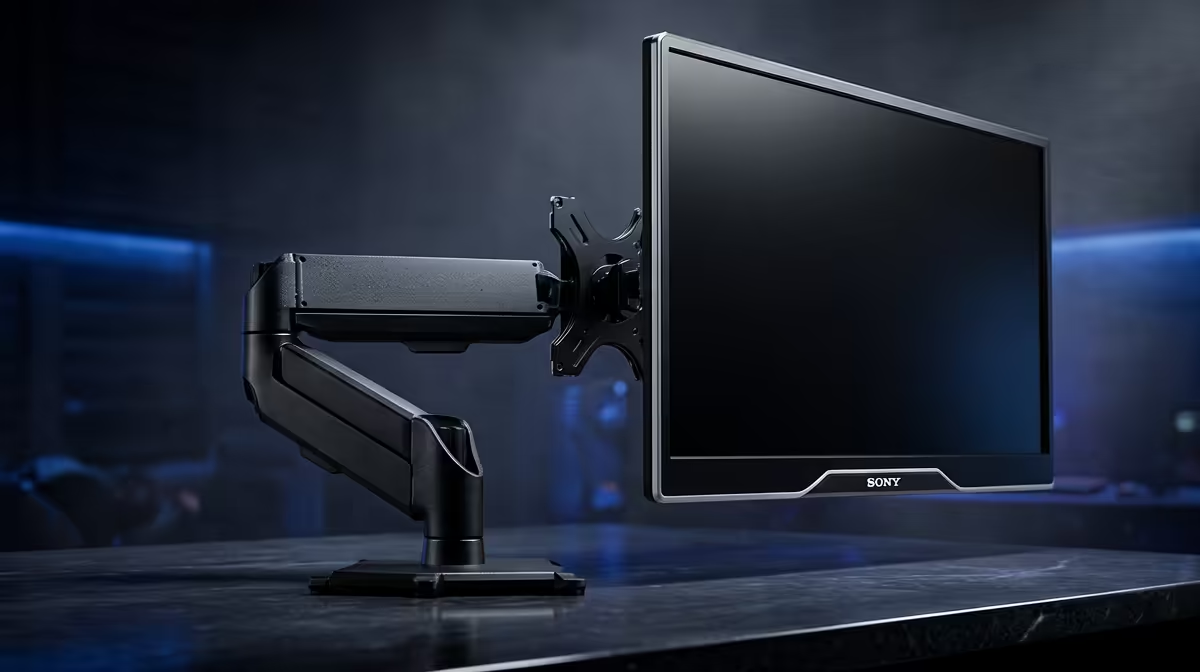
A 49-inch curved ultrawide is a magnificent thing right up to the moment a 9kg-rated arm sags, droops, or lets go. A proper heavy-duty monitor arm is the difference between a confident floating display and a slow-motion accident over your keyboard. Big and ultrawide screens carry weight and leverage that standard gas-spring arms were never built for, so the spec sheet matters more here than on any ordinary 27-inch setup.
Quick Answer
For a 49-inch ultrawide in SA you want a reinforced gas-spring arm rated above 20kg with VESA support up to 200x200mm and a solid desk clamp. A standard 9kg arm will not hold a large curved panel safely. Match the arm's weight rating to your screen's actual mass plus a margin, never to its diagonal alone.
Why Standard Arms Fail Under Ultrawides
Most affordable monitor arms are rated for displays up to about 8 or 9kg and 32 inches. A 49-inch super-ultrawide can weigh 12kg or more, and crucially the load is spread across a much wider span. That width creates leverage, so the arm fights both the mass and the torque of a panel pulling sideways. An underrated gas spring slowly loses tension, the screen creeps downward over weeks, and the mount points take strain they were never designed for.
The fix is not "a bit more" capacity, it is a different class of arm: a heavy-duty gas-spring or mechanical-spring design with a reinforced lift mechanism and a beefier mounting interface.
The Three Specs That Actually Matter
Weight Rating With a Margin
Find your monitor's mass in its spec sheet, then add a safety margin. If your panel is 12kg, an arm rated to 15kg is cutting it fine; a 20kg-plus rating gives you confident, drift-free positioning that holds for years. Gas springs hold height best when they are comfortably inside their rated range, not pinned at the top of it.
VESA Pattern up to 200x200mm
Smaller arms ship with 75x75 and 100x100mm plates. Many large and ultrawide displays use larger patterns, commonly up to 200x100 or 200x200mm. Confirm both the arm's supported VESA sizes and that the included plate matches your monitor, or that an adapter is available. A mismatch here is the most common reason a perfectly strong arm cannot be fitted.
Clamp and Desk Compatibility
A heavy panel needs a clamp that grips a thick desk firmly, and a desk that can take the downward and twisting force. Check the clamp's supported desk thickness and make sure your desk edge is solid rather than a thin laminate lip. A grommet mount through a drilled hole spreads the load even better for the heaviest screens.
Single Arm or Heavy-Duty Stand?
For one large ultrawide, a single heavy-duty arm clears the desk surface and lets you push the screen back for the correct viewing distance. If you run two big panels, look specifically at dual arms rated for the combined weight rather than two cheap single arms, because the central pole and clamp carry everything at once.
Ergonomics is the whole reason to mount a screen this size off the desk: the top of the display should sit near eye level so your neck stays neutral. That same thinking carries through to the rest of the workstation, and pairing a well-positioned screen with a properly sized desk from Evetech's ergonomic work surfaces range keeps long sessions comfortable rather than punishing.
Setting It Up Safely
Mount the arm to the desk first and tighten the clamp fully before attaching anything. Fit the VESA plate to the monitor on a soft surface, then lift the panel onto the arm with a second person helping if it is a large unit. Tension the gas spring last, adjusting until the screen holds position at any height without creeping. Route the cables through the arm's channels so a snag cannot tug the panel.
If you are building out a whole desk rather than just solving the mount, it helps to see what other SA buyers actually pick, and the highest-selling workstation add-ons at Evetech give a useful reference point for completing the rest of your ergonomic setup around a big-screen workstation.
Reach and Travel Range for Large Screens
Heavy-duty arms also differ from standard models in how far they extend and how high they travel. A 49-inch panel needs to be pushed further back on the desk than a 27-inch would, because the screen fills more of your visual field at close range. Look for an arm with a full horizontal reach of at least 50cm and a vertical travel range wide enough to serve both seated and standing heights if you use a sit-stand frame. Some reinforced arms trade range-of-motion for strength, so confirm the arm gets your screen to the height and distance you actually need before buying.
Who Needs a Heavy-Duty Arm
- Anyone running a 38-inch or larger ultrawide.
- Curved 49-inch super-ultrawide owners (this is non-negotiable here).
- Dual large-panel setups where combined weight passes 16kg.
- Creators and traders who reposition screens often and need drift-free holding.
If your screen is a standard 27 or 32-inch flat panel under 8kg, a normal arm is fine and a heavy-duty one is overkill. The reinforced models exist specifically for the big and wide displays that ordinary arms cannot hold.
Frequently Asked Questions
What weight rating do I need for a 49-inch ultrawide monitor arm?
Aim for an arm rated above 20kg. A 49-inch curved panel can exceed 12kg, and the extra width adds leverage, so a generous margin keeps the screen drift-free for the long term.
What VESA size do large monitor arms support?
Heavy-duty arms typically support patterns up to 200x100 or 200x200mm, beyond the 75x75 and 100x100 of standard arms. Always confirm your monitor's VESA pattern matches the plate before buying.
Can a normal desk take a heavy-duty monitor arm?
A solid desk with a firm edge usually can, provided the clamp suits the desk thickness. For very heavy screens a grommet mount through a drilled hole spreads the load more safely than an edge clamp.
Will a heavy arm damage my monitor's mount points?
Not if the arm is rated above your screen's weight. Problems arise from underrated arms that strain the VESA points; a properly rated heavy-duty arm holds the panel within its design limits.
Do I need a dual arm for two large monitors?
Yes, use a dual arm rated for the combined weight rather than two separate single arms, since the shared pole and clamp must carry both panels and their leverage together.