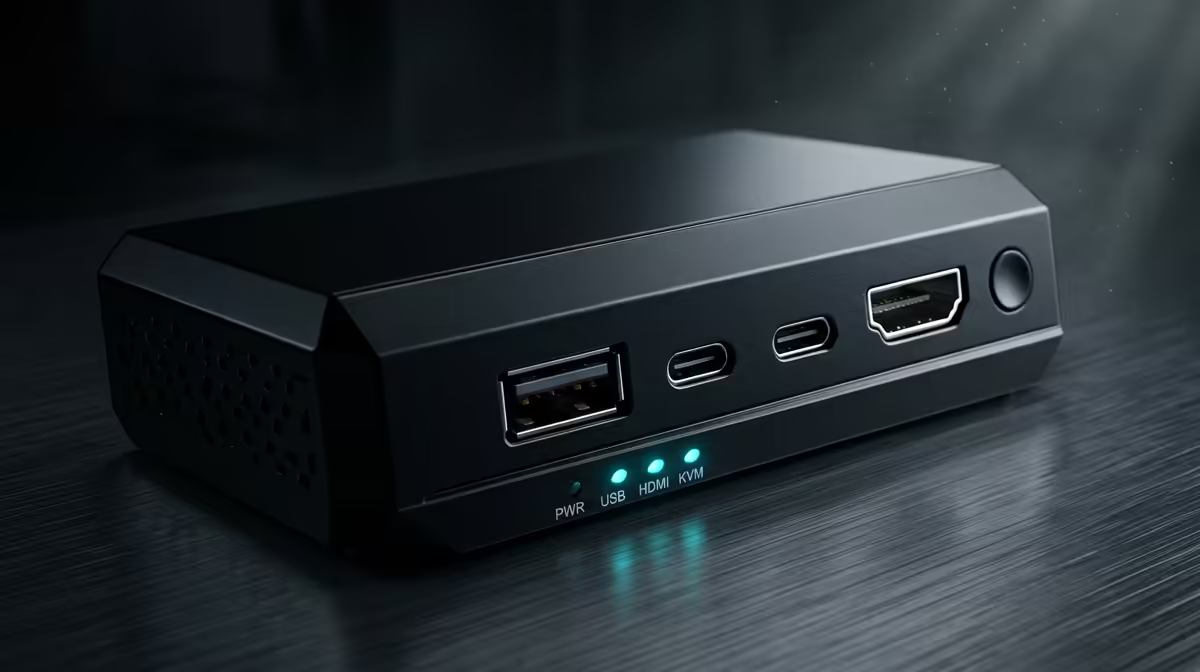
Two computers, one desk, and a single set of peripherals is the dream for anyone running a work machine alongside a personal rig, and a KVM switch is the box that makes it real. KVM stands for keyboard, video and mouse, and a good 2-port unit lets you control both PCs with one keyboard, one monitor, and one mouse, flipping between them at the press of a button. The modern catch is bandwidth: a DisplayPort 1.4 switch can carry up to 8K at 30Hz or 4K at 144Hz, so picking the right standard matters as much as the port count.
Quick Answer
For running two PCs from one desk, a 2-port DisplayPort 1.4 KVM switch is the pick. It supports up to 4K at 144Hz or 8K at 30Hz, switches machines instantly with a button or hotkey, and means you never crawl under the desk to swap cables again. Match the switch's port version to your monitor's refresh rate and resolution.
What a KVM Switch Actually Does
A KVM switch sits between your two computers and your shared peripherals. Both PCs plug into the switch with their own video and USB connections, and your monitor, keyboard and mouse plug into the switch's output side. Press the switch button, and the keyboard, mouse and display instantly connect to the other machine. The PC you switched away from keeps running in the background, so downloads, renders or builds carry on uninterrupted.
This single-desk consolidation is why people who keep a locked-down work laptop or desktop next to a personal gaming PC love them. You stop duplicating peripherals and you stop reaching behind the tower to replug cables a dozen times a day. While you are tidying the desk around it, a proper workspace surface makes those long dual-machine sessions far easier, and the best-selling desk accessories at Evetech are a sensible companion purchase.
Bandwidth Is the Spec That Bites
The most common mistake is buying on price and ignoring the video standard, then discovering the switch caps your monitor at a lower refresh rate or resolution than the panel can do. The connector version sets the ceiling.
DisplayPort 1.4
DisplayPort 1.4 is the current sweet spot for high-refresh gaming and high-resolution work. It handles up to 4K at 144Hz or 8K at 30Hz, which covers almost every dual-PC desk that mixes a fast gaming display with productivity work. If you run a high-refresh 1440p or 4K panel, this is the standard to insist on.
HDMI Versions
HDMI KVMs are common and often cheaper, but the version number is everything. Older HDMI 2.0 switches top out around 4K at 60Hz, which is fine for office work but throttles a high-refresh gaming monitor. Newer HDMI 2.1 switches push much higher, but verify the exact rating before buying rather than assuming the latest label.
Why It Matters for Two Different PCs
A work PC pushing a spreadsheet and a gaming PC pushing 144 frames per second have very different demands on the same switch. The KVM has to satisfy the more demanding machine, so size the video standard to your gaming rig's output, not your office one.
USB Handling and the Extras
Beyond video, a KVM routes your USB peripherals. Basic units pass through keyboard and mouse only, while better ones include extra USB ports for a webcam, headset dongle, external drive or audio interface that you also want to share between machines. If you rely on a specific USB device on both PCs, count the ports you need before you buy.
Switching method is the other quality-of-life factor. The simplest switches use a physical button, while better models add hotkey switching from the keyboard and sometimes a wired remote you can sit on the desk. Hotkeys are the fastest in daily use, since your hands never leave the keyboard. Check that the switch supports your keyboard and mouse without lag or dropped inputs, because a cheap unit can introduce noticeable latency that ruins fast-paced gaming.
Sizing It to Your Desk
For most dual-PC desks, a 2-port single-monitor switch is exactly right. If you run two displays, you need a dual-monitor KVM, which carries two video streams per machine and costs more. Cable length matters too: KVM cables are often short, so measure the distance from each tower to the switch and from the switch to your peripherals before ordering, and budget for longer cables if your towers sit on the floor. A clean, ergonomic desk around the switch keeps the whole arrangement comfortable, and the wider gaming and office desk range at Evetech is a solid place to start if your current workspace surface is letting you down.
Who Benefits Most
A KVM switch pays off for anyone who genuinely uses two computers at one desk: a remote worker with a company machine beside a personal PC, a developer running a separate test rig, a streamer with a dedicated capture PC, or a household sharing one good monitor between two systems. If you only ever use one PC, you do not need one. The value is entirely in eliminating duplicated peripherals and constant cable swapping.
Frequently Asked Questions
What does KVM stand for?
Keyboard, video and mouse. A KVM switch lets those three peripherals control more than one computer, so you press a button to flip your single keyboard, monitor and mouse between two or more machines without unplugging anything.
Will a KVM switch limit my monitor's refresh rate?
It can, if the video standard is too low. A DisplayPort 1.4 switch supports up to 4K at 144Hz, while an older HDMI 2.0 switch caps around 4K at 60Hz. Match the switch's port version to your monitor's resolution and refresh rate.
Can I switch PCs with a keyboard shortcut?
On better models, yes. Many KVMs offer hotkey switching so you flip machines without lifting your hands from the keyboard, and some add a wired desktop remote. Basic units rely on a physical button on the switch itself.
Do both computers stay on when I switch?
Yes. The PC you switch away from keeps running in the background, so downloads, renders and builds continue uninterrupted. The switch only changes which machine your peripherals and display are connected to.
How many ports do I need for two PCs?
A 2-port switch is right for two computers and one monitor. If you run dual monitors you need a dual-monitor KVM that carries two video streams per machine, and if you share USB devices like a webcam, choose a unit with spare USB ports.