Tired of your timeline stuttering like a scratched CD? Or that dreaded 'render time remaining' bar moving slower than rush hour traffic in Jozi? Finding the best laptop for video editing in South Africa isn't just about raw power; it's about smart choices. This guide cuts through the noise, focusing on the top features you need to prioritise for a smooth, lag-free workflow. Let's get your next project finished faster. ✨
Core Components: The Engine of Your Editing Machine
Choosing a laptop for professional video editing starts with what’s under the hood. These four components are non-negotiable and will determine whether your workflow is a breeze or a bottleneck.
The CPU: Your Rendering Powerhouse
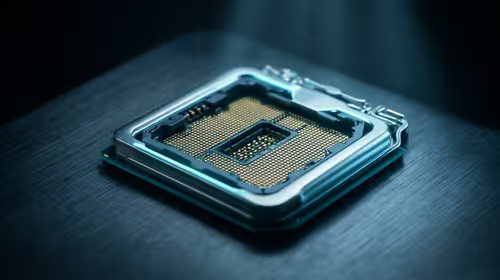
The Central Processing Unit (CPU) is the brain of your operation. For video editing, more cores and higher clock speeds mean faster rendering and smoother playback of complex timelines.
When you're choosing a processor, you’re generally looking at two main teams: Intel and AMD.
- Intel: Processors like the Core i7 and Core i9 are fantastic, especially with Intel's Quick Sync Video technology, which can significantly accelerate encoding and decoding. Many creators find these Intel laptops on special to be a perfect fit.
- AMD: Ryzen 7 and Ryzen 9 CPUs often offer more cores for their price, making them absolute beasts for multi-threaded tasks like exporting your final 4K cut. They are a powerful choice for any serious editor looking at AMD laptops on special.
Ultimately, you can't go wrong with a modern, high-performance chip from either camp for a capable video editing laptop.
The GPU: Accelerating Your Workflow ⚡
While the CPU handles the main processing, the Graphics Processing Unit (GPU) is your creative co-pilot. It accelerates tasks like colour grading, applying effects, and timeline scrubbing. A powerful, dedicated GPU (like an NVIDIA GeForce RTX series) with plenty of VRAM is crucial. This is why many of the best gaming laptop deals also feature some of the best laptops for video editing—they are built for intense graphical tasks.
RAM: How Much is Enough?
Random Access Memory (RAM) is your laptop's short-term memory. Video editing software loves RAM. For 1080p editing, 16GB is the absolute minimum. If you're working with 4K footage or complex After Effects compositions, 32GB is the sweet spot, and 64GB is the professional standard. More RAM allows you to multitask and preview your work without frustrating lag.
Storage: Speed is Everything
Your storage drive affects how quickly you can load your operating system, launch editing software, and access media files. An NVMe SSD (Non-Volatile Memory Express Solid-State Drive) is essential. Its lightning-fast read/write speeds will make your entire system feel snappier. A great setup for a video editing laptop is a fast 1TB NVMe SSD for your OS and apps, plus a larger secondary SSD or external drive for your project files and footage.
Pro Tip: Calibrate Your Display!
Don't trust out-of-the-box settings. Invest in a simple colour calibration tool. What you see on your screen should be what your audience sees... ensuring your colour grading work isn't wasted. 🎨
Beyond the Specs: Features That Truly Matter
The best laptops for video editing consider the entire user experience, not just the core specs. Here are the features that separate a good machine from a great one.
The Display: See Your True Colours
You can't edit what you can't see properly. A top-tier display for a video editing laptop needs two things: high resolution and excellent colour accuracy.
- Resolution: A Full HD (1920x1080) screen is the baseline, but a QHD or 4K display will give you a much sharper, more detailed view of your footage.
- Colour Accuracy: Look for laptops that cover at least 99% of the sRGB colour gamut. For professional colour grading, a panel covering a high percentage of the DCI-P3 or Adobe RGB spectrum is even better.
Ports & Connectivity: Your Link to the World
Make sure the laptop has the ports you need. Thunderbolt 4 or USB-C ports are incredibly versatile, offering high-speed data transfer for external drives and support for external monitors. A built-in SD card reader is also a massive convenience for offloading footage from your camera. A good selection of ports means less time fumbling with dongles and more time creating.
Finding the Best Video Editing Laptop for Your Budget
Let's be real, top-of-the-line gear can cost a pretty penny. But you don't always need the most expensive machine on the market. The key is to find the right balance of features for your specific needs and budget. Often, a well-specced machine can deliver incredible performance without breaking the bank. For creators just starting or those on a tighter budget, exploring options like gaming laptops under R20,000 can be a smart move, as they pack the powerful GPUs and CPUs needed for a smooth editing experience.
Prioritise your investment in this order: CPU, RAM, GPU, and then Storage/Display. This ensures your money goes where it has the most impact on performance.
Ready to Banish the Render Bar?
Stop waiting and start creating. Explore our curated selection of laptop specials at Evetech and find the perfect machine to bring your vision to life.