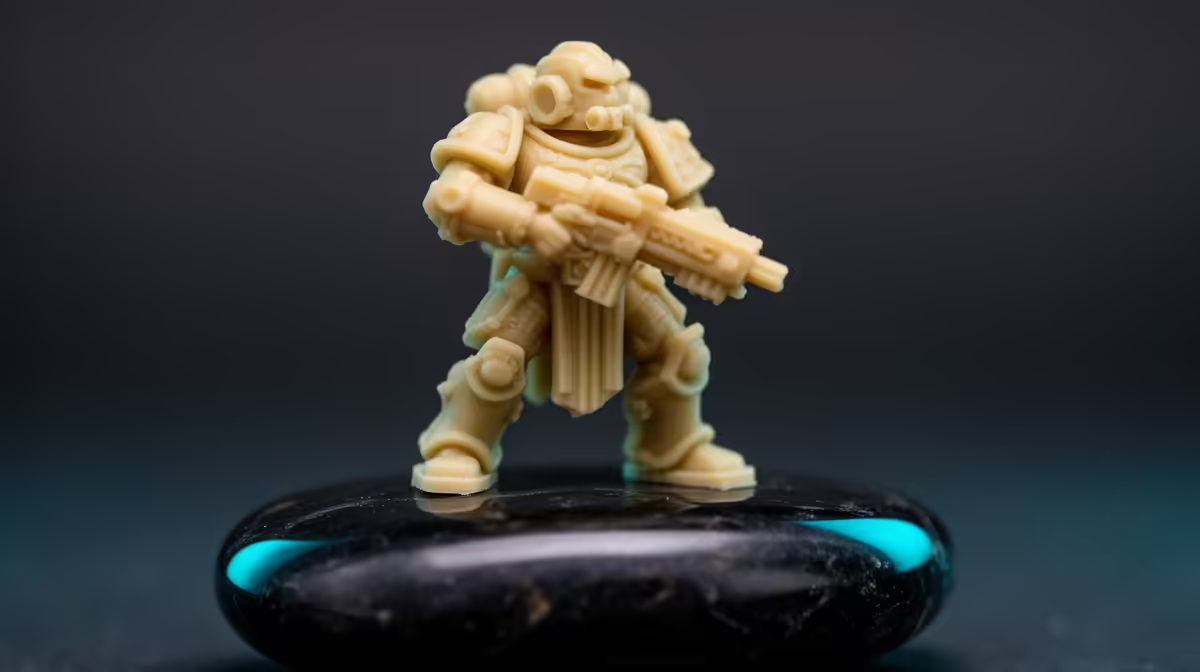
Print a dragon, a bust or a display prop in glossy PLA and the first thing your eye catches is the staircase of layer lines running up the surface, exaggerated by every shiny highlight. Switch to matte PLA and those same lines all but vanish. The finish does the work that hours of sanding and priming would otherwise demand, which is exactly why it has become the default for display models, prototypes and cosplay parts.
Quick Answer
Matte PLA hides layer lines because it carries mineral fillers, typically calcium carbonate, that scatter light instead of reflecting it in a single direction. That micro-roughness softens shadows so individual layers blend into the surface, even at a practical 0.2mm layer height. For display pieces, matte beats glossy and usually beats silk too, looking cleaner straight off the bed with no post-processing.
Why matte hides what glossy shows off
Layer lines are always there on a fused-filament print. What changes is how visible they are, and that comes down to how the surface handles light. A glossy filament reflects light in a single direction, so every layer edge throws a sharp highlight and a sharp shadow, and your eye reads that contrast as a staircase. The print can be dimensionally perfect and still look ridged.
Matte PLA breaks that up. Manufacturers blend mineral particles, often calcium carbonate or similar inorganic fillers, into the pellets before the filament is extruded. Those particles sit at the surface of each printed layer and create a fine micro-roughness that scatters incoming light in all directions instead of bouncing it back as a single highlight. With the shadows softened and the highlights diffused, minor layer inconsistencies simply blend into the surface rather than catching the eye.
Matte versus glossy versus silk for display work
The three finishes serve different goals, and for display models the ranking is fairly clear. Glossy PLA looks great on a smooth, large flat panel but mercilessly exposes layer lines on curved or detailed surfaces, the very surfaces display models are made of. Silk PLA brings a shiny, almost metallic sheen that photographs beautifully on simple shapes, but that sheen behaves like gloss on layer lines, highlighting them rather than hiding them.
Matte sits in the sweet spot for figurines, busts and props. At a typical 0.2mm layer height on a tuned printer, matte prints look noticeably smoother than glossy at the same settings, and most hobbyists find matte cleaner straight off the printer than silk for anything with surface detail. If your goal is a model that looks finished without sanding, matte is the safe default. The current crop of capable machines in the 3D printer range at Evetech all handle matte PLA without special tuning.
Why matte white is the easiest of all
There is a reason so many display prints and prototypes show up in matte white. White reflects light uniformly across the whole surface, which already reduces the shadows that make layer lines visible, and matte white adds the diffusing texture on top. The combination means even minor layer inconsistencies disappear, making matte white the most forgiving colour for hiding print artefacts. If you want a model to photograph cleanly with the least effort, matte white is hard to beat.
Settings still matter, even with matte
Matte forgives a lot, but it is not magic. A 0.2mm layer height is the practical standard and looks great, but dropping to 0.12mm or 0.16mm on a fine bust squeezes out even more smoothness for the surfaces that face a camera. Keep your filament dry, since damp PLA prints rougher and undoes some of the benefit, and make sure your flow is dialled in so walls are consistent. The finishing tools, storage and small extras in the accessories best sellers help keep filament in good condition and your prints camera-ready.
How to get the cleanest matte surface
Matte PLA does most of the work, but a few habits push the result from good to genuinely display-ready. The biggest lever after layer height is wall count. Two or three perimeters give the slicer room to lay smooth outer walls without the infill pattern ghosting through, which keeps the surface even. Slowing the outer-wall speed a little also helps the printer track curves cleanly, so the diffusing texture lands consistently rather than wavering on tight detail.
Cooling is worth a thought too. PLA generally likes strong part cooling, and matte is no exception for crisp overhangs, but easing cooling slightly on the first few layers improves bed adhesion so a tall display piece does not lift a corner mid-print. Test these on a small sample of the actual model rather than a generic cube, because a bust's curves and a prop's flat panels reveal different things. Small adjustments on a representative test save a wasted long print.
Lighting your finished model
Because matte diffuses light, how you light the finished piece changes how it reads. Soft, even lighting flatters a matte print and keeps layer lines invisible, while a single harsh light raking across the surface at a low angle can still pick out faint ridges, the one situation matte does not fully hide. For photography or a display shelf, position the model away from a single sharp light source and the finish looks flawless. This is the opposite of how you would shoot a glossy or silk print, where a directional highlight is the point.
Who matte PLA is really for
Matte is the right pick for anyone printing things meant to be looked at rather than stressed. Display models, tabletop miniatures, cosplay props, prototypes you want to present cleanly, and product mock-ups all benefit from the forgiving surface. It is not the strongest engineering material, and the mineral filler makes it slightly more brittle than basic PLA, so reserve it for decorative and non-structural parts. For those, it saves real hours of post-processing.
Frequently Asked Questions
Why does matte PLA hide layer lines so well?
It contains mineral fillers like calcium carbonate that create a micro-rough surface. That roughness scatters light in all directions instead of reflecting a single highlight, softening the shadows that normally make layer lines stand out.
Is matte or silk PLA better for display models?
Matte, for anything with surface detail. Silk's sheen behaves like gloss and highlights layers, while matte diffuses light and hides them. Silk photographs well on simple shapes, but matte looks cleaner straight off the printer for figurines and busts.
Does matte PLA need a special printer or settings?
No. Any capable FDM printer handles it. A 0.2mm layer height already looks smooth, though dropping to 0.12mm to 0.16mm on fine details adds more. Keep the filament dry and your flow dialled in for the best surface.
Is matte white really the easiest colour for hiding lines?
Yes. White reflects light uniformly, reducing layer-line shadows, and matte white adds a diffusing texture on top. The combination hides even minor inconsistencies, making it the most forgiving choice for clean, photographable prints.
Can I use matte PLA for functional parts?
It is best kept for display and non-structural pieces. The mineral filler that gives it the matte look also makes it slightly more brittle than basic PLA, so use standard PLA, PETG or stronger materials for parts that bear load or stress.
Want display prints that look finished straight off the bed? Pair matte PLA with a well-tuned machine from the 3D printer range at Evetech and skip the sanding-and-priming marathon entirely.