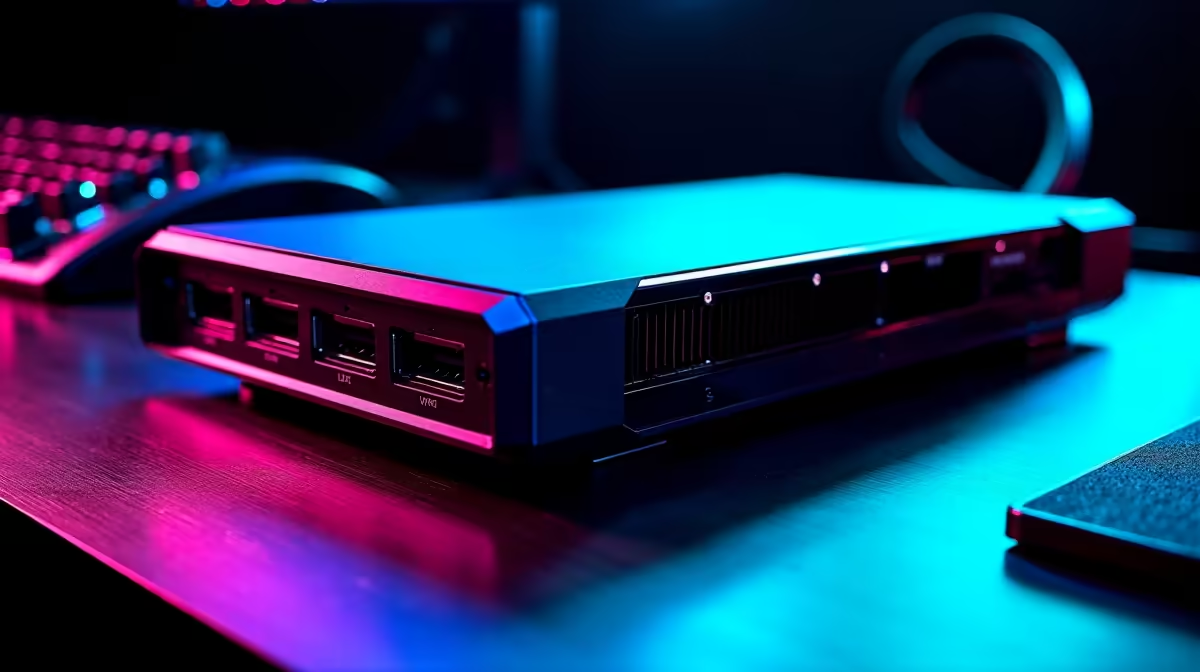
The frustration with graphics power on a laptop is that when the GPU ages, the whole machine feels old, even though the rest of it is fine. A modular eGPU setup breaks that link. The desktop graphics card lives in its own external enclosure on its own power supply, connected to the host machine over a single cable. When a faster card arrives, you swap only the card. The laptop, the enclosure, and the power supply all stay. You upgrade one part at a time instead of replacing everything at once.
Quick Answer
A modular eGPU setup puts a standard desktop GPU in an external enclosure with its own power supply, connected to a laptop or mini PC over Thunderbolt or OCuLink. You upgrade by swapping just the graphics card, leaving the host and enclosure in place. Docks like the AOOSTAR AG02 take cards drawing up to 600W, so the path stays open for years.
Why a modular eGPU is the most upgradeable graphics path
A laptop with a soldered GPU is a dead end for graphics upgrades. An all-in-one desktop is little better. The eGPU model separates the three things that age at different rates: the host computer, the connection and enclosure, and the graphics card itself. Cards improve fastest, so making the card the cheap, swappable part is exactly the right design.
Because the GPU sits in its own box on an independent power supply, you are not limited by a laptop's tiny cooling or power budget. You run a full desktop card at full power, and when the next generation lands, you drop it in and keep the rest. That is the definition of upgrading one part at a time.
The three modular pieces, and how each ages
Treat the setup as three layers, each with its own replacement cycle.
The host
A laptop or mini PC with a fast external port. This is the longest-lived piece. A capable CPU and enough RAM stay relevant for years, especially once the GPU is no longer the thing holding it back. You replace the host last, and only when the CPU itself becomes the bottleneck.
The enclosure and connection
The dock holds the card, feeds it power, and links it to the host. A good enclosure outlasts several graphics cards. The two main connections are Thunderbolt, which is widely supported, and OCuLink, which offers more bandwidth and so loses less performance to the cable. Choosing a dock with headroom matters here.
The graphics card
The fast-moving part, and the whole reason for the design. You buy the GPU you can afford today and swap it when a better one is worth it, reusing everything around it.
Choosing an enclosure with real headroom
The enclosure is the foundation, so buy one that will not limit future cards.
Power matters most
A card's power draw rises with each generation. An enclosure rated for 600W, like the AOOSTAR AG02, has the headroom to run today's high-end cards and the ones after them. Buy a low-wattage dock to save a little now and you cap which cards you can ever fit.
Connection bandwidth
OCuLink carries more data than Thunderbolt, so it loses less performance over the link, which matters for high-end cards that can saturate a slower connection. If your host supports it, an OCuLink dock keeps more of the card's power available to you. The current options sit in the docking station range at Evetech, where you can compare power ratings and connection types side by side.
Physical clearance
Desktop cards keep getting longer and thicker. An enclosure with generous internal space accepts large cards now and leaves room for the bulkier coolers on future ones.
The honest trade-offs
An eGPU is not free of compromise, and it is fair to weigh them.
The external connection carries less bandwidth than a card slotted directly into a desktop motherboard, so you lose a slice of the card's performance to the link, more on Thunderbolt than on OCuLink. It also takes up desk space, since you have a second box and its power supply. And for the cost of a high-end host plus a strong enclosure plus a top card, a dedicated desktop tower would deliver more raw performance.
The eGPU wins where flexibility is the priority: when you need one machine that is portable yet has serious graphics at the desk, or when you specifically want to upgrade graphics in small, affordable steps over years rather than replacing a whole PC at once. To see which cards are currently popular and would suit the enclosure, the GPU best sellers list is a useful reference before you commit.
Matching the card to the host
A common mistake is pairing a top-tier card with a weak host and expecting full performance. The two have to balance.
Avoid a CPU bottleneck
The host's processor still feeds the graphics card. A modern multi-core CPU keeps a strong card supplied with work; an older or low-power chip leaves the GPU waiting, so you pay for power you never see. When you choose the host, match its CPU class to the cards you plan to run.
Power and cabling at the desk
The enclosure's power supply runs the card, but the host still needs its own power, and the connecting cable has to be the right type and length for a clean signal. Keep the cable short and use the connection the dock and host both support, so you lose as little bandwidth as possible to the link.
Driver and software setup
Once connected, the host's operating system needs the graphics drivers for whichever card is installed. Swapping to a different card brand later means updating those drivers. It is a quick step, but worth knowing before your first card change so the swap goes smoothly.
Who this setup is for
This is the right path for a buyer who values a single, portable machine and wants graphics that keep pace without a full rebuild each time. It suits someone who would rather spend on a strong enclosure once and then make small, regular card upgrades. It is the wrong path for someone who wants maximum performance per Rand and never moves their machine, where a desktop tower remains the better value.
Frequently Asked Questions
Can I really upgrade just the graphics card in an eGPU?
Yes. The card sits in a standard slot inside the enclosure on its own power supply. When you want more performance, you remove the old card and fit a new one, keeping the host, enclosure, and power supply. That is the core appeal.
What does the AOOSTAR AG02 600W rating mean for me?
A 600W power rating means the enclosure can supply enough power for current high-end cards and the next generations. Higher headroom keeps your upgrade path open, so a more powerful future card will still fit and run.
Is OCuLink better than Thunderbolt for an eGPU?
OCuLink offers more bandwidth, so less of the card's performance is lost over the connection, which helps with powerful cards. Thunderbolt is more widely supported across hosts. Choose based on what your host machine offers.
How much performance do I lose with an eGPU?
You lose some, because the external connection carries less bandwidth than a direct desktop slot. The loss is smaller on OCuLink and larger on Thunderbolt, and it matters more for high-end cards than for mid-range ones.
Is an eGPU better value than a desktop?
For pure performance per Rand, a desktop tower wins. An eGPU wins on flexibility: one portable machine with serious desk-side graphics, and the ability to upgrade the card alone over several years.
Want graphics you can upgrade one card at a time? Start with an enclosure that has the power and bandwidth headroom from the docking station range at Evetech, then pick your card.