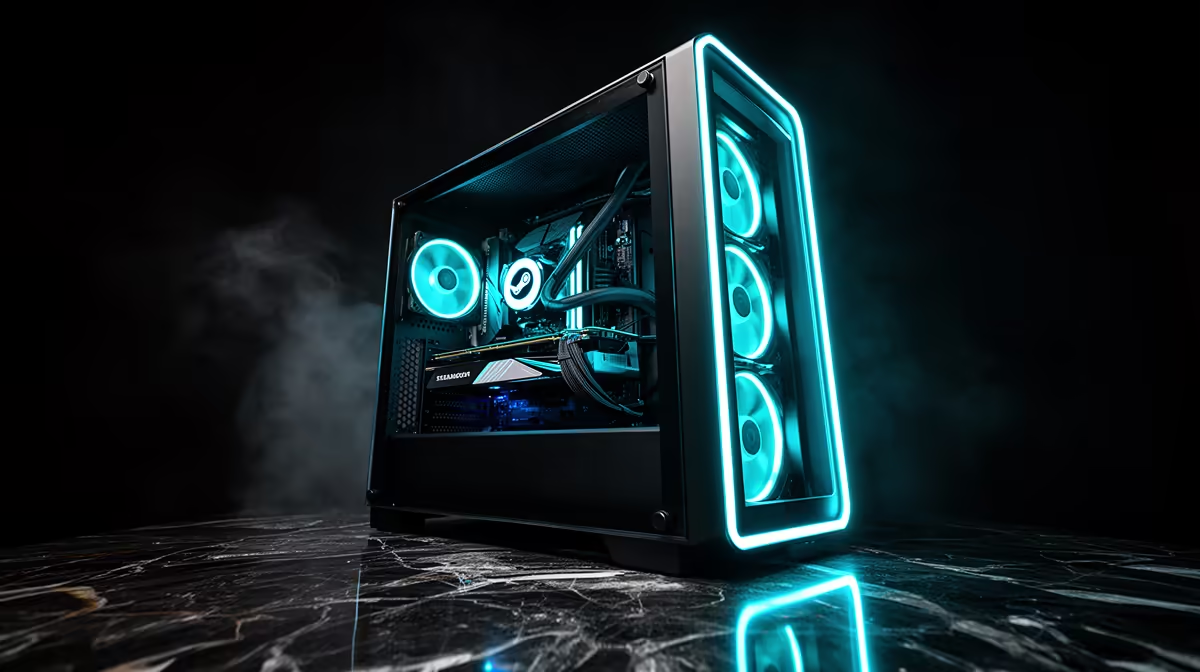
Valve's desktop operating system has quietly become a serious option for a living-room or bedroom gaming rig, and building for it well means picking parts it actually likes. A SteamOS gaming PC runs smoothest on all-AMD hardware, because SteamOS 3.x officially supports generic AMD desktop components and leans on the open-source Mesa RADV driver for graphics. Build it that way and you get console-style simplicity with the freedom of a desktop you chose yourself.
Quick Answer
The best SteamOS build for South Africa is all-AMD: a Ryzen 7000-series processor paired with a Radeon RX 7800 XT graphics card. SteamOS 3.x officially supports AMD desktop hardware, and the Mesa RADV driver delivers strong, well-maintained Radeon performance on Linux. That combination drives smooth 1440p gaming from parts stocked at Evetech, without the driver headaches an NVIDIA card can bring on SteamOS.
Why all-AMD is the right call
SteamOS is built around AMD silicon, the same family Valve uses in its handheld. That means the graphics driver, RADV, is open-source, ships with the system and is actively tuned for Radeon cards. NVIDIA cards rely on a separate proprietary driver that is improving but still less seamless on SteamOS, with more potential for snags during setup and updates. Choosing a Radeon GPU and a Ryzen CPU keeps the whole stack on the path Valve tests and supports, which is exactly what you want from a set-and-forget gaming box.
SteamOS 3.8, released in June 2026, made this even clearer: the release notes explicitly confirm that RX 6000 and RX 7000 series discrete GPUs are the target hardware for desktop installs, with RDNA 4 support extended through the shipped Mesa and kernel versions. NVIDIA support is confirmed as in development but was not part of the 3.8 release.
The core parts
Start with a Ryzen 7000-series processor. The platform is current, efficient and gives you a clear upgrade path. For graphics, the RX 7800 XT hits the sweet spot for 1440p, with enough memory and grunt to hold high frame rates in modern titles. Pair those with a B650 motherboard, 32GB of DDR5 memory for comfortable multitasking, and a fast NVMe SSD so your Steam library loads quickly. That spec lands in genuine mid-to-high desktop territory while staying fully inside SteamOS's supported hardware.
Sizing the rest of the build
Round it out with a quality 650W or higher power supply from a reputable brand, a case with decent airflow, and a cooler matched to your Ryzen chip. AMD recommends a minimum 700W PSU for systems pairing an RX 7800 XT with a higher-end CPU, so budgeting up to 750W gives comfortable headroom. None of this is exotic, which is part of the appeal: SteamOS lets you build with mainstream AMD parts rather than chasing anything specialised. If a couch setup is the goal, a compact case and a controller turn the same components into a console-like experience.
Installing SteamOS on a desktop
Valve distributes SteamOS 3.8 as a recovery image you flash to a USB drive using a tool like Balena Etcher. Boot from the USB, let the installer run, and the first post-install update arrives automatically. The whole process typically takes under twenty minutes on a fast connection once you have the image written. SteamOS sets up the RADV driver, Proton compatibility layer, and Steam itself without any manual configuration. After the first boot you land directly in Big Picture mode, ready to log in and start installing games.
One practical note: SteamOS desktop installs are marked as beta by Valve. For most builders using all-AMD hardware the experience is stable and daily-use ready, but Valve's "beta" label means occasional rough edges when a Mesa or kernel update ships. Following the stable update channel rather than beta preview reduces this further.
Storage and the game library
SteamOS uses NVMe storage efficiently, but a large game library fills space faster than expected when you have the Proton compatibility layer running titles alongside native Linux ports. A primary 1TB or 2TB NVMe drive is a sensible starting point. Adding a secondary drive for overflow is straightforward on SteamOS through the in-built storage manager, so you are not locked into a single drive if your library grows. Fast storage matters more than massive storage: a well-performing NVMe cuts load times noticeably compared to a slower drive with the same capacity.
Proton compatibility and your game library
Proton, Valve's Windows-to-Linux compatibility layer, is what lets you run the bulk of your Steam library on SteamOS without a native Linux port. Compatibility has improved dramatically through 2025 and 2026, with the vast majority of popular titles running at or near Windows performance. ProtonDB tracks community-reported results per game; checking a title there before building your library list is the sensible way to spot the small number of games that still have issues. Most multiplayer titles with kernel-level anti-cheat remain the category where compatibility is patchiest, so if that is your primary genre it is worth verifying before committing to the platform.
Living-room versus desk
A SteamOS machine shines on a TV with a controller, where its Big Picture-style interface feels like a console. But the same build works at a desk with keyboard and mouse too. If portability ever enters the picture, Valve's handheld lineage means your SteamOS knowledge carries straight over to the handheld gaming consoles range at Evetech, which run the same operating system. For an out-of-the-box alternative, the best-selling gaming PCs give you a ready Radeon-equipped base you can move to SteamOS.
Frequently Asked Questions
Does SteamOS officially support AMD desktop hardware?
Yes. SteamOS 3.8 officially supports generic AMD desktop components, using the Mesa RADV driver for graphics. RX 6000 and RX 7000 series cards are the confirmed target hardware for desktop builds.
Can I use an NVIDIA card with SteamOS?
You can, but NVIDIA support on SteamOS is still in development and was not included in the 3.8 release. For the smoothest experience right now, a Radeon card is the safer choice on SteamOS.
Will an RX 7800 XT handle 1440p gaming on SteamOS?
Yes. Paired with a Ryzen 7000 processor, the RX 7800 XT delivers smooth 1440p performance in modern titles, which is the resolution this build is aimed at.
Do I need a powerful CPU for a SteamOS build?
A current Ryzen 7000-series chip is ideal. It keeps the platform modern, pairs cleanly with the RX 7800 XT, and avoids bottlenecking the graphics card at 1440p.
Is a SteamOS PC harder to set up than Windows?
Not significantly, especially with all-AMD parts. SteamOS handles the graphics driver itself, and its console-style interface makes day-to-day use simple once the hardware is assembled.
How compatible is my existing Steam library with SteamOS?
Proton covers the vast majority of popular Steam titles, and compatibility continues to improve. The ProtonDB database shows community-reported results per game, so you can check specific titles before building. Most single-player and co-op games run without issues; titles with kernel-level anti-cheat are the category most likely to have problems.